

해결됨
Why do my photos have a purple tinge when i import into photoshop?
Here is the photo imported into photoshop, everything on the artboard has a purple tinge!?
Would anyone know why this is?
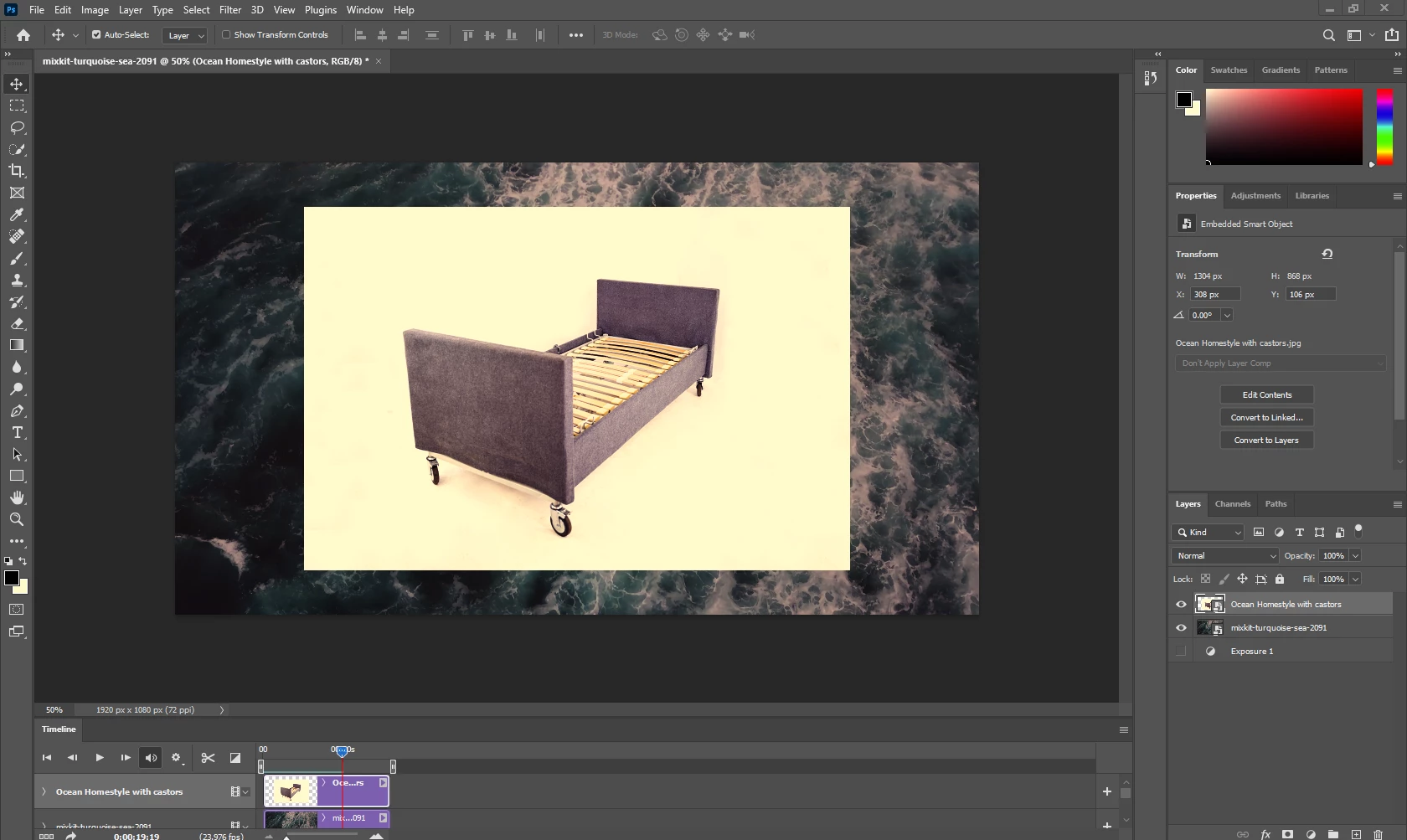

Here is the photo imported into photoshop, everything on the artboard has a purple tinge!?
Would anyone know why this is?
"I don't think the monitor profile is broken as everything else on my monitor looks as normal"
That's the common reaction, but it's based on a misunderstanding of what the monitor profile does.
The monitor profile doesn't adjust anything, it's just a map of your monitor. It is used by the application in a standard icc profile conversion. The application does the adjustment - but only if the application actually supports color management. Most consumer-oriented photo viewers and general desktop apps don't. They don't even know what a monitor profile is. So all these applications are entirely unaffected by a bad profile.
And even so, a monitor profile is a pretty complex thing, and if it's not written correctly, it can affect different applications differently, even if they all are color managed. In Lightroom, it can even affect the Library and Develop modules differently.
This is a broken monitor profile. The proper and adequate way to set it right is to use a calibrator to make you a new profile - but if you don't have one, sRGB IEC61966-2.1 is usually close enough for most people.
Enter your E-mail address. We'll send you an e-mail with instructions to reset your password.
 AdChoices