
f30055449
Known Participant
October 23, 2017
Answered

Why is PS showing different colors when exporting ?

  • October 23, 2017
  • 2 replies
  • 98371 views

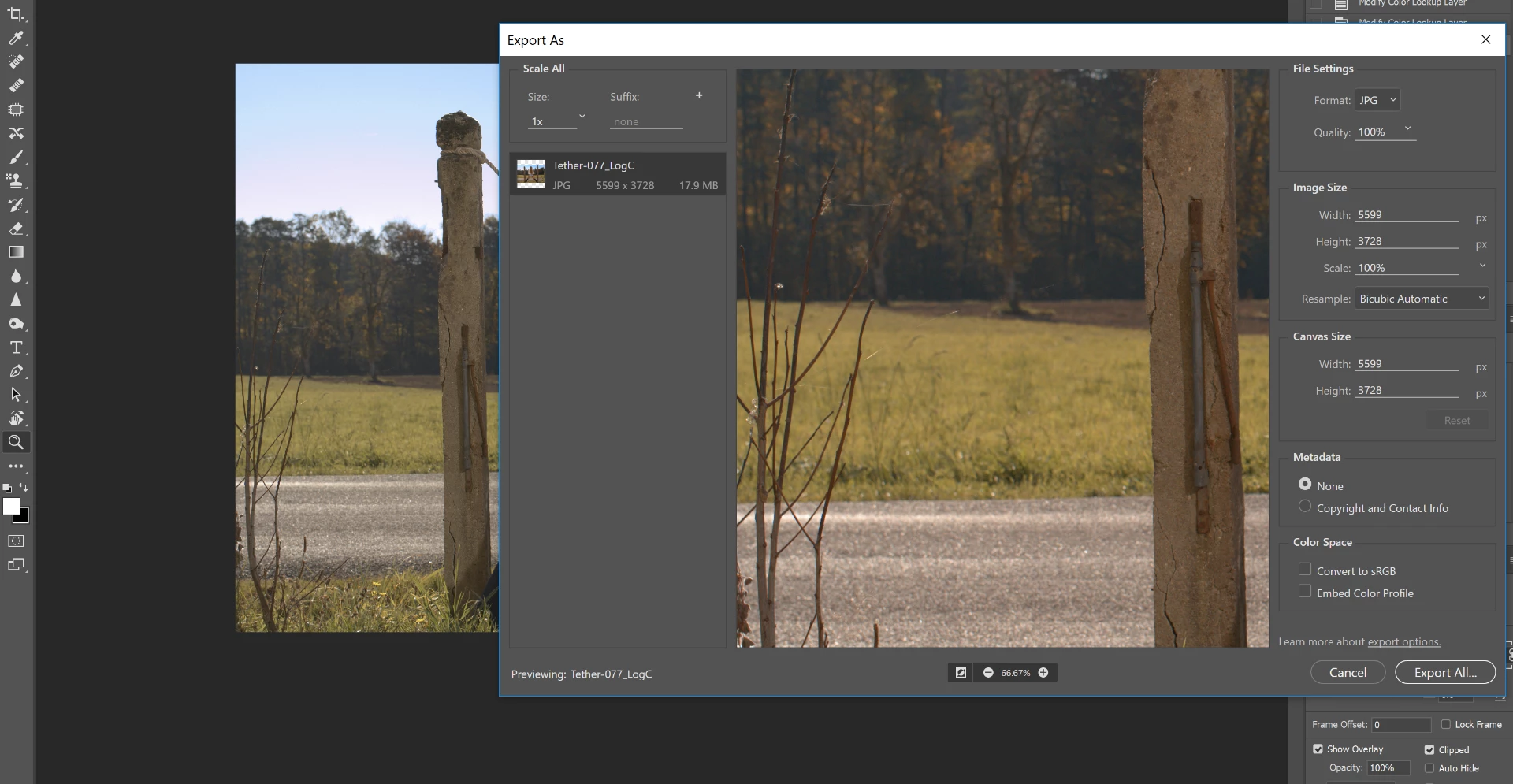
Here is a screenshot of the Export dialog, which colors shifted to warmer / red in comparison with the TIFF file opened in PS (visible in the background here)

This is before I even save the JPEG file.

How can I make PS use the right colors when saving to JPEG ?

Thanks for any help
This topic has been closed for replies.
Correct answer D Fosse

You need to check "embed color profile" in the Export dialog.

With this checked, you see the color managed image. Unchecked, it displays without color management.

2 replies

Legend
October 29, 2017

Yes, you're completely wrong.

Participating Frequently
October 23, 2017

do you use the correct color profile ? try to export in jpeg selecting the color profile, probably srgb, from the export window

f30055449
f30055449Author
Known Participant
October 24, 2017

If I choose "convert to sRGB" in the export preferences, it shows the same behaviour. Also, ticking "convert to sRGB" in the above.window has no effect on the colors of the preview.

The preview window defaults to PNG for some reason, even if I set the export preferences to JPG in the export preferences menu.

My image is in RGB mode, 16 bits per channel,

Here are my color settings:

D Fosse
Community Expert
D FosseCommunity ExpertCorrect answer
Community Expert
October 24, 2017

You need to check "embed color profile" in the Export dialog.

With this checked, you see the color managed image. Unchecked, it displays without color management.