

Participant
June 7, 2023
질문

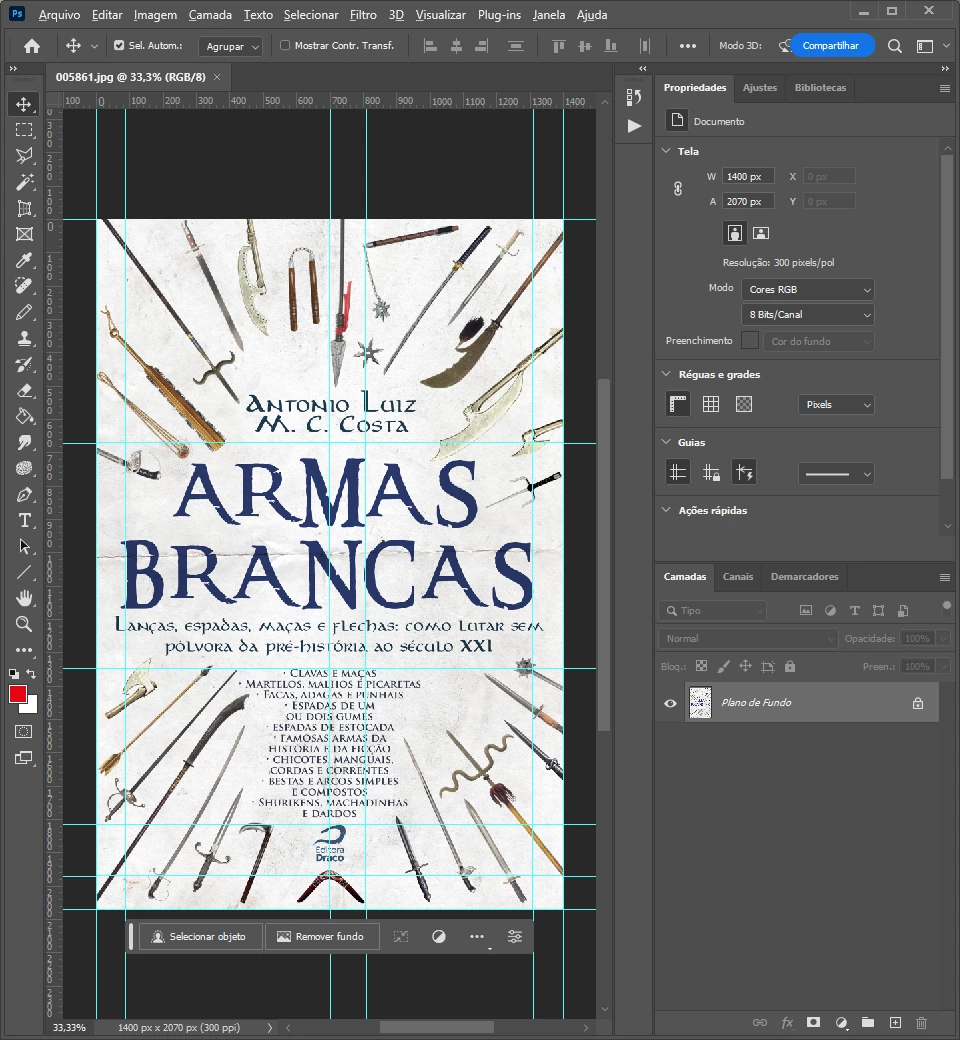
Why some of my downloaded JPEG images open up with guide lines in Photoshop?

  • June 7, 2023
  • 3 답변들
  • 484 조회

Like this, and I want to know HOW can I save the guidelines in a JPEG file:
 

이 주제는 답변이 닫혔습니다.

3 답변

Stephen Marsh
Community Expert
Community Expert
June 7, 2023

Guides are stored as metadata in the file.


If using Save As/Save As a Copy, guide metadata is retained.


If using Export/Save for Web (Legacy) this metadata is removed.


Same for Export As and Generator.


With Photoshop scripts, it is possible to create paths or vector shapes or rasters for all guides.

Conrad_C
Community Expert
Community Expert
June 7, 2023

I didn’t know you could save guides in JPEG!

I tested and confirmed what Stephen_A_Marsh found, and was able to clarify a few more things:


With Save for Web (Legacy), even selecting All Metadata does not include guides in a JPEG.


But that is consistent with how the Photoshop save/export commands work overall, so it’s worth pointing out/reminding: The reason the guides aren’t included in Save for Web even if All Metadata is selected, is because the commands intended for web/mobile export (such as Save for Web and Export As) never include metadata that is not needed for web/mobile delivery.


The web/mobile export commands always exclude information such as print resolution (ppi), guides, clipping paths, etc. The reason is that keeping out this metadata helps minimize file size, which is very important for web/mobile export.


If you want to save extra JPEG features such as ppi, guides, clipping paths, and such, you always want to go through File > Save As or File > Save a Copy. Those commands preserve maximum metadata.

Trevor.Dennis
Community Expert
Community Expert
June 8, 2023

Same here Conrad, but we did talk about workpaths being saved in JPG files in a SFTW thread a while back, so it kind of makes sense.  I'm guessing that 'Save for Web' would strip paths and guides along with metadata.

Ranjisha Sengupta
Legend
June 7, 2023

Hi @Eduardo 5C40 


That's a great question you came up with. Let me give you an overview.

The lines that you see appear when the 'Guides' is enabled. You can choose not to display them on the way by going to View> Show> Guides (Uncheck).

To answer the second part, you can't print Photoshop grids on paper, but you can add them to your projects. Have a look here for the steps: https://www.adobe.com/products/photoshop/grids-and-guides.html#:~:text=Add%20a%20grid%20to%20any,%E2%80%BA%20Snap%20to%20%E2%80%BA%20Grid.)


Let us know if it helps.


Best,

Ranjisha

Kevin Stohlmeyer
Community Expert
Community Expert
June 7, 2023

@Eduardo 5C40 because thats how they were saved when the author created them.

Kevin Stohlmeyer
Community Expert
Community Expert
June 7, 2023

To save them out in your files, make sure they are visible when saving as a jpg file.
