
Will a drop shadow print okay if placed as a separate frame over the graphics placed below?
I'm new to importing layered PSD's into InDesign and I'm not sure if I am executing this in the right way and need some advice please.
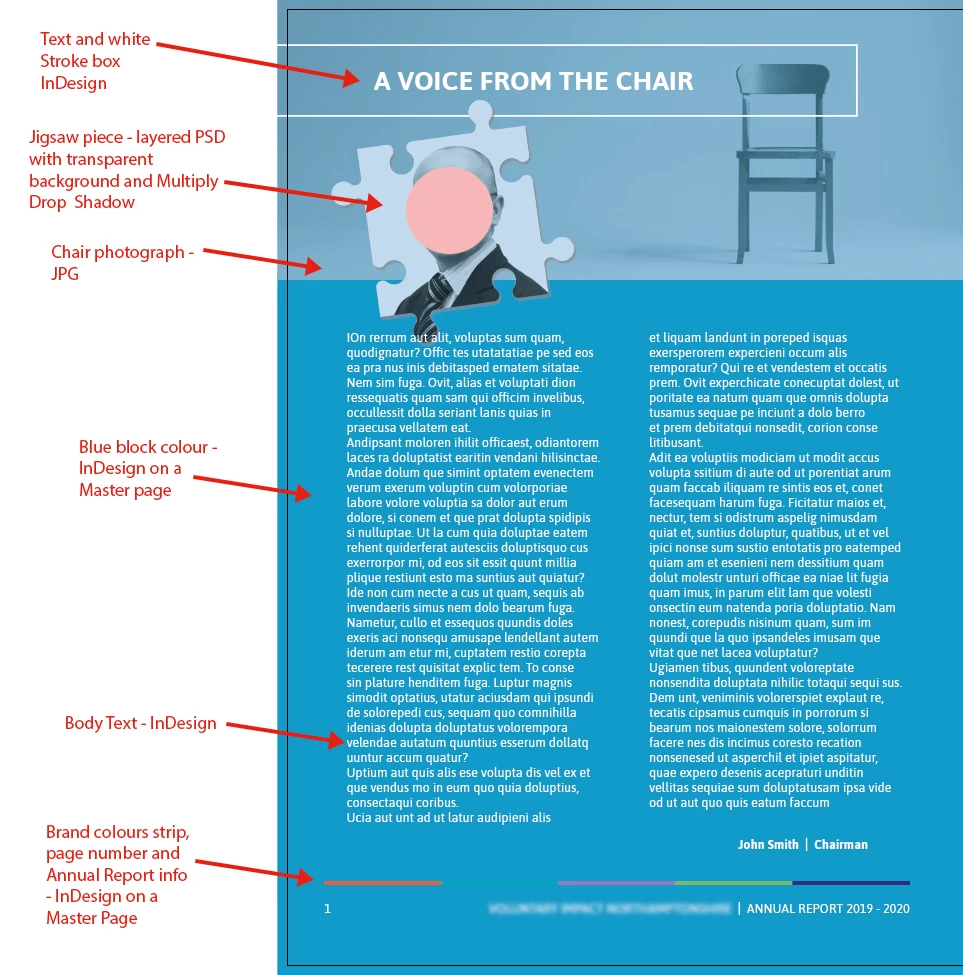
As you will see in my screen snap, I have various items on my InDesign page, the one in question is the jigsaw piece. This is a layered PSD (with a transparent background).
(Just for info - the jigsaw is made up of three layers, the CEO photo on the bottom, blue filled layer with 30% opacity on the next, and the CEO photo laid over that with the Multiply Blend Mode applied, all cut out in a jigsaw piece shape).
The bottom layer of the jigsaw has a drop shadow on which is 35% Opacity and the Multiply Blend Mode applied, when I look at the drop shadow it looks like it's not going to work well (what with it being a separate image placed over the images below?).
My question is should I make the chair image, the blue block of colour, the white Stroked box and the jigsaw piece all one PSD and place that into InDesign so that my drop shadow looks like it's sitting on and blending with the blue background or will my jigsaw piece be okay as a separate PSD placed on top of the other images as I currently have it, is it just a preview thing that's making it look a little unrealistic as a drop shadow?
And one last thing, are Placed layered PSD's okay to be used in InDesign for professional printing? Could PSD layers that are switched off get printed by accident?


 AdChoices