
Inspiring
December 26, 2016
Question

Workflow advice needed

  • December 26, 2016
  • 1 reply
  • 353 views

CC on a Mac

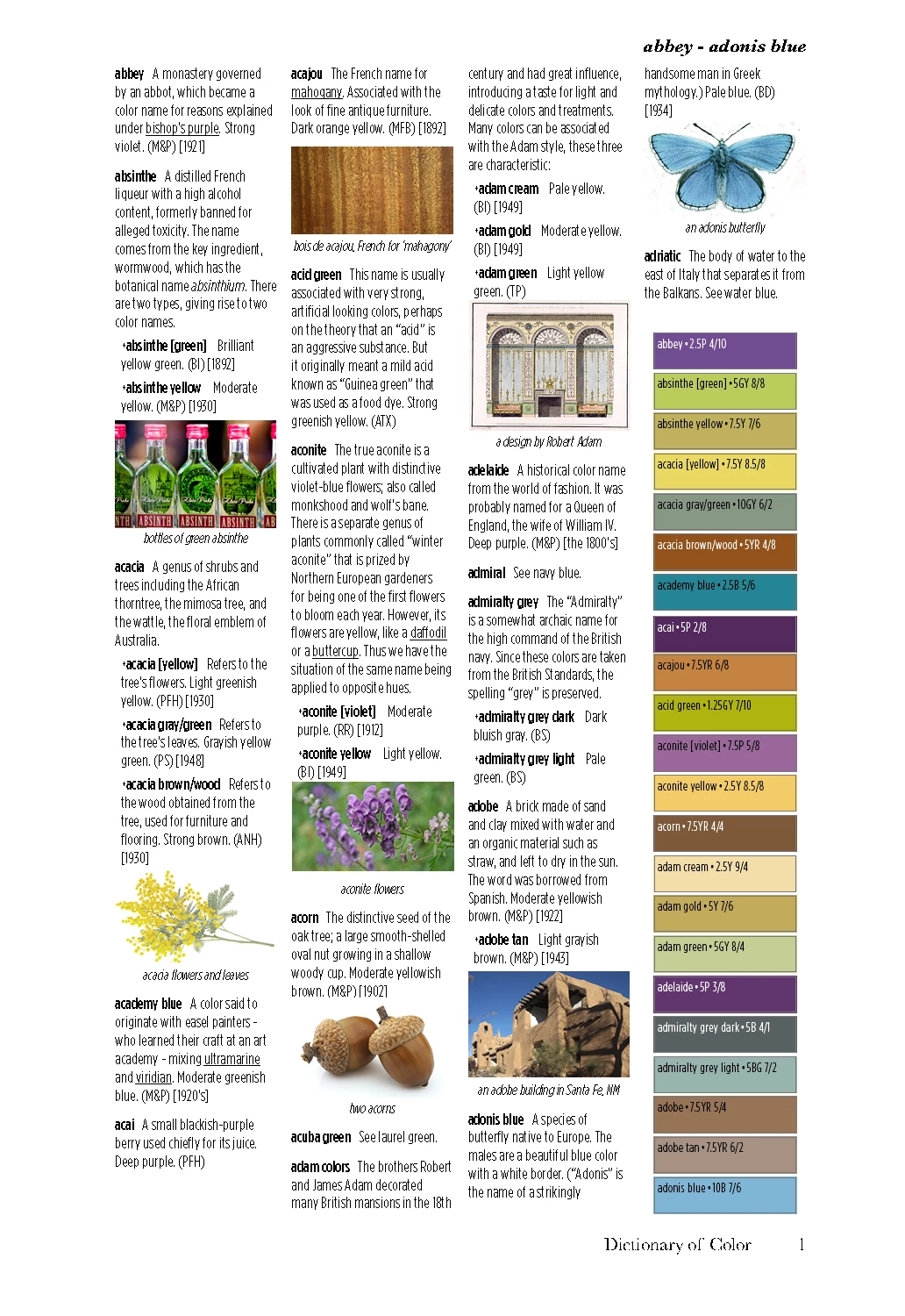
I am embarking on my a photo-heavy book design project and would like to get advice about workflow. An image of a page is shown below. The originals are jpegs, and there may be a few hundred of them by the time I am finished. At present each one is on my harddrive in a single folder in 3 iterations: the original, the psd file, and the final version, output as a jpeg. I'm linking to the final jpegs from InDesign. They are all being used at the same width, with varying heights. As you can see, they are quite small - just 88pts wide. At present I am outputting the final jpegs at around 125pts, 300 dpi. The layout might change, which might mean I want to use them a little larger than shown below.

Any advice?
    This topic has been closed for replies.

    1 reply

    D Fosse
    Community Expert
    Community Expert
    December 26, 2016

    The question is how critical image quality is. If it is, keep your master files handy, in case you need to resize. You'll always get best results if you do final sharpening at actual print size - placing "oversized" files will soften them slightly. You might also want to place TIFFs instead of jpegs.

    Inspiring
    December 26, 2016

    Since some of the images are isolated on a white background, would I gain anything by making that a transparent background, then placing the psd fill in InDesign and asking it to honor transparency?

    I am not currently sharpening the image before output. Would you?

    D Fosse
    Community Expert
    Community Expert
    December 26, 2016

    MarieMeyer wrote:

    I am not currently sharpening the image before output. Would you?

    I normally do that, yes. So that means I have a master file, and then I prepare a copy at exact print size and sharpen that. If I need to resize, I make a new one from the master file.

    But again, it depends on how and how big the image appears in print. If it's very small it's probably not worth the trouble.

    The white background should work fine as long as the image is 255/255/255 white. Transparency will also work fine for TIFF - jpeg doesn't support transparency. But in that case make sure to preview in InDesign with Overprint Preview on and also remember to set Transparency Blend Space if it interacts with other elements. If you get any problems here ask in the InDesign forum.