



Wrong colours only in Adobe programs
Hey,
a year ago, I had the same problem and here it is again...
(Last time it tried so much, that I didn´t know what solved the problem in the end.)
When I open my photos in Photoshop/Lightroom/Bridge they look very different to what they look like in the Windows Photo Preview or on the camera.
(left: photoshop / right: Windows Preview)

The colour is very different, and especially the shadows are looking a little yellow/green.
And it isn´t possible to edit it in an easy way.
This photo is in Adobe RGB, but I want to edit it in sRGB like always.
These are my settings ( I did not change them - the problem appeared with no reason)
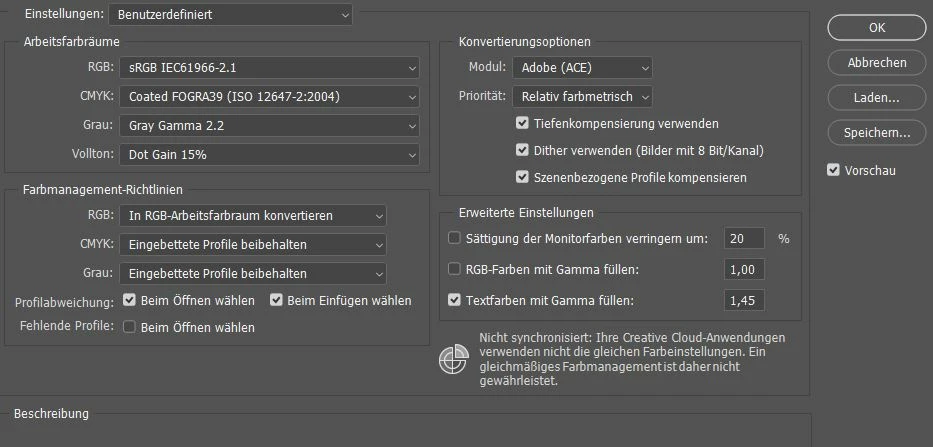
I´ve updatet photoshop and all my graphic drivers. I tried to change the colour profile of my monitor (BenQ RL2450H) and I emptied the caches in all of the Adobe Programs. Nothing helped.
Hope you have an Idea ...

 AdChoices