

Ivan Zajats
Inspiring
December 13, 2022
Open for Voting

Add hotkey "P" to the tooltip of Liquify's Preview checkbox, and everywhere else

  • December 13, 2022
  • 3 replies
  • 1005 views

There are text prompts with the hotkeys for the Tools.
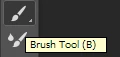
Add the same for the preview checkbox (in Liquify and other filters)
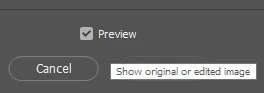
 

Turning a preview on/off  with a hotkey is more convenient than trying to click precisely into a smaaaall checkbox. I didn't guess to check the letter "P" and I had to ask it here on the forum. It's not mentioned in the text prompt, though it should be.

3 replies

PECourtejoie
Community Expert
Community Expert
December 14, 2022

This is a problem of Windows. Numerical boxes becoming sticky. Normally, one needed to shift+Enter to keep the field active, but it seems now that Windows want them active all the time.

Ivan Zajats
Inspiring
December 13, 2022

I've tested it with other filters and here's an important note.

If the filter has digital values (Blur, Noise), you have to click (uncheck) the Preview checkbox first.

Only then it becomes "active" (blue) and can be switched on/off with the hotkey.


Probably, it's a little bug 🙂

PECourtejoie
Community Expert
Community Expert
December 13, 2022

Indeed, Tooltips can be more useful if they give hidden information, or provide functions of modifier keys, for instance!