
Participant
November 20, 2016
Answered

Adobe Photoshop Elements 15 - won't launch, please help!

  • November 20, 2016
  • 1 reply
  • 1243 views

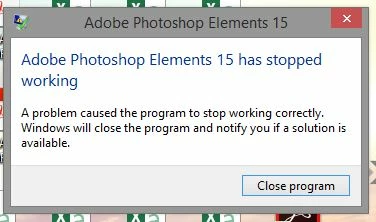
Hello, I purchased Adobe Photoshop Elements 15 online, have downloaded and installed.  All looks ok but when I try to launch I see "Adobe Photoshop Elements 15 has stopped working" my only option is to "close program".  I have removed and re-added but that didn't help???  I'm on a Toshiba Skull Candy Laptop, windows 8.
This topic has been closed for replies.
Correct answer 99jon

You have probably installed a free Ad-Aware program or downloaded it with some other update. You need to uninstall Lavasoft Software and PSE15 should then work.

1 reply

99jon
Legend
November 20, 2016

Can you go to event viewer and copy and paste the error log details into a reply. The link below has instructions for Windows 8.

Photoshop Elements Editor Help | How to Find Crash Logs on Windows

Participant
November 20, 2016

thanks for taking the time to respond.

Log Name:  Application
Source:    Application Error
Date:      20/11/2016 21:37:41
Event ID:  1000

Task Category: (100)

Level:     Error
Keywords:  Classic
User:      N/A
Computer:  Jane

Description:

Faulting application name: Adobe Photoshop Elements 15.0.exe, version: 15.0.0.0, time stamp: 0x57cd43a1

Faulting module name: LavasoftTcpService64.dll, version: 2.3.4.7, time stamp: 0x555dc671

Exception code: 0xc0000095

Fault offset: 0x0000000000008902

Faulting process ID: 0x1cdc

Faulting application start time: 0x01d2431a1cebd737

Faulting application path: C:\Program Files\Adobe\Photoshop Elements 15\WelcomeScreen\Adobe Photoshop Elements 15.0.exe

Faulting module path: C:\Windows\system32\LavasoftTcpService64.dll

Report ID: 5c60a178-af0d-11e6-82bc-34e6ade7b93a

Faulting package full name:

Faulting package-relative application ID:

Event Xml:

<Event xmlns="http://schemas.microsoft.com/win/2004/08/events/event">

  <System>

<Provider Name="Application Error" />
<EventID Qualifiers="0">1000</EventID>
<Level>2</Level>
<Task>100</Task>
<Keywords>0x80000000000000</Keywords>
<TimeCreated SystemTime="2016-11-20T10:37:41.000000000Z" />
<EventRecordID>549912</EventRecordID>
<Channel>Application</Channel>
<Computer>Jane</Computer>
<Security />

  </System>

  <EventData>

<Data>Adobe Photoshop Elements 15.0.exe</Data>
<Data>15.0.0.0</Data>
<Data>57cd43a1</Data>
<Data>LavasoftTcpService64.dll</Data>
<Data>2.3.4.7</Data>
<Data>555dc671</Data>
<Data>c0000095</Data>
<Data>0000000000008902</Data>
<Data>1cdc</Data>
<Data>01d2431a1cebd737</Data>
<Data>C:\Program Files\Adobe\Photoshop Elements 15\WelcomeScreen\Adobe Photoshop Elements 15.0.exe</Data>
<Data>C:\Windows\system32\LavasoftTcpService64.dll</Data>
<Data>5c60a178-af0d-11e6-82bc-34e6ade7b93a</Data>
<Data>
</Data>
<Data>
</Data>

  </EventData>

</Event>

Participant
November 20, 2016

Hi Jane,

Please follow this article for the resolution: Error: Editor has stopped working in Adobe Photoshop Elements

Regards,

Sandeep


thanks Sandeep for taking to time to reply