
Answered

@Chrisn N said:
Next I need to find out how to make a circular mask to precisely fill the canvas. Eg if my canvas is 4000 x 4000 pixels, I want the circular mask to be 4000 x 4000 pixels.
You can use the Eliptical Marquee tool and set the options to Fixed size with your 4000px x 4000px dimensions:
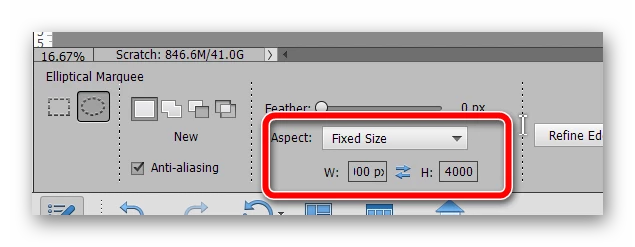
Click once to create your selection, move it to the center, then add your layer mask.
Already have an account? Login
Enter your E-mail address. We'll send you an e-mail with instructions to reset your password.
 AdChoices