

Question
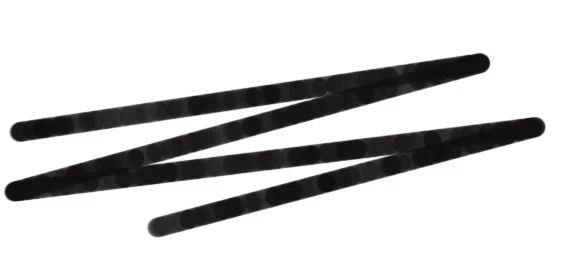
Brush spacing acting up
I really have nothing for this one. PSE is adding weird spacing on all my brushes when I go to use them. This is a standard circle brush with spacing set to 1% (as low as it goes). It does this with every single brush I try. This is unrelated to pen pressure, as it does that regardless of whether or not pressure is enabled and both when my tablet is on and off. I opened and closed the program several times and even restarted my laptop and nothing changed, plus I reset my brushes and nothing's working. I have no idea what prompted this. Aside from this, everything else functions, but please. I just want my nice solid brushes back.
 AdChoices