Participant
March 15, 2020
Answered

Cannot install photoshop [Elements 13] after updating to Catalina OS on mac

  • March 15, 2020
  • 5 replies
  • 2542 views

Does anyone know how to install photoshop [Elements 13]? The error message is attached. I think it is because I upgraded to Catalina OS yesterday...
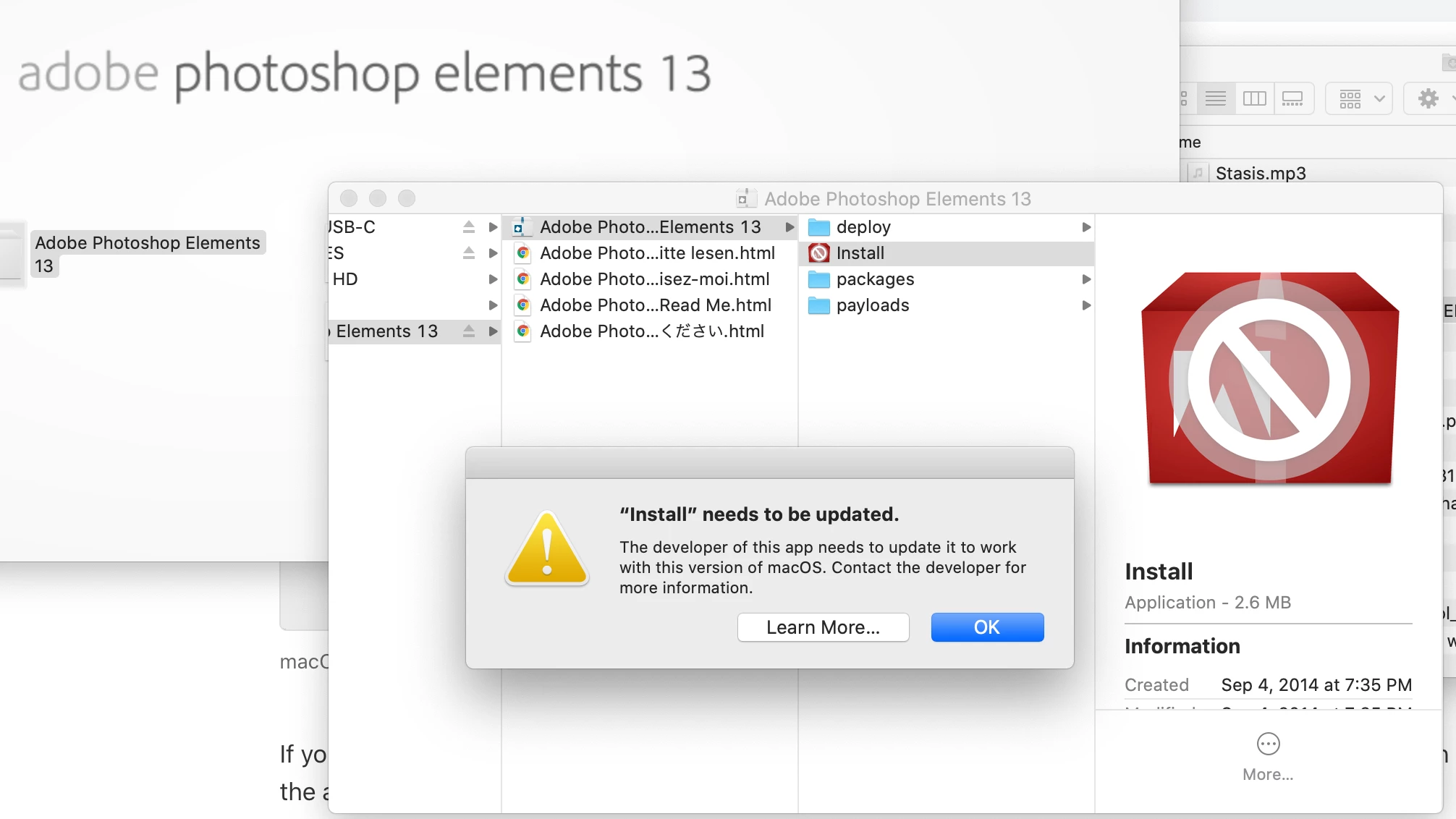

    This topic has been closed for replies.
    Correct answer John Waller

    >>>I think it is because I upgraded to Catalina OS yesterday...


    Unfortunately, yes.


    To use Elements on Catalina, you'll have to upgrade to the current version 2020 - or shop around. Buying a new version of 2020 may be cheaper than upgrading.

    5 replies

    Participant
    July 12, 2020

    Thank you very much. I was able to upgrade to PS20 from PS13 using the below link, hope it helps !

    https://www.adobe.com/products/elements-family.html?promoid=V2XYKZ3B&mv=other

    koxAuthor
    Participant
    March 16, 2020

    I had to upgrade to catalina to use final cut pro (video editor)


    I got answer from them. thank you very much for your support! Appreciate it.


    ---

    Apologize for the inconvenience caused, however, Photoshop Elements 13 would not work on macOS Catalina. Adobe Photoshop Elements and Premiere Elements (versions 2019 or earlier) were not designed to work on macOS 10.15 (Catalina) as these versions were released prior to the Catalina OS release, which was released in October 2019. We do not recommend that customers using legacy versions of Photoshop Elements or Premiere Elements (versions 2019 or earlier) upgrade to macOS Catalina.


    Since you are using an older version of PSE, if possible, you may roll back to a non-Catalina MAC OS version as per the system requirements specified here in order to use the applications seamlessly - https://helpx.adobe.com/in/photoshop-elements/system-requirements.html#PhotoshopElements130 Alternatively, you may upgrade to Elements 2020, as this version is compatible with Mac OS Catalina: https://www.adobe.com/products/photoshop-elements/whats-new.html


    Adobe Photoshop Elements 2020 and Adobe Premiere Elements 2020 work with macOS 10.15 (Catalina) but have these known compatibility issues documented here - https://helpx.adobe.com/photoshop-elements/kb/macos-catalina-compatibility.html

    Participant
    July 12, 2020

    Thank you very much. I was able to upgrade to PS20 from PS13 using the below link, hope it helps !

    https://www.adobe.com/products/elements-family.html?promoid=V2XYKZ3B&mv=other

    Walter_H
    Legend
    March 16, 2020

    I'm not a Mac user, but I'm curious. Why did you upgrade to Catalina? What are the benefits of the new OS?

    --Walter in Davie, FL
    John Waller
    Community Expert
    John WallerCommunity ExpertCorrect answer
    Community Expert
    March 15, 2020

    >>>I think it is because I upgraded to Catalina OS yesterday...


    Unfortunately, yes.


    To use Elements on Catalina, you'll have to upgrade to the current version 2020 - or shop around. Buying a new version of 2020 may be cheaper than upgrading.

    Conrad_C
    Community Expert
    Community Expert
    March 15, 2020

    The picture says Photoshop Elements 13, but the version compatible with Catalina is Photoshop Elements 2020. There is no way to make the Photoshop Elements 13 installer work on Catalina. You can read the official explanation from Adobe here:

    https://helpx.adobe.com/photoshop-elements/kb/elements-mac-64bit-compatibility.html


    Also, if you have more questions, you'll want to post them in the Photoshop Elements forum; this is the forum for the professional version of Photoshop.