Participant
January 23, 2018
Answered

Cutting Images to Shape

  • January 23, 2018
  • 1 reply
  • 586 views

I want to cut to shape old newspaper clippings. Can't seem to figure it out. Need some help please. Using Elements 15. Windows 10

    This topic has been closed for replies.
    Correct answer 99jon

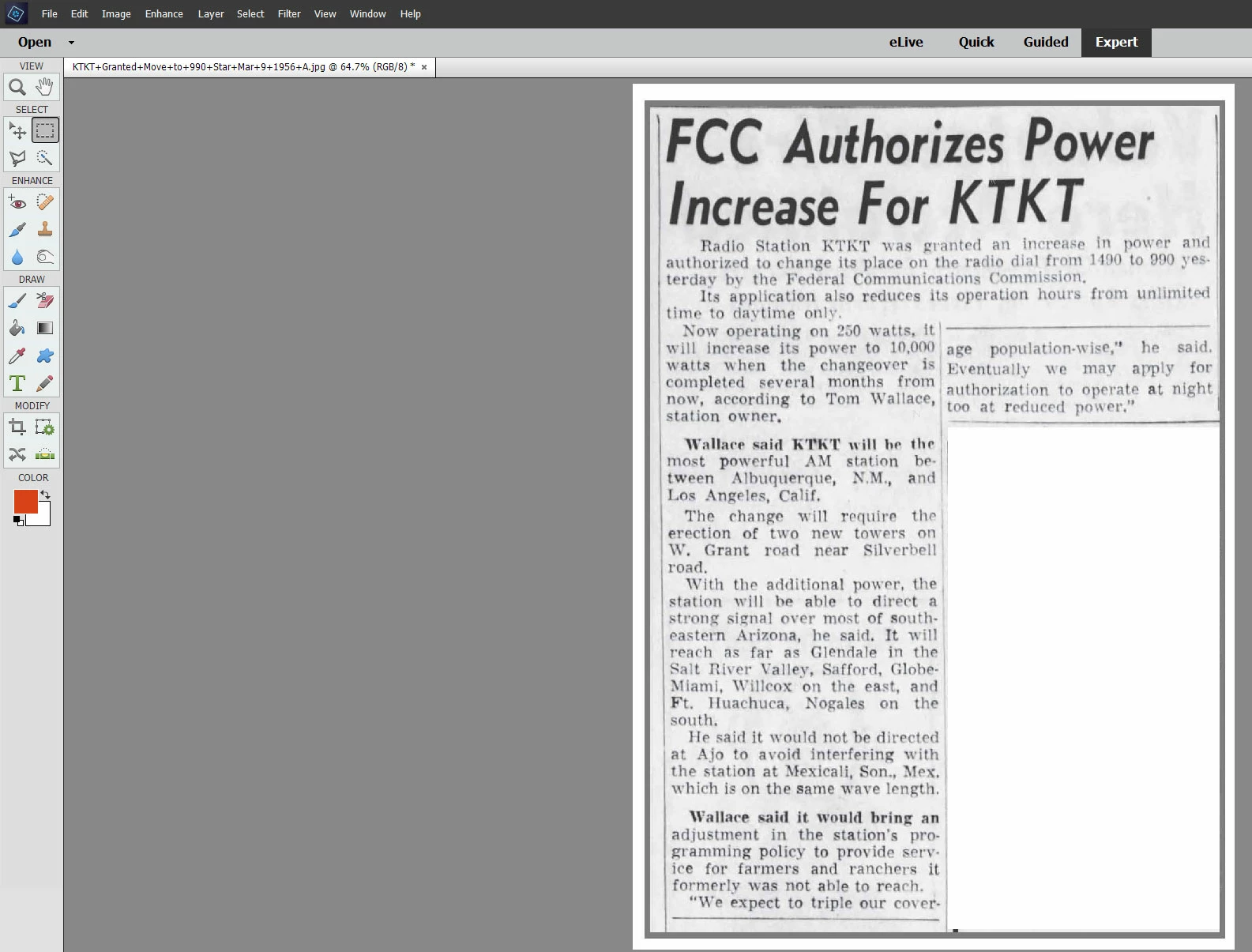
    I would use the rectangular marquee tool. Simply drag over the bottom-right portion and press the backspace or delete key. See image below:
    1 reply

    99jon
    Legend
    January 23, 2018

    Have you tried using the crop tool in Expert mode? After dragging over the image you can move the corner or side handles and even rotate, to match exactly the dimensions of the clippings.

    cjbrown50Author
    Participant
    January 23, 2018

    Yes I have tried using that tool. I cannot manipulate the crop tool to do what I need.

    To help me explain my situation one example appears below.

    I want to crop out the lower right portion that is not related to the FCC announcement. 

    99jon
    Legend
    January 23, 2018

    Yes that works. Content is deleted. Is it possible to remove the empty white area?


    You can double-click in the layers pallet on the background layer. That will convert to Layer 0 which will then accept transparency. You could then perhaps use the eraser tool to remove the white pixels. Save as PNG24 to preserve the transparency.  If using the PNG image on any website the cutting will appear completely cut out with the transparency reflecting the web page (background) below the image or page color in a prepared print document.