
Participating Frequently
July 4, 2020
Question

Difficulty updating Photoshop elements 2020 and getting support

  • July 4, 2020
  • 5 replies
  • 608 views

Hi,


I have a couple of issues.


I have a paid up copy of Photoshop Elements 2020.


Firstly, I can't update using the autoupdate, I tried contacting adobe chat help previously and they were unable to solve the issue and were unwilling to provide a hard download link to update.


Then they closed the support ticket ADB-11510466-P6P4 without any feedback for why or solving the issue.


I still can't update btw.


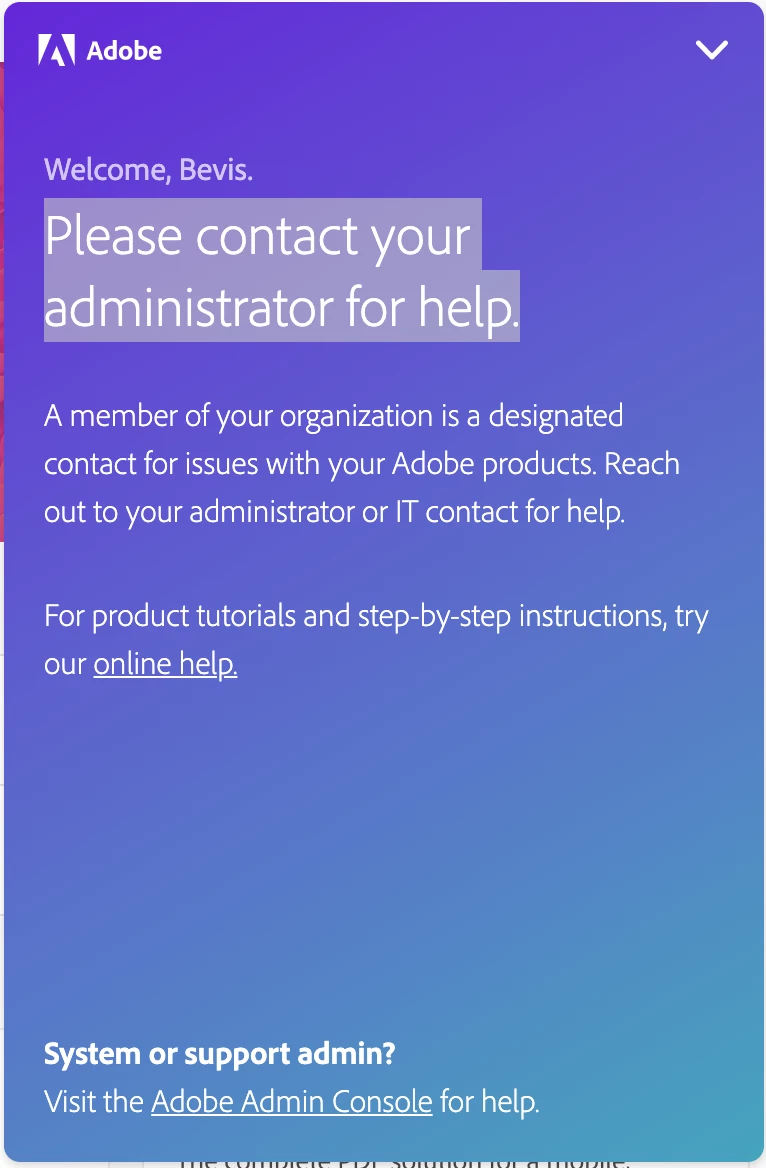
And when i try to get into chat help now, i get this error. I don't HAVE an administrator. This is a personal account. Is Adobe trying deliberately to make it hard for me to update a product I paid for then make it hard for me to get proper help??
 

This topic has been closed for replies.

5 replies

99jon
Legend
July 11, 2020

Did you re-install and then try the update again? Any change?

99jon
Legend
July 4, 2020

I think others have experienced similar problems with updates. Some have fixed it by uninstalling and then re-installing. That seems to then correctly prompt the update. Launch Finder and go to Adobe Installers in utilities, to remove the app.


You could try the lightweight installer from my blog. It will start as a trial after installation but can be activated with your serial number.

ErenonAuthor
Participating Frequently
July 7, 2020

Thanks I'll give that a try. I just find it so difficult to understand why Adobe makes it so difficult to get any support.


Legend
July 7, 2020

If you have a company email the company have REQUIRED you contact them, and forbid Adobe to talk to you because the company control it. So Adobe aren't allowed to give you support. You need to focus on the company. (I notice you have not confirmed whether you have a company-supplied email but we have to assume you said yes).

99jon
Legend
July 4, 2020

The latest version is Ver. 18(20200120.m.139570)x64 but only the Editor. There have been no updates to Organizer.


Are you using Windows 10 or Mac 10.14/10.15?

ErenonAuthor
Participating Frequently
July 4, 2020

Mac OS 10.15, thanks. I don't think any of the auto updating bits have worked...  

Legend
July 4, 2020

You may have an email address that belongs to a company who have said they want exclusive control over support. Best to contact them.

ErenonAuthor
Participating Frequently
July 4, 2020

That's my personal email, what right does anyone have over it??

Legend
July 4, 2020

I have no idea what your email is (and you must not post it here publicly). So I can only speculate the part after the @ belongs to a company or school who claim exclusive rights. You must contact that company or school, presumably your employer or teacher. Nothing we can do about it here, we are just customers like you.

99jon
Legend
July 4, 2020

Can you launch the Editor and go to the menu:

Help >> System Info

You should see v18 and a string of numbers.

Please copy and paste that information into a reply so that we can see what version is already installed.


ErenonAuthor
Participating Frequently
July 4, 2020

Adobe Photoshop Elements Version: 18.0 (20190827.m.136736) x64

I haven't being able to update once since buying...