
Participant
April 16, 2018
Question

Elements 12 and high res PC

  • April 16, 2018
  • 1 reply
  • 243 views

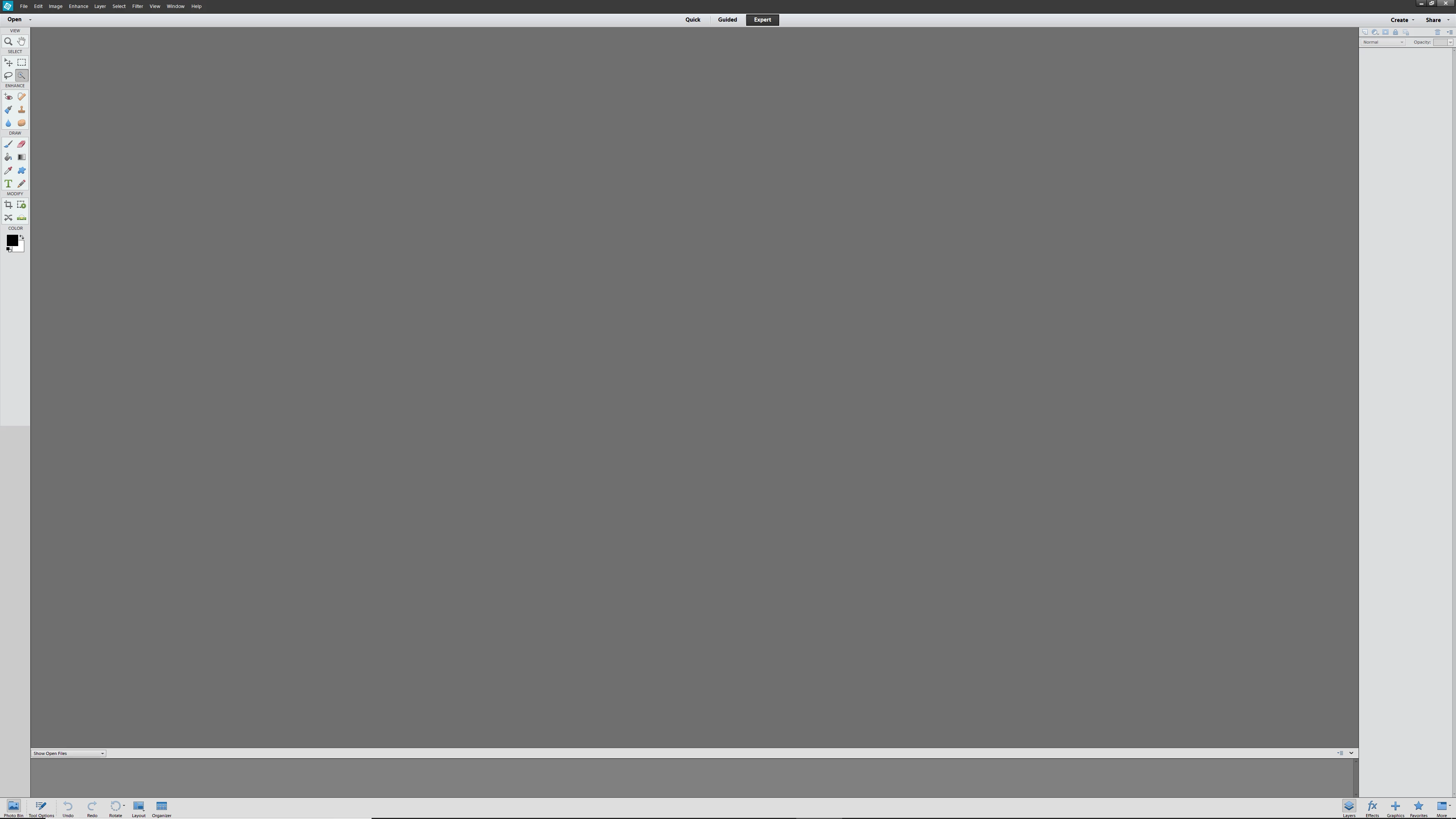
Hi.  I have Elements 12 and Windows 10.  I recently purchased a Lenovo Yoga PC with a high res screen.  When I open the Photo Editor app, the prompts and selection tools are so small they are hardly readable.  I brought the issue to Microsoft and they change the screen resolution (totally defeats the purpose of a high res screen) but otherwise had no solution.  They suggested I check with Adobe.  Can anyone help?  I attached a screen shot to help explain.  Thanks, Don
    This topic has been closed for replies.

    1 reply

    Little_Pale_Face
    Inspiring
    April 16, 2018

    Hi,

    I recently bought a Microsoft laptop with a high density screen and the scaling was recommended to be 200%

    You could try the solution described by g woods in the last reply of this thread

    https://forums.adobe.com/message/10318208?tstart=0#10318208

    The latest versions of PSE have been updated for high density screens but PSE 12 is too old.

    Brian

    Participant
    April 17, 2018

    Thanks for the reference, Brian, but the link suggestion didn't work for me. I know buying an updated version is the solution but I only use Elements for very basic editing.  it's just not worth it to me to purchase the subscription.  I'll deal with it or look for another app.  Thanks again, Don