
Answered
Elements 14 toolbar not correct in expert mode
Hi all,
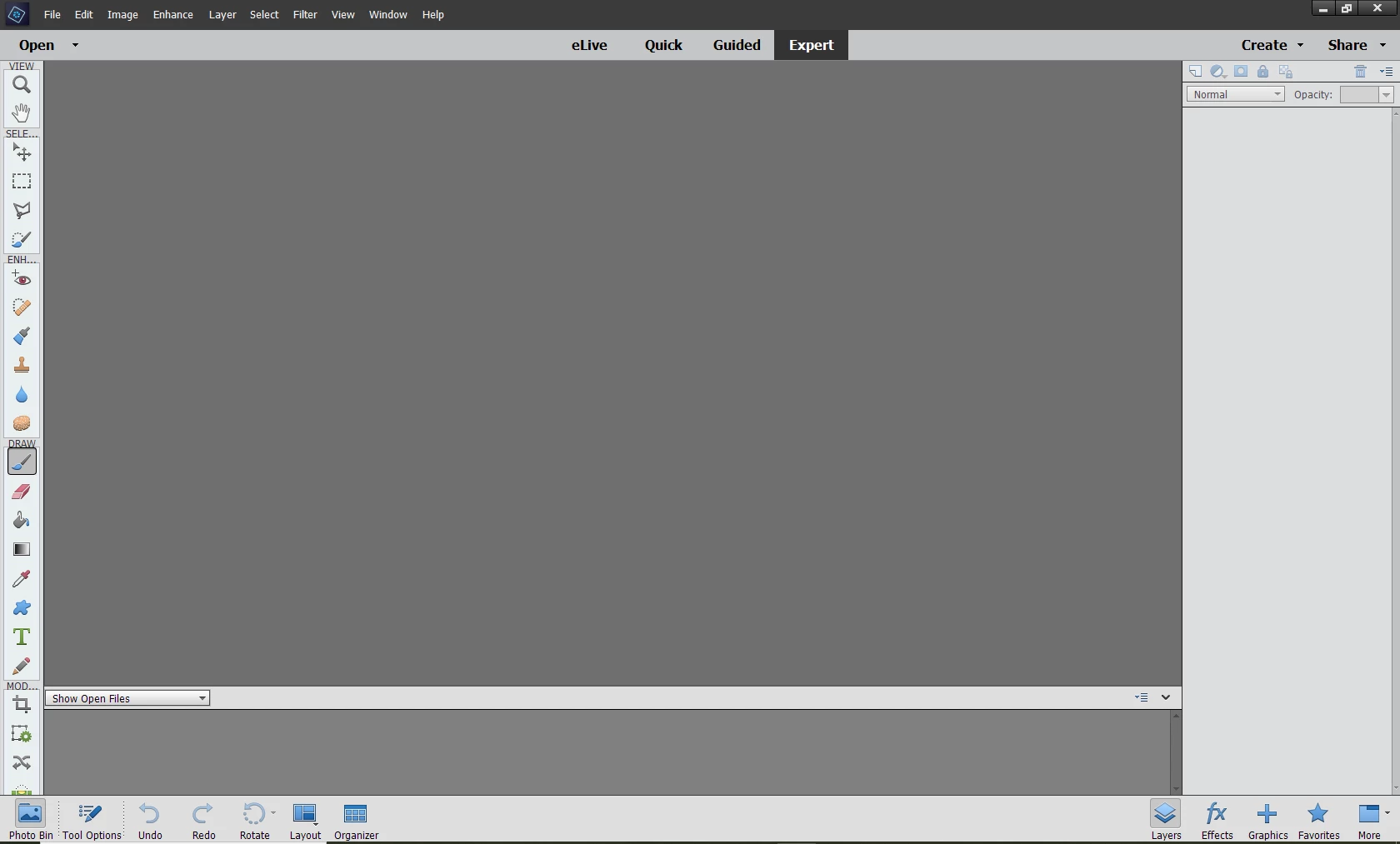
I'm using Elements 14. Even though it is in Expert mode the toolbar on the left is in single file and goes down behind the bottom bar, so I can't see the rest of the tools. Please see screen shot.
I'm not sure how I did it but I somehow made a mistake by holding down a button on my keyboard and clicking on the toolbar, I think! And I don't know how to get it back to how it should be. I have even uninstalled and reinstalled the program but this has made no difference. Any help or advice will be much appreciated! 🙂
Thanks in advance
Mark
 AdChoices