BenteD
Participant
December 22, 2016
Question

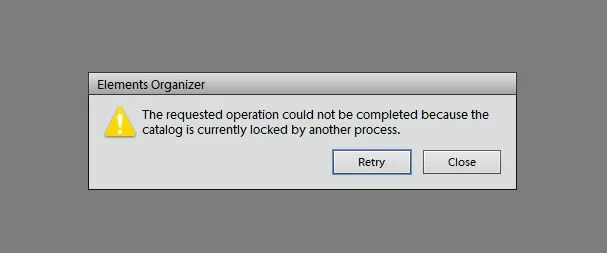
elements currently locked by another process
  • December 22, 2016
  • 3 replies
  • 912 views

I

I used my organizer only two days ago and today I'm getting this om my screen. Nothing helps so far. Restart pc doens't work. Can somebody help me?

I have PSE 12

yours

Bente Dalsgaard

Denmark

    This topic has been closed for replies.

    3 replies

    Daniel Sterchi
    Inspiring
    December 22, 2016

    Yes, but I don't see anything suspicious.

    Did you try to delete the cache files?

    Daniel

    BenteD
    BenteDAuthor
    Participant
    December 22, 2016

    Hi Daniel

    Cache files? you lost me there:-)) I'm not so familiar with all this.....

    BUT it works now. Why I don't know exactly, but I checked the task manager again and stopped google photos, maybe that is causing some problems??. I have used that recently but have not allowed it for start-up.

    I still have the crashes though, have no bad films in the catalog,

    Elements 12 Editor has stopped working

    yours

    Bente

    Daniel Sterchi
    Inspiring
    December 22, 2016

    Hi Bente

    I suppose you are using Windows. If so, which version?

    Did you look where the catalog is stored if there are files with strange names. E.G. beginning with a tilde or so?

    kind regards

    Daniel

    (from Switzerland)

    BenteD
    BenteDAuthor
    Participant
    December 22, 2016

    Hi Daniel

    I have windows 10 and have the problem after closing the labtop yesterday.

    Is it this place you means?

    mytaxsite
    Inspiring
    December 22, 2016

    What is your operating system?  You need to end the task of any Organizer still running.  In Windows 10, press the following three keys:

    CTRL+ALT+DEL

    Then choose Task Manager

    Then look for something like this:

    After selecting the Organizer from the list, you need to press the End Task button as shown in the above picture.

    Hope this helps.

    BenteD
    BenteDAuthor
    Participant
    December 22, 2016

    thank you

    I have done this two times, also after restart. Also in the task manager there are adobe files running, I do not know if I can stop these too?