
Participating Frequently
September 2, 2017
Question

Error message when trying to install Photoshop Elements 15 & 15 Premiere

  • September 2, 2017
  • 1 reply
  • 408 views

Trying to install, one at a time, Elements 15 & 15 Premiere from DVD  I get the following Error message
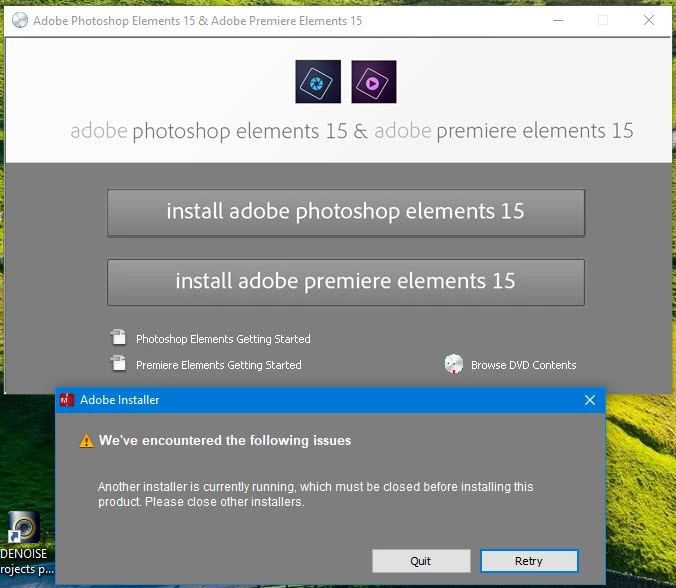
I have no idea what this means as no other installer is running.

I've tried installing from two different DVD readers with same result.

I had a similar problem when trying to uninstall Elements 14 - when I got an Error "Another uninstaller is running".

Any help would be greatly appreciated.

    This topic has been closed for replies.

    1 reply

    Adobe Employee
    September 4, 2017

    Hi,

    You are suggested to restart your PC and then try installing afresh.

    Seems like Adobe installer has not terminated in the background and must be visible in task manager background processes.

    Thanks,

    Arshla

    73_92Author
    Participating Frequently
    September 4, 2017

    Every time I have tried to install, 6 times up to now, I have done a restart each time before trying again; it makes no difference the same message come up.

    Adobe Employee
    September 4, 2017

    Request you to please get in touch with our customer support team : Contact Customer Care