
Question
Greyed out folders in Elements 2019 Organizer
Hi,
I'm seeing the following in my Adobe Elements 2019 Organizer:
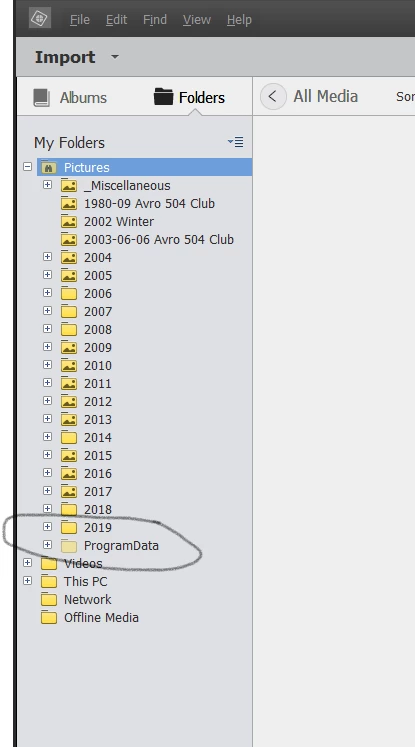
The subfolder ProgramData is greyed out, and it doesn't exist on the computer (at least, not beneath Pictures).
If I expand it, I can see:
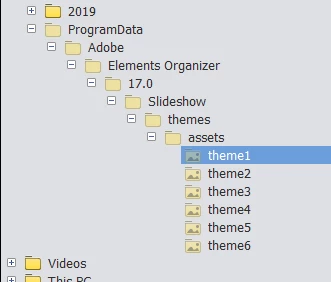
None of the folders appear to contain imported media.
None of the right-click options are enabled for this folder, nor any relevant menu commands that would allow me to delete it.
The folder remains after I do a refresh.
How do I get rid of the ProgramData subfolder and its subfolders from the catalog?
Thanks,
Jerry
 AdChoices