
kevind99729734
Participant
January 21, 2018
Answered

Group Photo that I need to create transparent background

  • January 21, 2018
  • 1 reply
  • 696 views

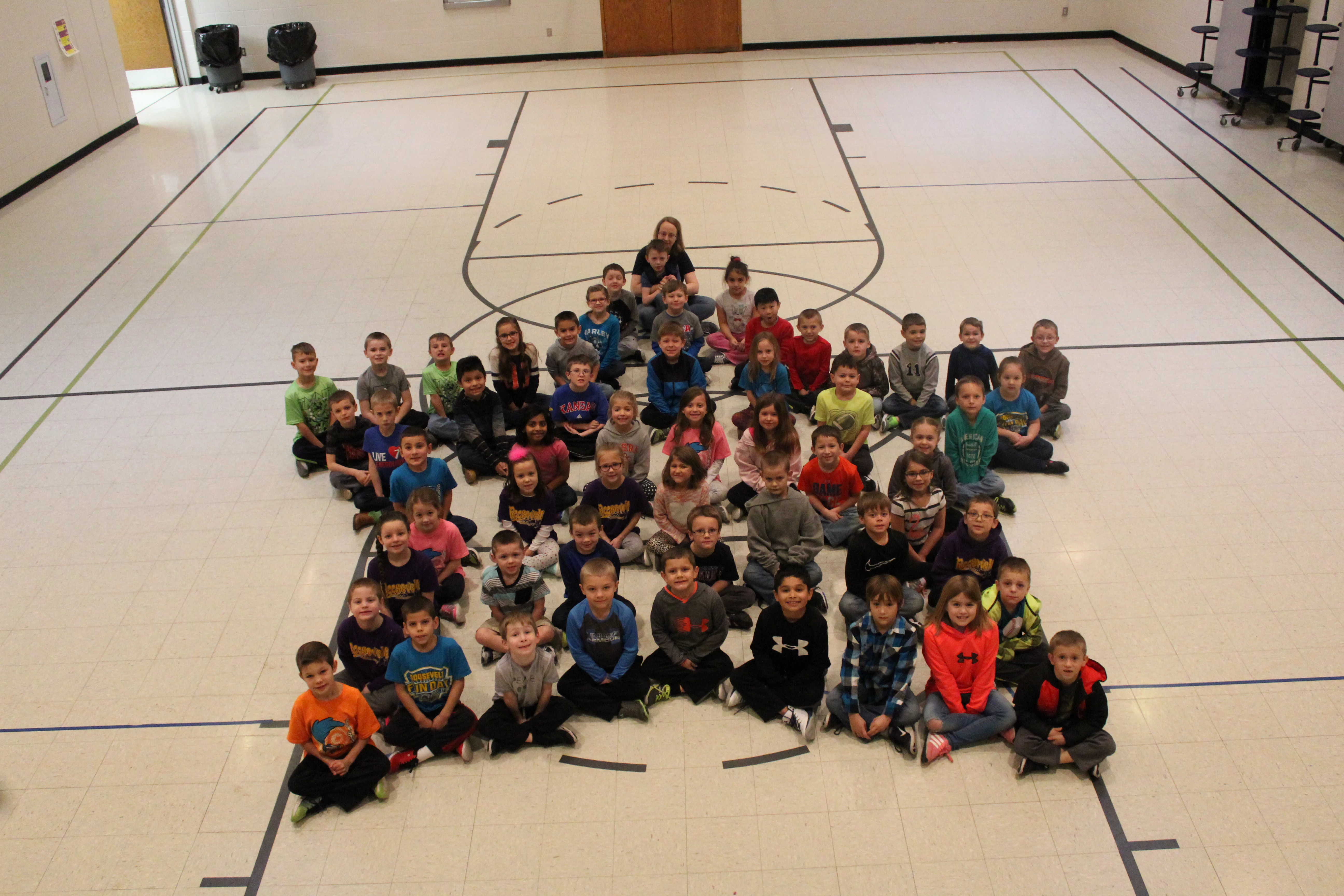
I have a group photo of about 70 kids sitting on a gym floor. (I actually have 7 of these types of photos that I need to do.) I need to get rid of the gym floor in all areas - on the edges and in between kids. I have tried the masking option, the magic wand, and the background eraser, and none of them are working well. With the background eraser, it is leaving a dirty look around the edges - like it's only erasing part of the background and leaving "residue". It also doesn't work where the gym floor has black lines and the kid near it is wearing a dark shirt or has black hair. It also leaves a small edge of color around the edges in some places. The masking is a problem because I can't seem to accurately draw the mask around the kids. I don't know if I need a different brush, or if I just have to do it slowly by hand, nearly pixel by pixel in some areas. I also don't see how this option will remove the section of the floor in between the kids. The magic wand causes the same problems with kids wearing similar colors next to the black lines. I am using Photoshop Elements 9 and I'm very inexperienced with it. Any help would be great. Here is the photo:
This topic has been closed for replies.
Correct answer hatstead

or if I just have to do it slowly by hand, nearly pixel by pixel in some areas

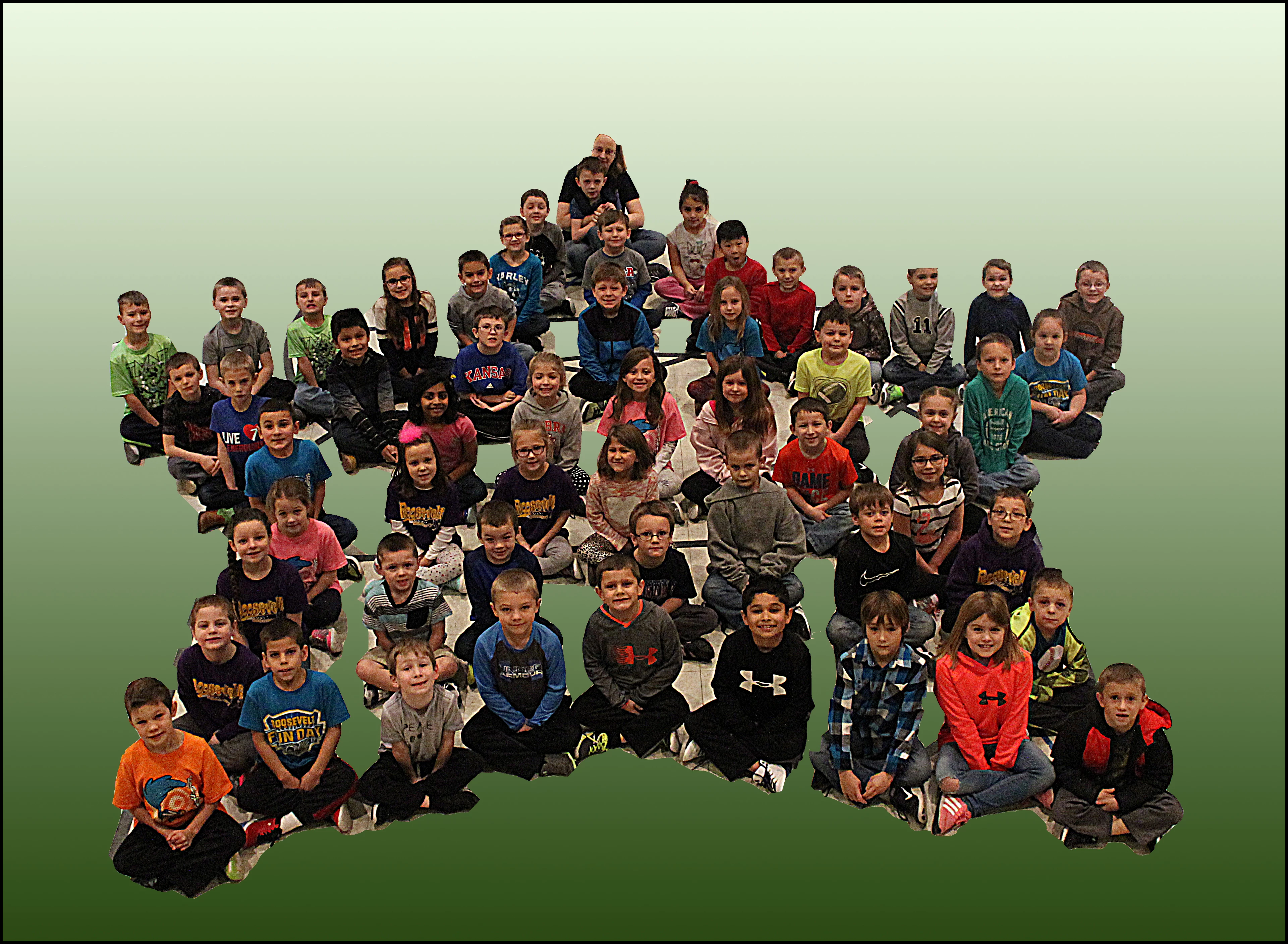
Rather than focus on removing the background in your work-flow, suggest that you concentrate on the foreground. I gave this a quick shot to show that it can be done. I used the Magnetic lasso tool to select the entire group, placed the selection on a new layer (CTRL+J). Then I used the Magnetic lasso tool again to select and delete the floor between some of the kids.

Next, I placed a blank layer below the layer with the kids and filled it with a gradient - - you can use anything that will suit.

Finally sharpened with unsharp mask.

1 reply

hatstead
hatsteadCorrect answer
Inspiring
January 21, 2018

or if I just have to do it slowly by hand, nearly pixel by pixel in some areas

Rather than focus on removing the background in your work-flow, suggest that you concentrate on the foreground. I gave this a quick shot to show that it can be done. I used the Magnetic lasso tool to select the entire group, placed the selection on a new layer (CTRL+J). Then I used the Magnetic lasso tool again to select and delete the floor between some of the kids.

Next, I placed a blank layer below the layer with the kids and filled it with a gradient - - you can use anything that will suit.

Finally sharpened with unsharp mask.

kevind99729734
Participant
January 21, 2018

THANK YOU! That worked very well. Once I changed my focus on saving the foreground instead of deleting the background, it worked great. And thanks for the unsharpen mask tip as well. It went very well! Thanks!

hatstead
Inspiring
January 21, 2018

You're welcome. Glad to help.