SurferAl
Known Participant
August 4, 2017
Answered

How to Get This Text Effect?

  • August 4, 2017
  • 1 reply
  • 385 views

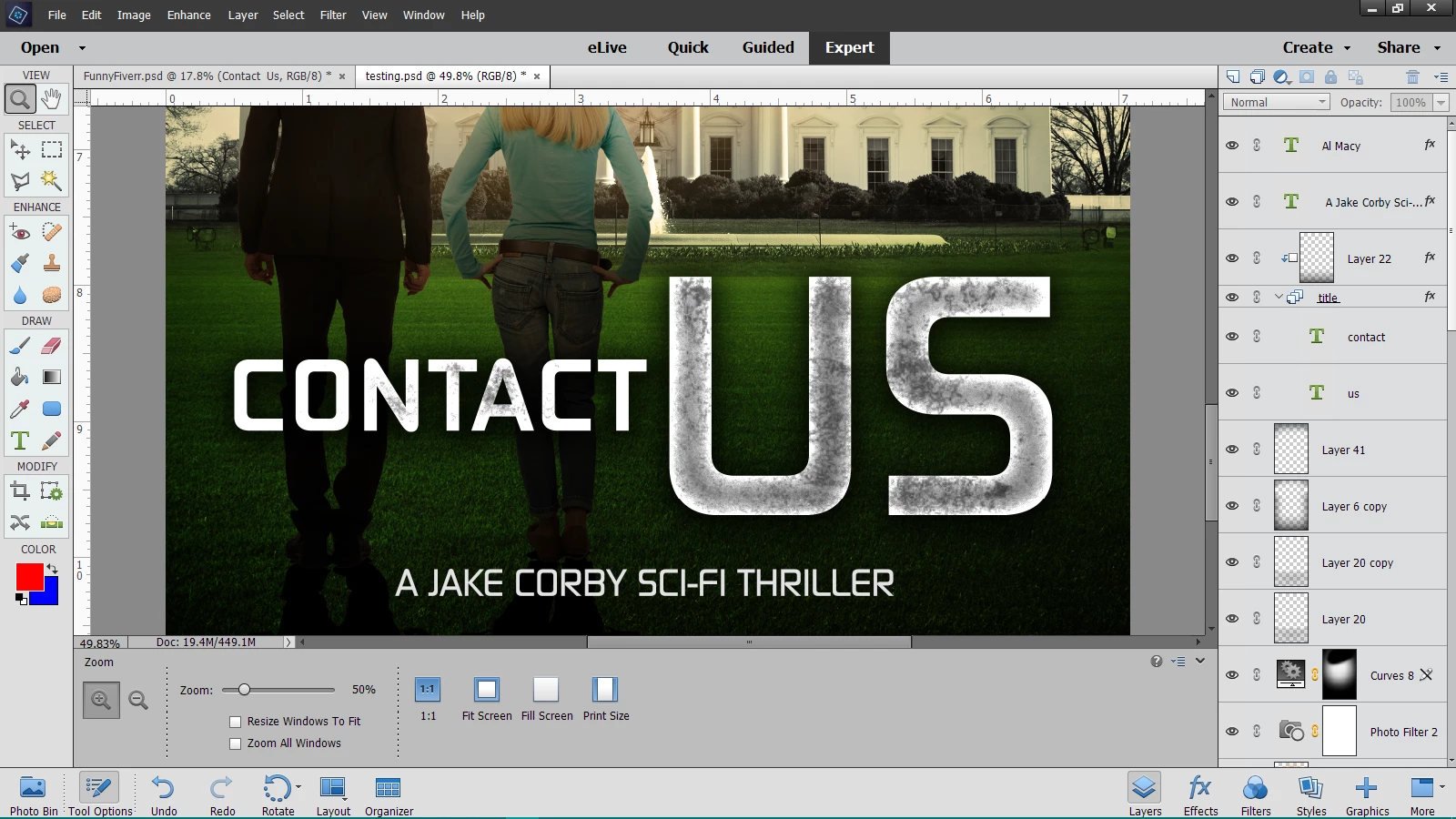
Below is a part of a cover illustration that a designer made for me. He gave me the PSD file.

I'm trying to figure out how to get the grungy effect on the letters. Can someone point me in the right direction?

Thanks!

    This topic has been closed for replies.
    Correct answer hatstead

    You can download free grunge brushes here:

    Grunge Brushes - Download Free Grunge Brushes at Brusheezy!

    In my version of PSE the default brush library has some spatter brushes - not the same- but have a look anyway.

    Once you have applied the white text, press CTRL+left click the text layer thumbnail (not the name). This will make a selection of the letters.

    Open a blank layer above the text and with the grunge brush click or paint to apply the effect. Since this will be on a separate layer, you can adjust the layer opacity to suit.

    1 reply

    hatstead
    hatsteadCorrect answer
    Inspiring
    August 4, 2017

    You can download free grunge brushes here:

    Grunge Brushes - Download Free Grunge Brushes at Brusheezy!

    In my version of PSE the default brush library has some spatter brushes - not the same- but have a look anyway.

    Once you have applied the white text, press CTRL+left click the text layer thumbnail (not the name). This will make a selection of the letters.

    Open a blank layer above the text and with the grunge brush click or paint to apply the effect. Since this will be on a separate layer, you can adjust the layer opacity to suit.