
Participant
May 20, 2024
Answered

How to open photos in webp format with photoshop elements

  • May 20, 2024
  • 2 replies
  • 1570 views

Good afternoon community,

I am having problems opening photos in webp format with photoshop elements 2024.  I have installed the plugin from the adobe website but it doesn't work.


Is there any way to work in this format with this version of phostoshop?
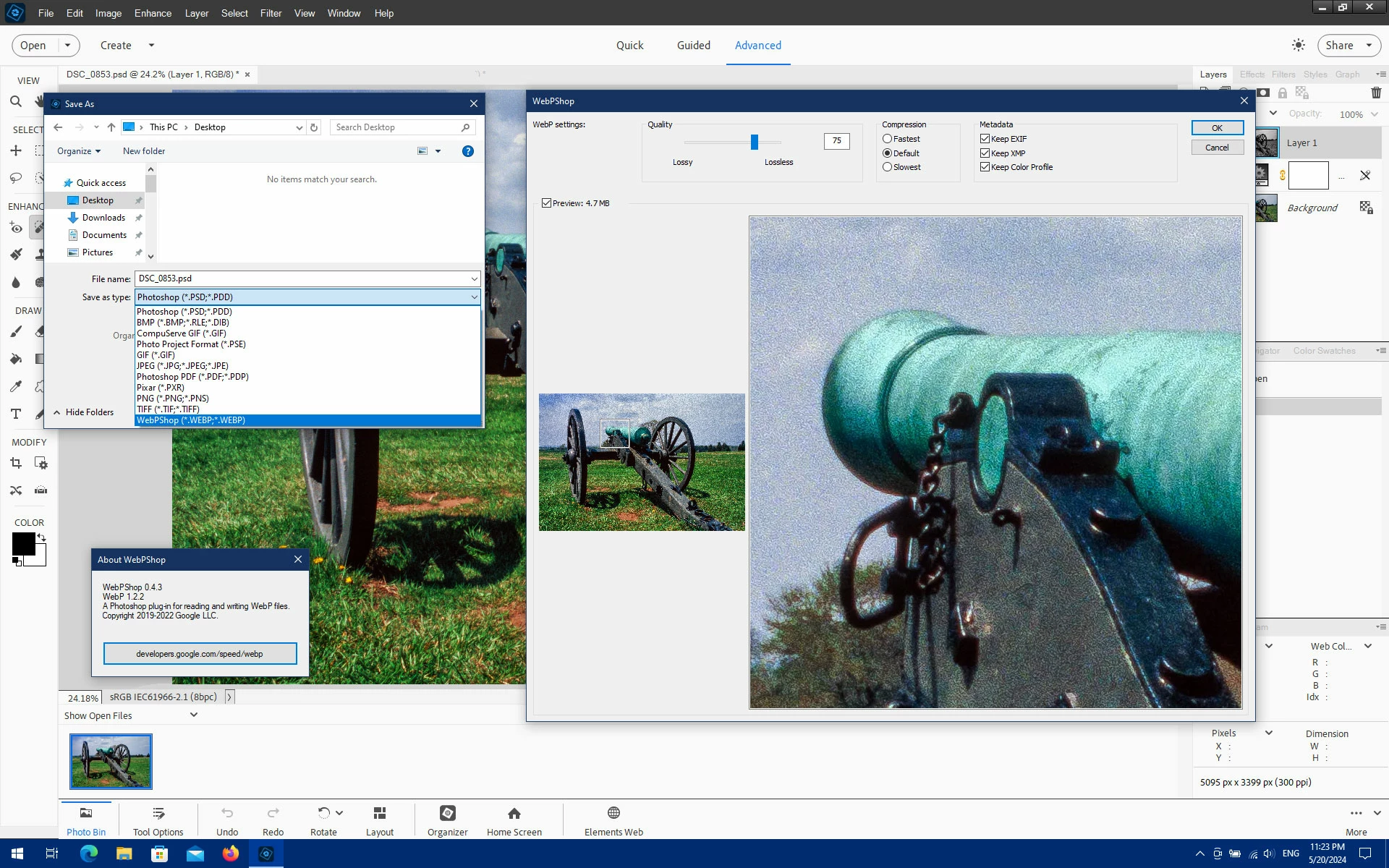
Correct answer Jeff Arola

Try the WebPShop 0.4.3 plug-in from here:

https://github.com/webmproject/WebPShop


2 replies

Jeff Arola
Community Expert
Jeff ArolaCommunity ExpertCorrect answer
Community Expert
May 20, 2024

Try the WebPShop 0.4.3 plug-in from here:

https://github.com/webmproject/WebPShop


bobhalverson
Inspiring
September 28, 2025

Not working for me -- I d/l'd from the Windows x64 link.

Is this actually supposed to function with Elements 2025?

Glenn 8675309
Legend
September 29, 2025

Yes it does.  This is for photoshop. 

1. Install it
2. search for the 8bi file, find it, copy it.
3. paste it into the folder indiciated below

 You need to put the 8bi file HERE:

C:\Program Files\Common Files\Adobe\Elements25\File Formats


Below is a screenshot here it the actual link:
https://github.com/webmproject/WebPShop

Ged_Traynor
Community Expert
Community Expert
May 20, 2024

@Leukante375102047228 try posting on the Photoshop Elements forum