Participating Frequently
May 25, 2018
Answered

how to operate to trim images with the same aspect ratio as original ?

  • May 25, 2018
  • 1 reply
  • 1042 views

I'd like to know how to make operation of photoshop elements 2018 in order to trim images wi the same aspect ratio as original images.

    This topic has been closed for replies.
    Correct answer Jeff Arola

    *I could find the way to tim a part of picture with the same aspect

    ratio as the original.*

    Attaching two pictures for your help.

    picture-1 shows operation procedure of P.E. 2018 software.

    *picture-2 shows final image which has the same aspect ratio as the

    original.*

    *Then, I'd like to close this question.

    *

    Many thank's and regards,

    Norio Nishiyama


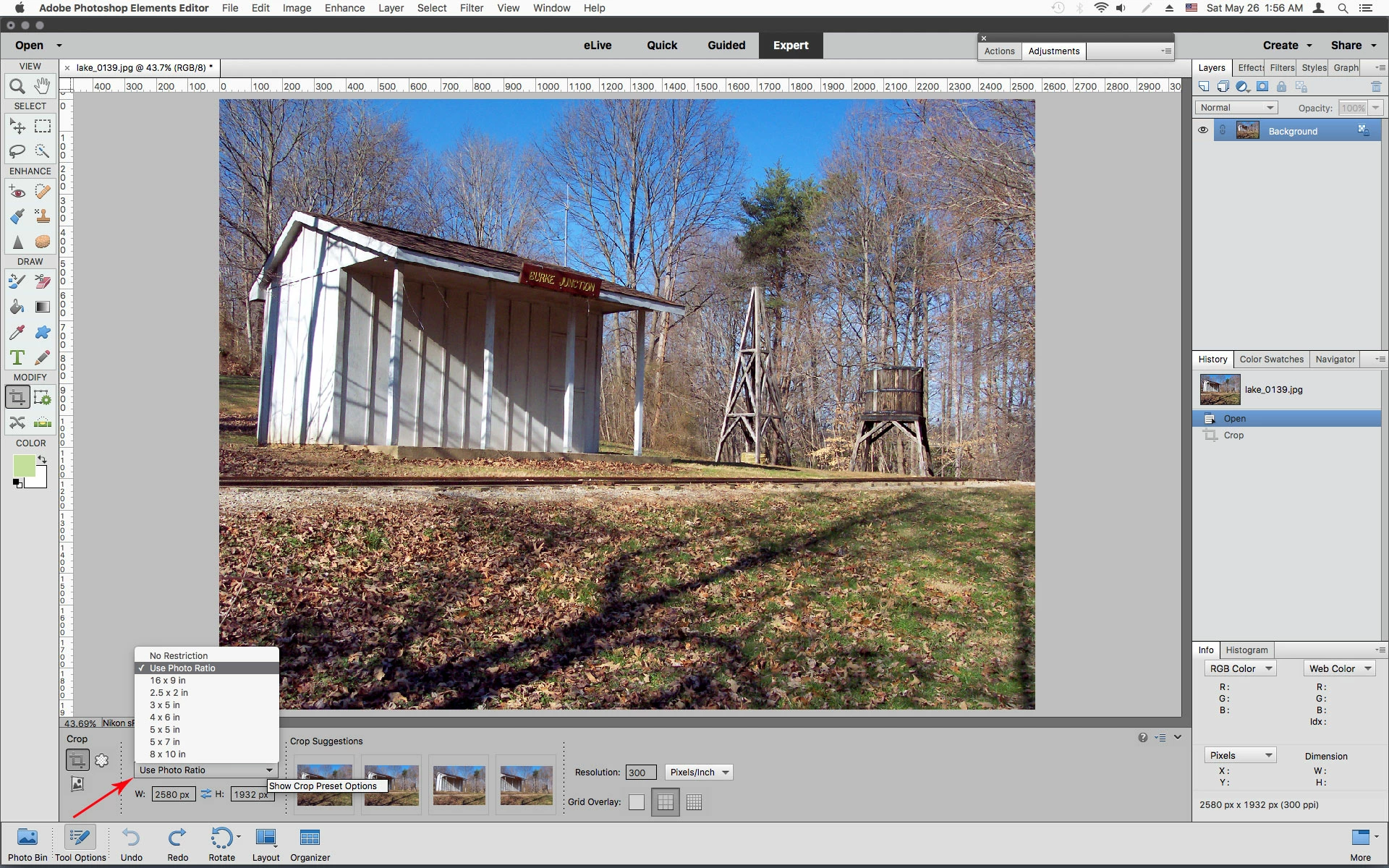
    If i understand your question, select the Crop Tool and chose Photo Ratio from the Crop Preset Options.

    That will crop your photo using it's original aspect ratio.
    1 reply

    hatstead
    Inspiring
    May 25, 2018

    Go to Image>Resize>Image size and check "constrain proportions."

    Participating Frequently
    May 25, 2018

    Your above answer is not for making a trimming operation.

    It's an operation for resizing whole images, I suppose.

    I doubt that Photoshop Elements 2018 has a function of trimming a part of image with the same aspect ratio as the original one.

    If it has the funtion, let me know a correct answer for trimming operation.

    Regards,

    Jeff Arola
    Community Expert
    Jeff ArolaCommunity ExpertCorrect answer
    Community Expert
    May 26, 2018

    *I could find the way to tim a part of picture with the same aspect

    ratio as the original.*

    Attaching two pictures for your help.

    picture-1 shows operation procedure of P.E. 2018 software.

    *picture-2 shows final image which has the same aspect ratio as the

    original.*

    *Then, I'd like to close this question.

    *

    Many thank's and regards,

    Norio Nishiyama


    If i understand your question, select the Crop Tool and chose Photo Ratio from the Crop Preset Options.

    That will crop your photo using it's original aspect ratio.