
Participant
December 11, 2016
Question

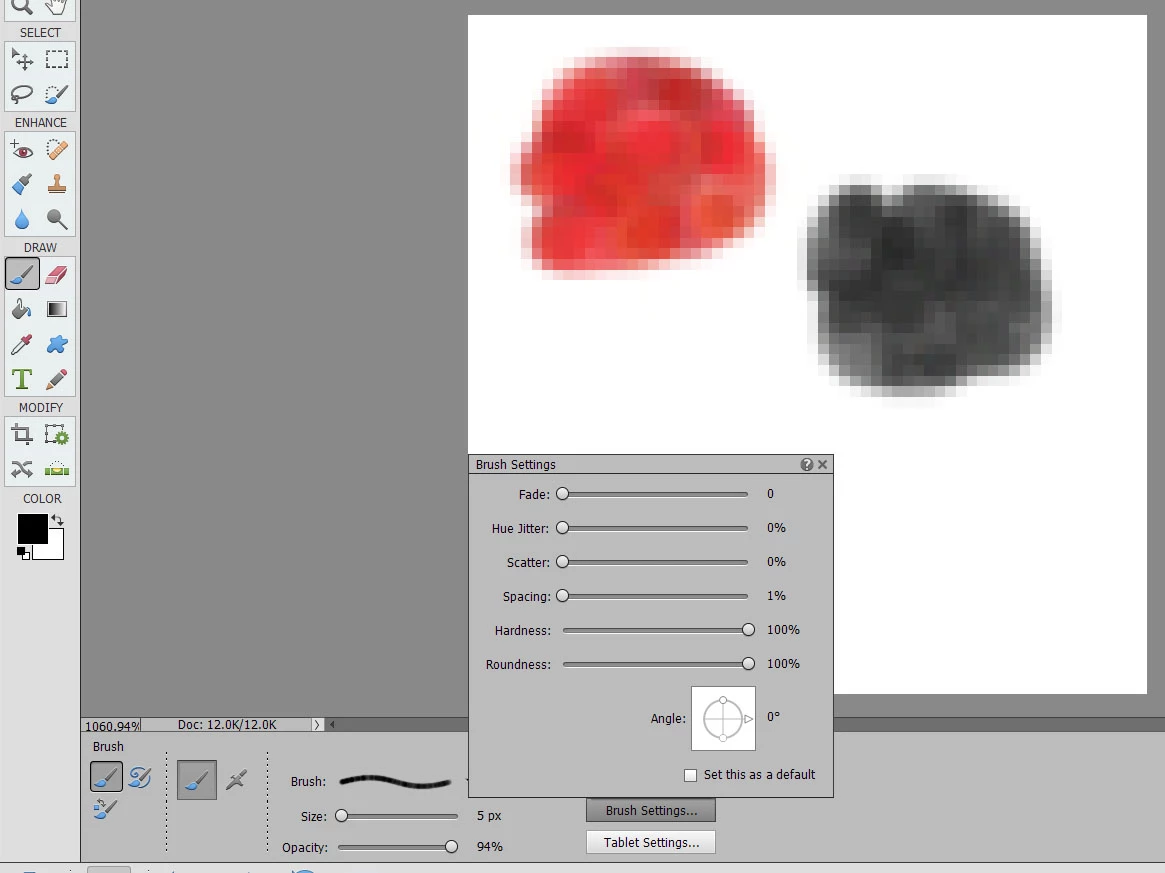
Hue Jitter is Stuck On

  • December 11, 2016
  • 1 reply
  • 759 views

I just recently upgraded to Photoshop elements 15.  My hue jitter is stuck on no matter what settings I set the brush in.  It started when I loaded a new brush set I had downloaded.  Even after resetting the brushes, restarting the program and my computer, the problem still continues.  Has anyone else had this issue and is there a solution to fix the problem?
This topic has been closed for replies.

1 reply

Jeff Arola
Community Expert
Community Expert
December 11, 2016

I'd reset the Brush Tool itself.

If that doesn't work reset the pse 15 editor preferences by going to

Adobe Photoshop Elements Editor>Preferences>General or Edit>Preferences>General, clicking Reset Preferences on next launch and restart the pse 15 editor.

Erikarh2Author
Participant
December 11, 2016

Resetting the preferences on the next launch did the trick!  I guess I didn't dig deep enough to find those settings.  Resetting the brush tool didn't work and it was my first instinct to try that but your next suggestion solved my problem. Thanks for taking the time to answer my question!