The reason is in photoshop elements the Inner Glow Blend Mode is set to the default Screen which cancels out black.
You can see this if you put a black layer over your image layer and change the Layer Blending Mode to Screen.
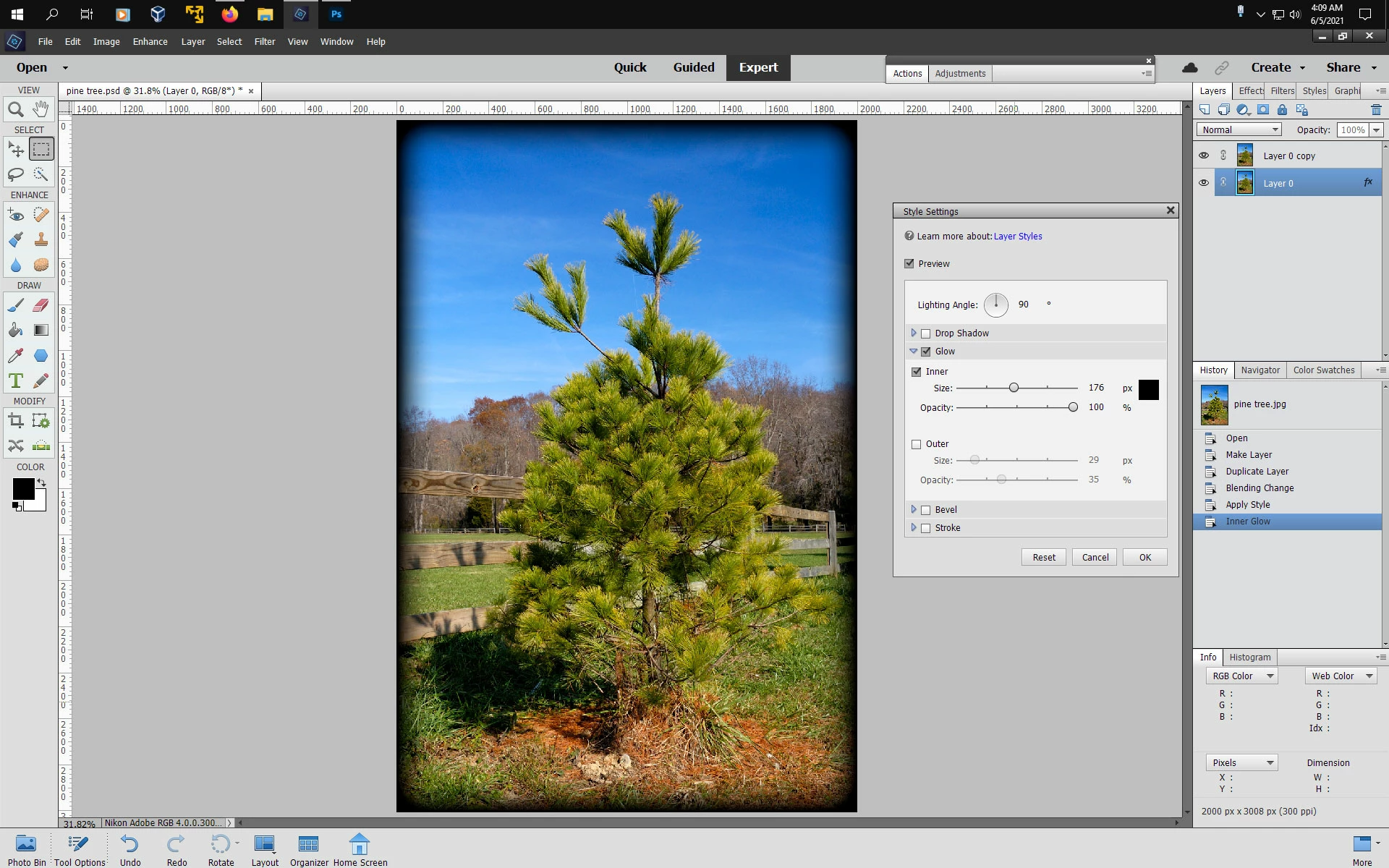
Anyway you can sorta of replicate cs3 and use Black for the Inner Glow by:
1. Open you image and double click on the thumbnail in the layers panel to make a regular layer.
2. duplicate that layer and change the Layer Blend Mode to Multiply
2. Click on the bottom layer and go to Window>Styles>Visibility and click on Hide
3. Go to Layer>Layer Style>Style Settings and set your inner Glow to Black
a major difference is in cs3 one can adjust the Choke of the Inner Glow while in photoshop elements it's set to 0 (zero) choke so the inner glow will be softer in photoshop elements.


 AdChoices