boba44585016
Known Participant
March 21, 2020
Question

Layer mask question

  • March 21, 2020
  • 3 replies
  • 313 views

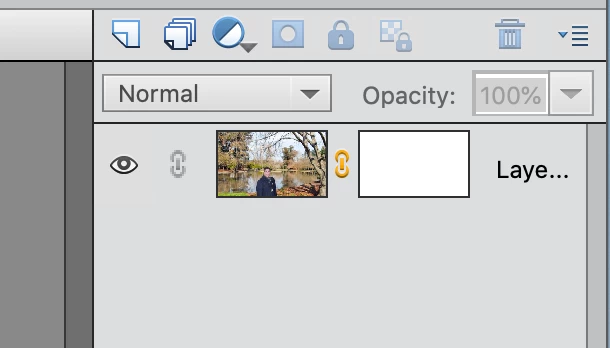
I created the layer mask and I saw the white How do I switch to black?
 

This topic has been closed for replies.

3 replies

99jon
Legend
April 6, 2020

To create a black mask quickly, simply hold down the Alt key while clicking the layer mask button.

Greg_S.
Community Expert
Community Expert
April 5, 2020

I just learned a keyboard shortcut for this operation so I thought I would share it here.  Simply click on the layer mask and  press Ctrl-I to invert it from black to white or vice versa.  I assume Cmd+I will do the same on a Mac machine.

Greg_S.
Community Expert
Community Expert
March 21, 2020
  1. Click the white thumbnail on the layer
  2.  Select the Paint Bucket tool
  3. Make sure black is the foreground color (toggle black and white by pressing X key)
  4. Click on the image.

For future reference, you can use the Layer>Layer Mask>Hide all option to create a "black" mask.

boba44585016
Known Participant
March 21, 2020

thx :-}
