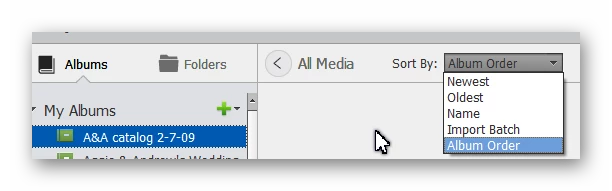
My suggestion is that you use Albums for your presentations. An Album is a virtual folder that has the advantage of allowing you to organize the files in whatever order you want. And you can use photos stored in different folders. When you select an Album in the panel on the left, you have the option to sort the files by the Album order rather than any date or file name order.
Is the organizer showing the picture in the folder with the youngest date?
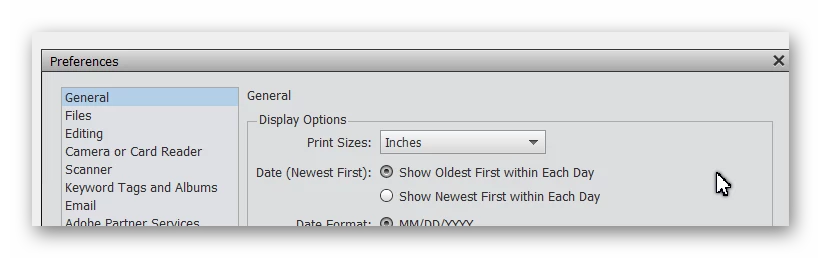
As shown in the above screenshot, there are several ways to sort how the images are displayed in the Media grid. There is also an option in Edit>Preferences>General to sort the photos taken each day by the earliest or latest in the day.
As for your practice of copying files to a different folder in order to edit them, there are several ways to handle this using the Organizer's tools. For example, if you choose your best photos from a day of shooting that you want to edit at a later time, you could apply a keyword tag to them called Photo for Editing. Once you have some time to edit the photos, you can select the tag and choose which file you want to work on. Once the file has been edited, you save it in a version set which stacks the edited photo on top of the original photo. This avoids displaying multiple copies of the same file but keeps the original available for different editing options in the future. Once you are finished editing the photo, you can delete the Photo for Editing tag.
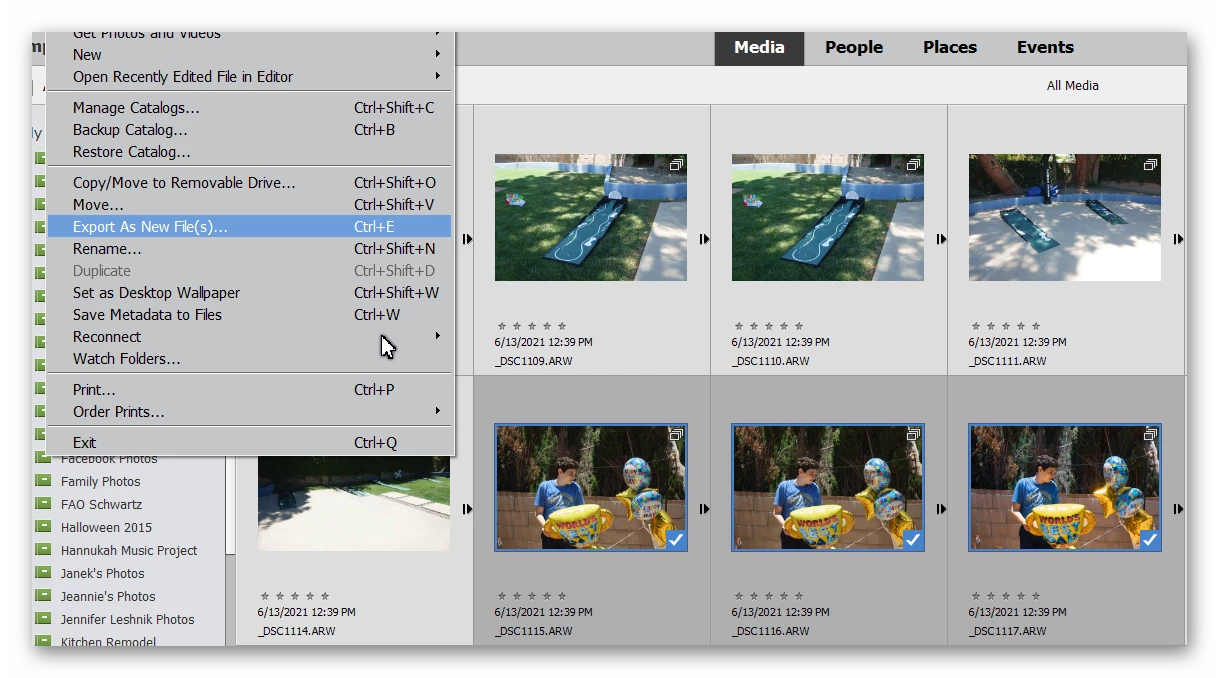
If you really want to maintain duplicate copies of files in different folders, then I believe you can select the files in the Organizer and use the File>Export as New File(s) command. A dialog will appear allowing you to choose a new folder for the files. If you create the folder under a main folder that is a watched folder, the newly created files should be automatically imported into the catalog.
Let us know if you have any further questions or need clarification of this response.

 AdChoices