
Answered
Missing preset paper size options for new blank files
I am using Photoshop Elements 14.
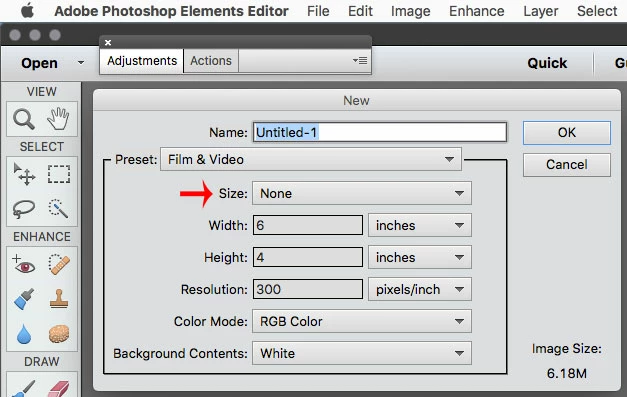
Using File > New > blank file there are preset options for standard sizes such as A3, A4 etc for international paper.
However I cannot select any of the standard sizes in any of the preset sizes the drop down menu. Once I could but I think the list might have been deleted when I uninstalled an older version of Photoshop.
Can anyone advise how I might obtain and install these present? Is a better option to download Photoshop Elements again?
 AdChoices