Answered

This topic has been closed for replies.
Cindy, I agree that the face cannot be found using the Enhance>Open Closed Eyes feature. However, there have been improvements in Elements 2023 that allow the face to be found in the Special Edits>Perfect Portrait Guided Edit:
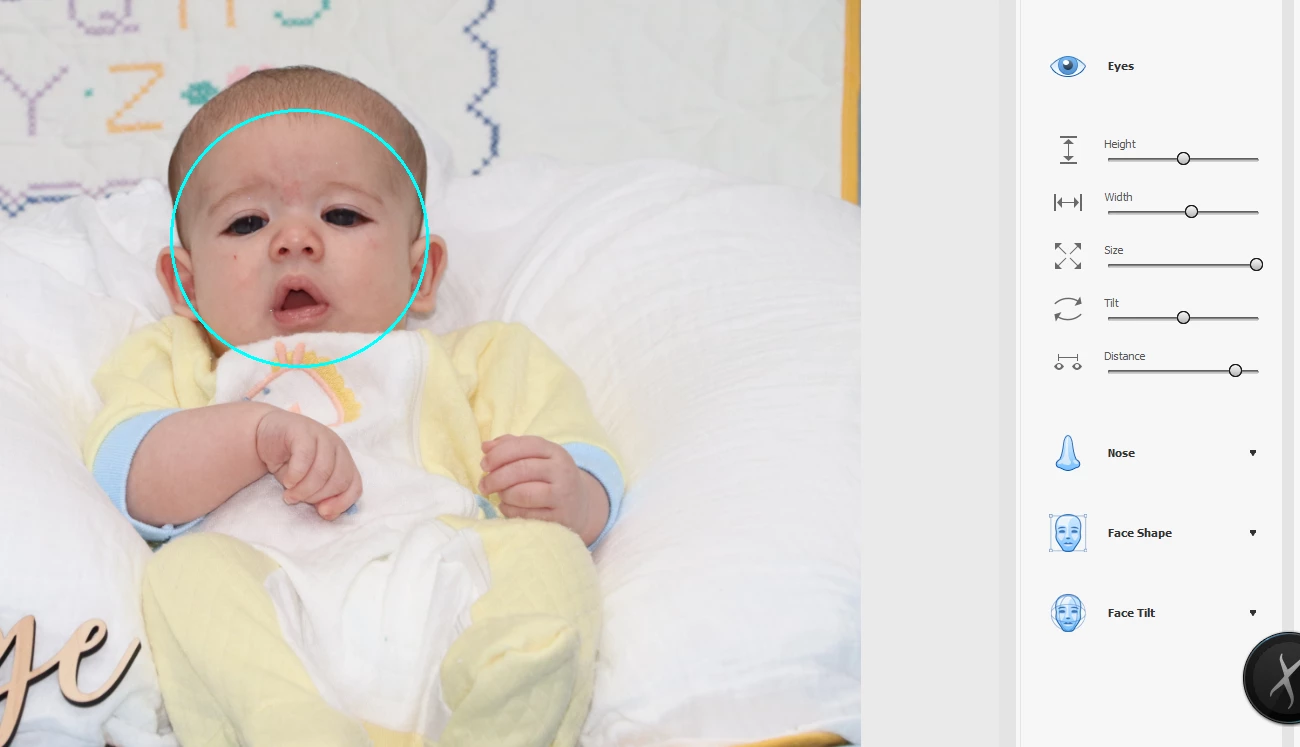
This will not work with a totally closed eye (in which case you would have to use something like the clone tool to pop in some open eyes from another photo), but in your photo there is a sufficient eye showing to make some adjustments like the following:
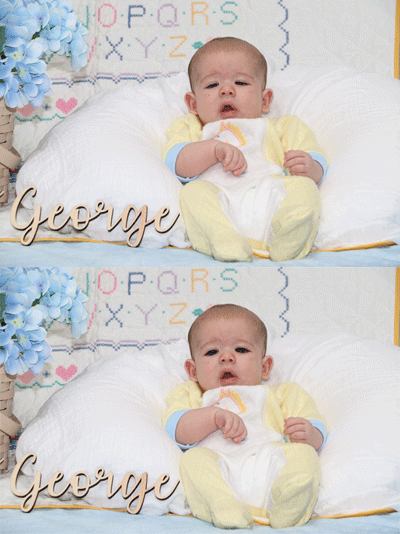
Sign up
Already have an account? Login
To post, reply, or follow discussions, please sign in with your Adobe ID.
Sign inSign in to Adobe Community
To post, reply, or follow discussions, please sign in with your Adobe ID.
Sign inEnter your E-mail address. We'll send you an e-mail with instructions to reset your password.
 AdChoices