
Participant
August 31, 2018
Question

Not enough RAM?

  • August 31, 2018
  • 2 replies
  • 2594 views

Learner user here, after editing my photo I then go to "save as" and it comes up with the following message
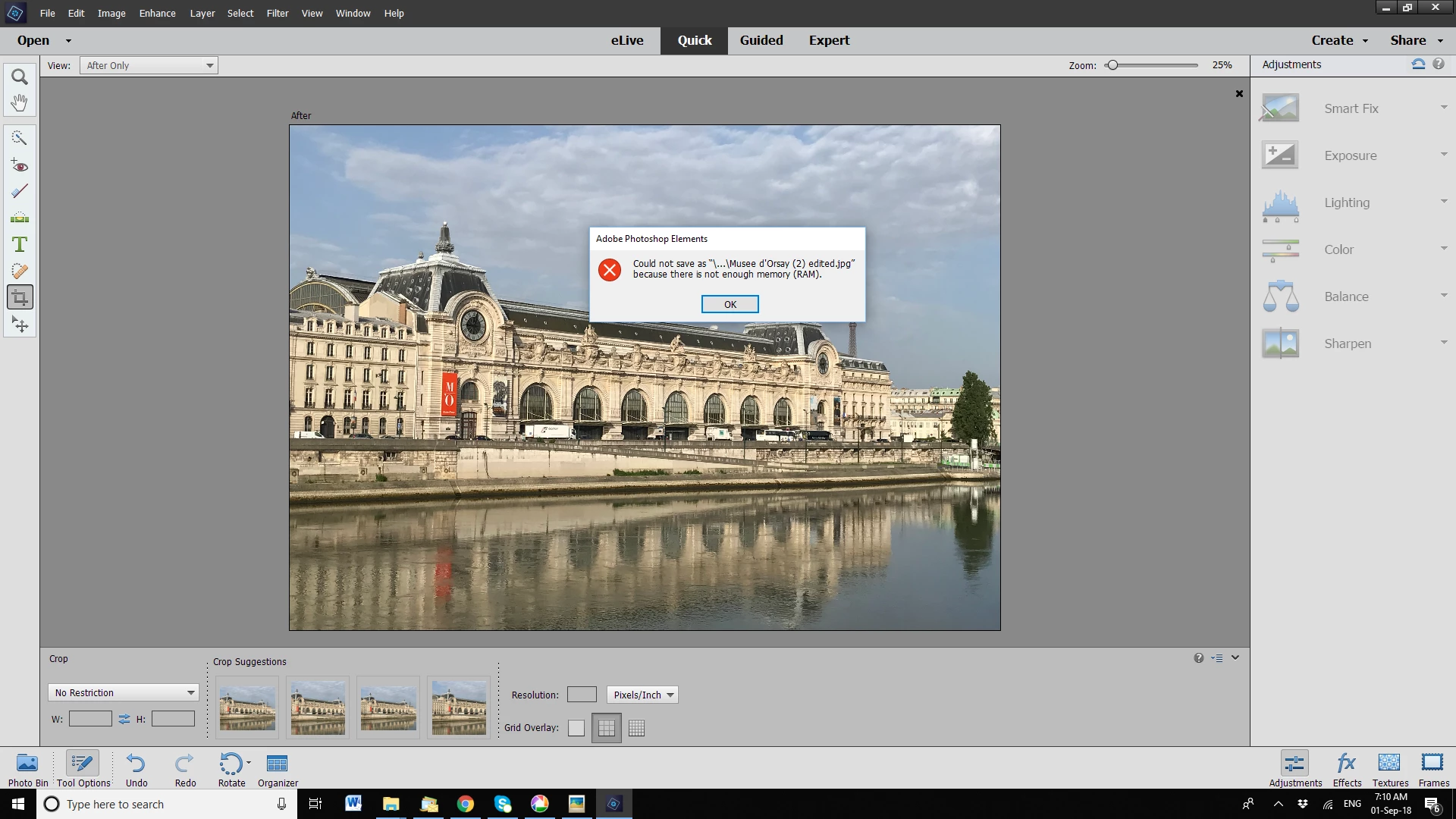
I then looked at "system info" and it came up with the following:

Adobe Photoshop Elements Version: 15.0 (20160905.m.97630)  x64

Operating System: Windows 10 64-bit

Version: 10 or greater

Built-in memory: 4077 MB

Free memory: 1005 MB

Memory available to Photoshop Elements: 8 MB

Memory used by Photoshop Elements: 100 %

How and Why do I not have enough memory? How do I fix this?

Please help

This topic has been closed for replies.

2 replies

Peru Bob
Community Expert
Community Expert
August 31, 2018
hatstead
Inspiring
August 31, 2018

You probably had a recent Windows 10 update. There have been many posts on this board re this issue.

It requires a registry fix.

See this tech note

Error: An integer between 50 and 8 is required | Elements | Windows 10

and this thread, esp. post # 24 by ssprengel.

Re: Photoshop Elements 2018 memory problems - unable to edit and save files

Peru Bob
Community Expert
Community Expert
August 31, 2018

I guess I didn't type fast enough.