
Participant
May 8, 2017
Question

Photo angled on Photomerge

  • May 8, 2017
  • 1 reply
  • 454 views

Photomerge acting wonky, whenever I try to Photomerge multiple photos on Photoshop elements 15 the photos I select turn out "angled away from the monitor".... does any one know how this happens and how to fix it?
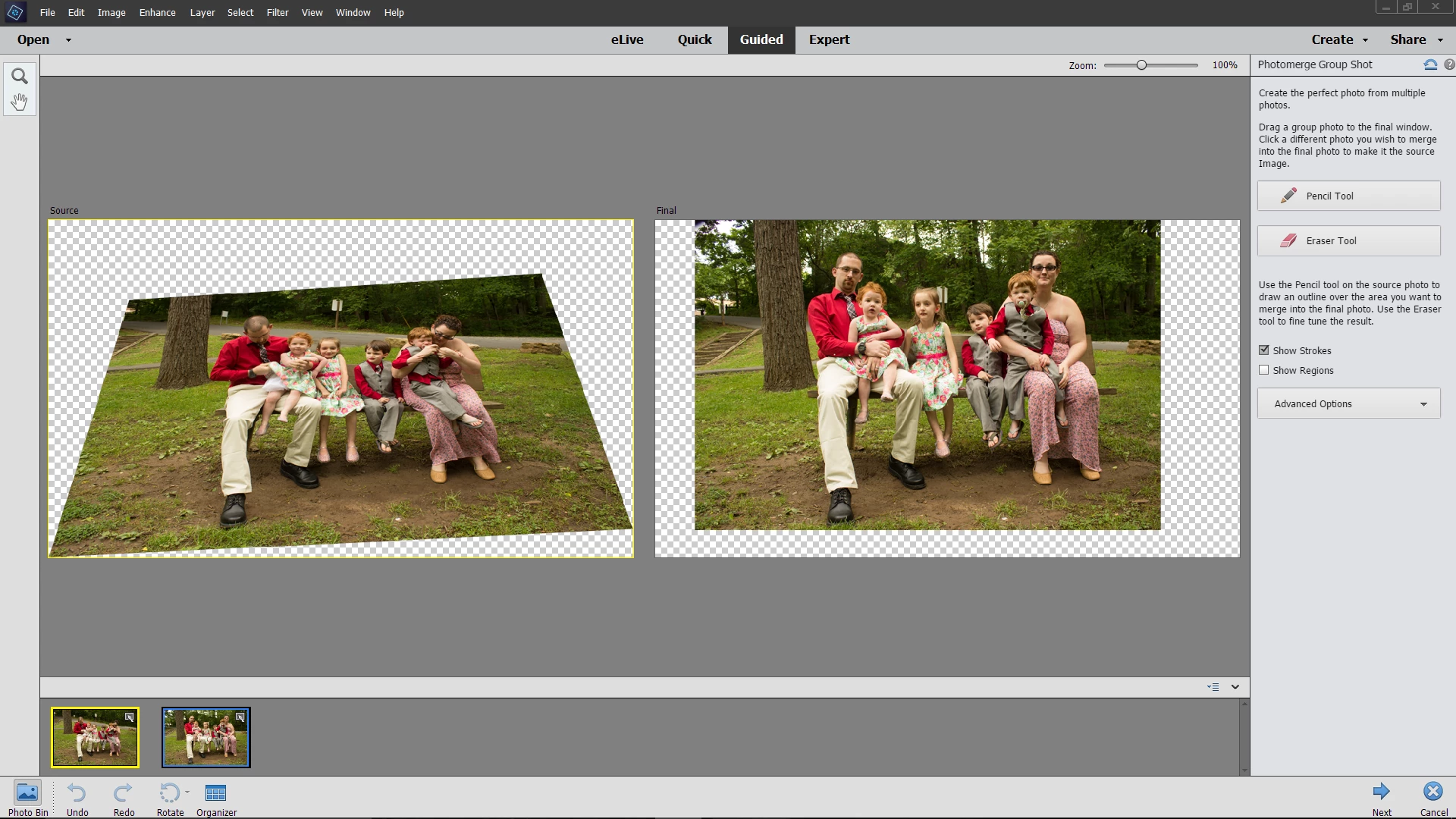
[Moved from the Lounge (which is where you can "connect with your peers" from across all of Adobe's products for conversations that don't directly relate to help and support) to a product-specific support forum - moderator]

This topic has been closed for replies.

1 reply

Adobe Employee
May 9, 2017

Hi Sheena,

We would be glad to assist you with your query.

Please refer to this help article on how to use Photomerge group shot:https://helpx.adobe.com/photoshop-elements/using/guided-mode-photomerge.html

Guided mode - Photomerge Edits in Photoshop Elements

You need to use the Advanced Options section. When you expand it, the tool's explanation under it will help you guide the way forward.

  • Click on Alignment tool. This would show you three markers first on source photo then on Final photo.
  • Drag these markers to same areas in both photos.
  • Then click on Align Photos from tool bar.

Please let me know in case of any queries.

Thanks,

Arshla

sawalunas
Participant
August 31, 2017

I have the same issue. I want it to go back to auto alignment and NOT use the three markers. It will NOT go back to the way it was!! I have tried to restart PSE numerous times. I have opened different photos - it no longer auto aligns and only gives me the option to use the markers. I want auto back! Can you help me?