
Known Participant
October 31, 2022
Answered

Photos taken with too high of ISO and or to slow of shutter. Images need help. What to do?

  • October 31, 2022
  • 2 replies
  • 547 views

I have discovered I took many images with 1600 ISO that should have been closer to 100 ISO. How do I go about trying to help them in Elements 2018? Thanks for any help. Seems I have issues trying to make bright images look presentable.

This topic has been closed for replies.
Correct answer Greg_S.

I wasn't trying to edit the photo for you.  I was merely showing you some tools you could use.   Yes, the birds in my first example may be too blue.   But you can make adjustments to your own taste.  If you want the birds less blue, make adjustments with the temperature slider.
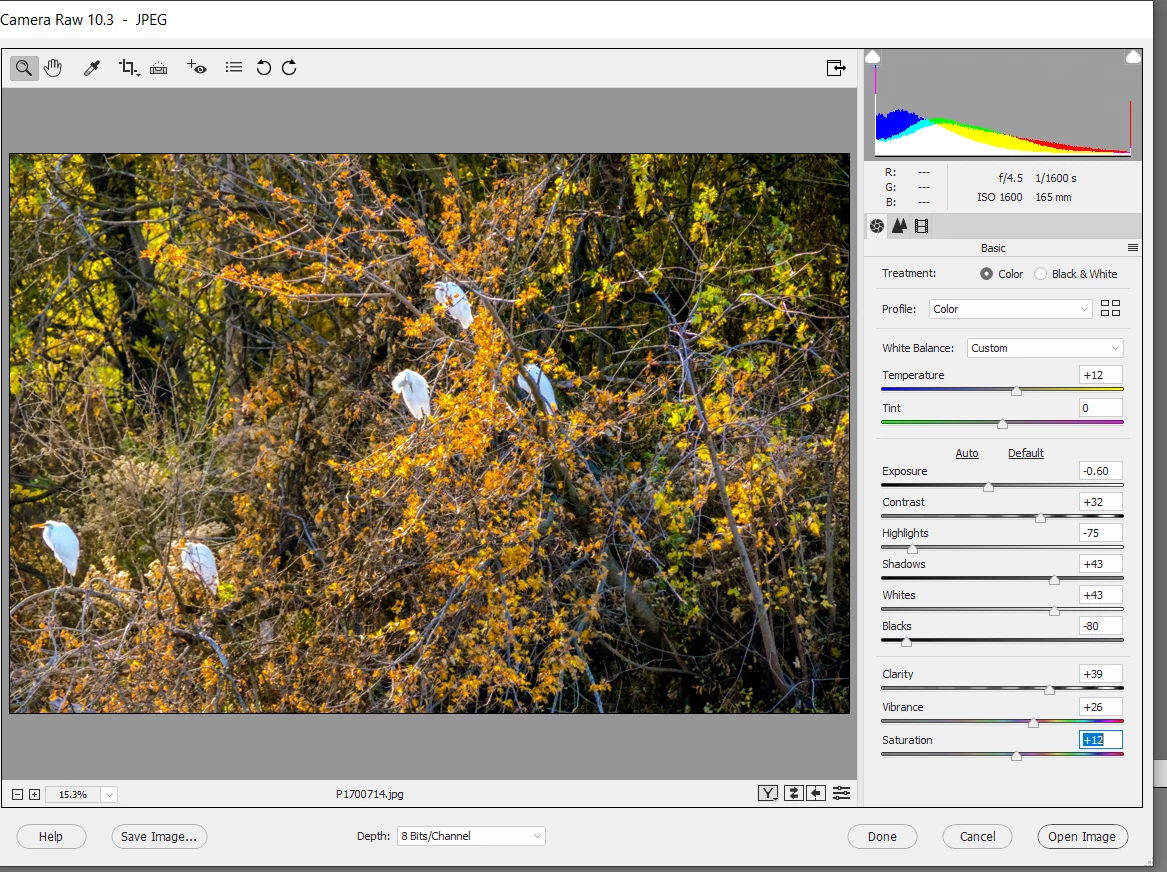
 

This is an Adobe forum.  I'm not going to express my opinion about whether other products are better or not.  Most photo editing programs and plug-ins provide free trials.  So you can judge for yourself.  Elements provides an excellent editor as a base and I use it for several other plug-in products that provide specialized features such as denoising and sharpening.  Your original post asked about fixing photos taken with the wrong ISO resulting in exposure that is too bright.  Elements does a pretty good job of handling that, at least in my opinion. 

2 replies

Greg_S.
Community Expert
Greg_S.Community ExpertCorrect answer
Community Expert
November 1, 2022

I wasn't trying to edit the photo for you.  I was merely showing you some tools you could use.   Yes, the birds in my first example may be too blue.   But you can make adjustments to your own taste.  If you want the birds less blue, make adjustments with the temperature slider.


This is an Adobe forum.  I'm not going to express my opinion about whether other products are better or not.  Most photo editing programs and plug-ins provide free trials.  So you can judge for yourself.  Elements provides an excellent editor as a base and I use it for several other plug-in products that provide specialized features such as denoising and sharpening.  Your original post asked about fixing photos taken with the wrong ISO resulting in exposure that is too bright.  Elements does a pretty good job of handling that, at least in my opinion. 

Greg_S.
Community Expert
Community Expert
October 31, 2022

I think your best bet is to use the File>Open in Camera Raw feature.  A few adjustments and you can get something like this:


Perhaps an even faster method is to use a Levels adjustment (Ctrl+L😞


jmillspAuthor
Known Participant
October 31, 2022

Well, the first one appears to blue on the birds for me. The second one looks like more of what I would be after. Is this better than using Topaz DeNoise or another product? Thanks.