
Inspiring
December 24, 2020
Question

Photoshop 2021 will no longer open photo files after installing Premel 2021

  • December 24, 2020
  • 3 replies
  • 444 views

Cannot open files in Photoshop Elements 21


I bought the Photoshop and Prem Elements combo in October and the Photoshop was working great. I recently installed the Prem Elements program and now I can no longer use the Photoshop Elements editor I am using W10.


Clicking on photo files will not open the photo editor.

Clicking on the PS elements icon results in the below screen loading but no way to open a photo file. Clicking on the middle photo editor icon from that window  will not bring the photo editing workspace. Any one ever have this problem?
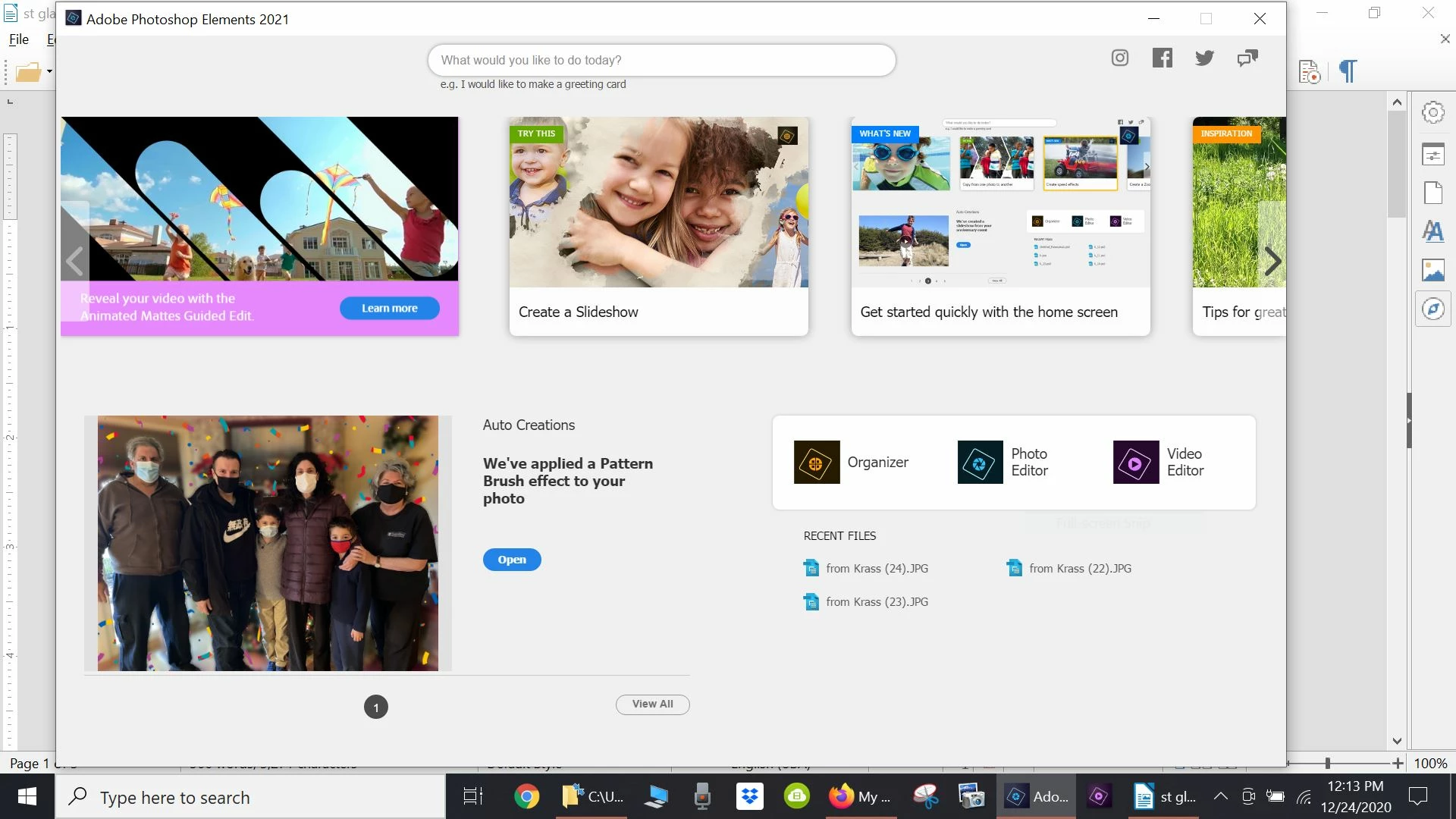
Any suggested remedies? Thanks for you help

This topic has been closed for replies.

3 replies

Greg_S.
Community Expert
Community Expert
December 25, 2020

Each version of Elements is separate, so you shouldn't have to uninstall Elements 14 in order to install Elements 2021. 

provlimaAuthor
Inspiring
December 25, 2020

Greg

thanks much for all of your help to resolve this frustrating problem

I took your advice to delete PS Elements 2021 and reinstall again. I t did the trick! 

The photo editor is now working again

Best of luck for a healthy safe 2021!!!!!!!

Greg_S.
Community Expert
Community Expert
December 24, 2020

. . . Or if you click on one of the Recent (jpg) files listed under the program icons, does anything happen?


Have you installed both programs under an Admin user account?


Can you open the Editor if you double-click on the PhotoshopElementsEditor.exe file located at C:\Program Files\Adobe\Photoshop Elements 2021\.  If that doesn't work, try right-clicking on the file and select Run as Administrator from the context menu.


If you use the Organizer, what happens if you select a file and hit Ctrl+I ?  The Editor should open.


Final suggestion: Take a look at Windows>Settings>Apps>Default Apps and click on Choose Default Apps by file type.  (This sometimes takes a while to load.)  What program do you have set for jpg?  If it is not Elements, click on the program icon and choose your version of Elements.


Greg_S.
Community Expert
Community Expert
December 24, 2020

Some other solutions may be found here.  Note that Elements 2021 is version 19, so change any directory paths in the solutions which refer to earlier versions.


One of the solutions will be to reinstall the programs.  If you follow this advice, I recommend that you uninstall both Premiere and Photoshop Elements and upon uninstall of both programs choose the option to remove all program preferences.  (I'm not sure if that is the correct language, but there is only one option to deal with.)


BTW, does Premiere open OK?

provlimaAuthor
Inspiring
December 24, 2020
 
 Thank you Greg
The new premel elements is working okay
FWIW my old PS 14 photo editor is no longer working either
Should I delete the old PS and Premel 14 software before reinstalls?
Will I download the new version of PS from Adobe again and use the old registration codes?
Thanks again for your help!!
Peru Bob
Community Expert
Community Expert
December 24, 2020

Click on Photo Editor in your screenshot.

provlimaAuthor
Inspiring
December 24, 2020

Thanks for your message. It doesnt work...


Clicking on the middle photo editor icon from that window  will not bring the photo editing workspace.  It results with a circle turning and a message "loading PS editor workspace"  which disappears after one minute.