
Participating Frequently
January 22, 2023
Question

Photoshop element 13 ne fonctionne plus :(

  • January 22, 2023
  • 3 replies
  • 515 views
 

Bonjour,

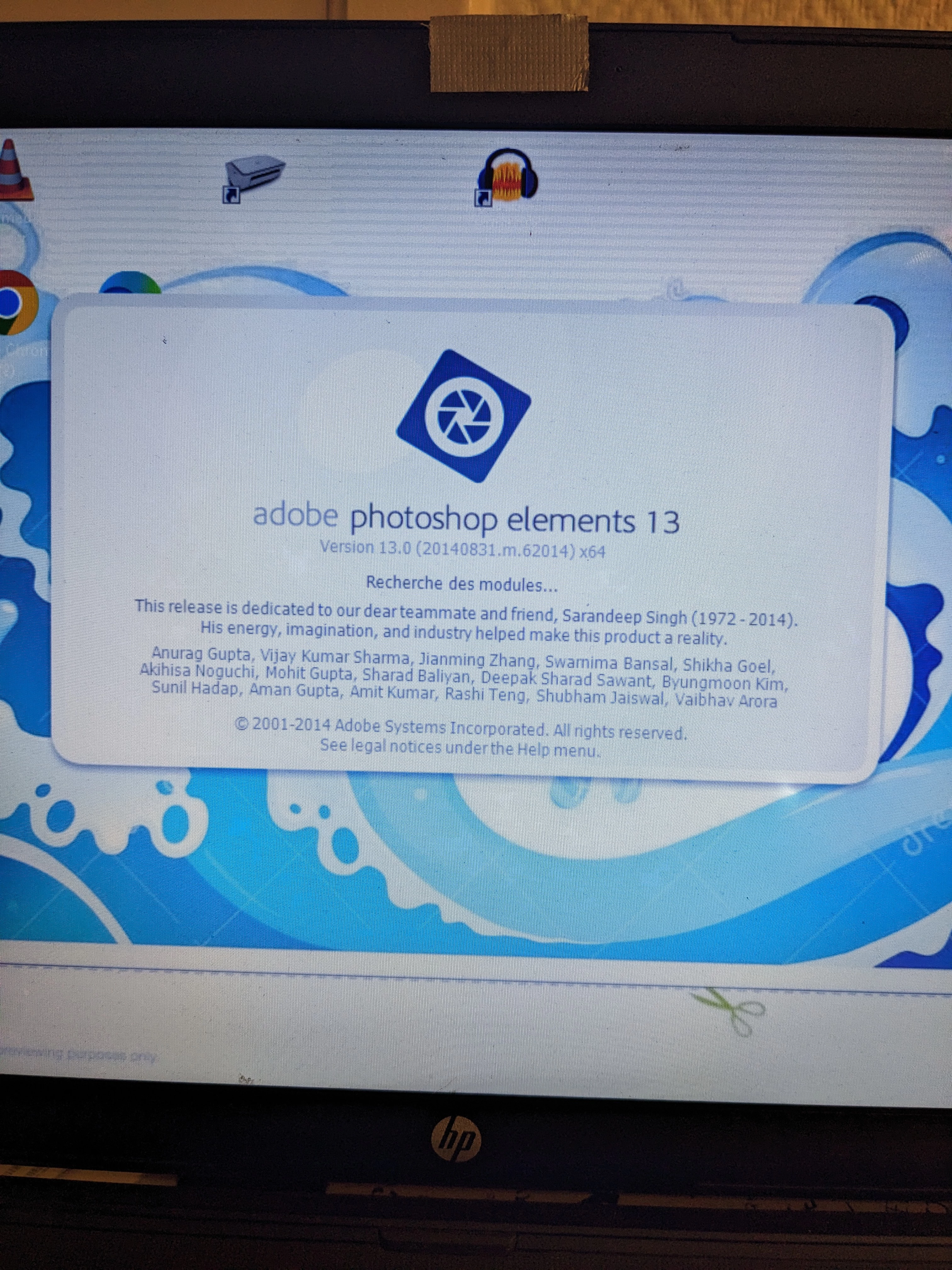
Du jour au lendemain mon photoshop element 13 ne fonctionne plus.Il reste bloqué sur cette étape( voir photo)

Je suis sous windows10

J' ai pensé que mon compte adobe avait été supprimé (car j ' avais reçu un émail qui le précisait) et que c' était là, peut-être le souci.

En me connectant à Adobe, je m' aperçois que mon compte est toujours là et c' est une bonne chose.

Néanmoins je ne peux plus utiliser mon photoshop.

J' ai déjà désinstallé et réinstallé le programme mais sans résultat.

Merci d' avance pour votre temps consacré à ce message.

Belle journée


This topic has been closed for replies.

3 replies

Greg_S.
Community Expert
Community Expert
January 23, 2023

@Dreya333,  it is a possible clue.   Try pressing the Shift key while launching the program.  A message should appear asking whether you should skip loading optional or third party plug-ins (modules?).  Answer yes.


I am going to ping another Community Expert @MichelBParis  for additional help with any translation problems.


MichelBParis
Legend
January 25, 2023

@Greg_S. 

I am following this conversation and I have advised @Dreya333 to follow here in French. For the moment I have no other suggestion than yours to ignore loading the external modules.

@Dreya333 

Merci de continuer cette conversation (en français), c'est plus rigoureux et le traducteur automatique est bien utilisé par de nombreux membres de ce forum.

A demain !

Dreya333Author
Participating Frequently
January 28, 2023

Bonjour Monsieur,

Je reviens vers vous pour obtenir une eventuellement nouvelle solution?

Merci d' avance

Belle journée

Greg_S.
Community Expert
Community Expert
January 23, 2023

After installing and signing into the Creative Cloud desktop application, reboot your computer and launch Elements 13 again and see if you get beyond the splash screen shown in your screenshot.

Greg_S.
Community Expert
Community Expert
January 22, 2023

If you are using Windows, try downloading and installing the free Creative Cloud Desktop application. You do not need to subscribe to any software. However, it appears to be necessary to validate the license on older versions of Elements.  I can't guarantee that this will work, but it is worth trying, and a number of users have reported success with this suggestion.


Dreya333Author
Participating Frequently
January 23, 2023

Bonjour Monsieur,

J' ai téléchargé le creative cloud comme conseillé. Et ensuite que dois-je faire?

Je ne vois pas d' option pour valider ma licence .

Merci pour votre réponse