
Participant
December 14, 2016
Question

Photoshop Elements 12 Not opening files

  • December 14, 2016
  • 1 reply
  • 290 views

Hi,

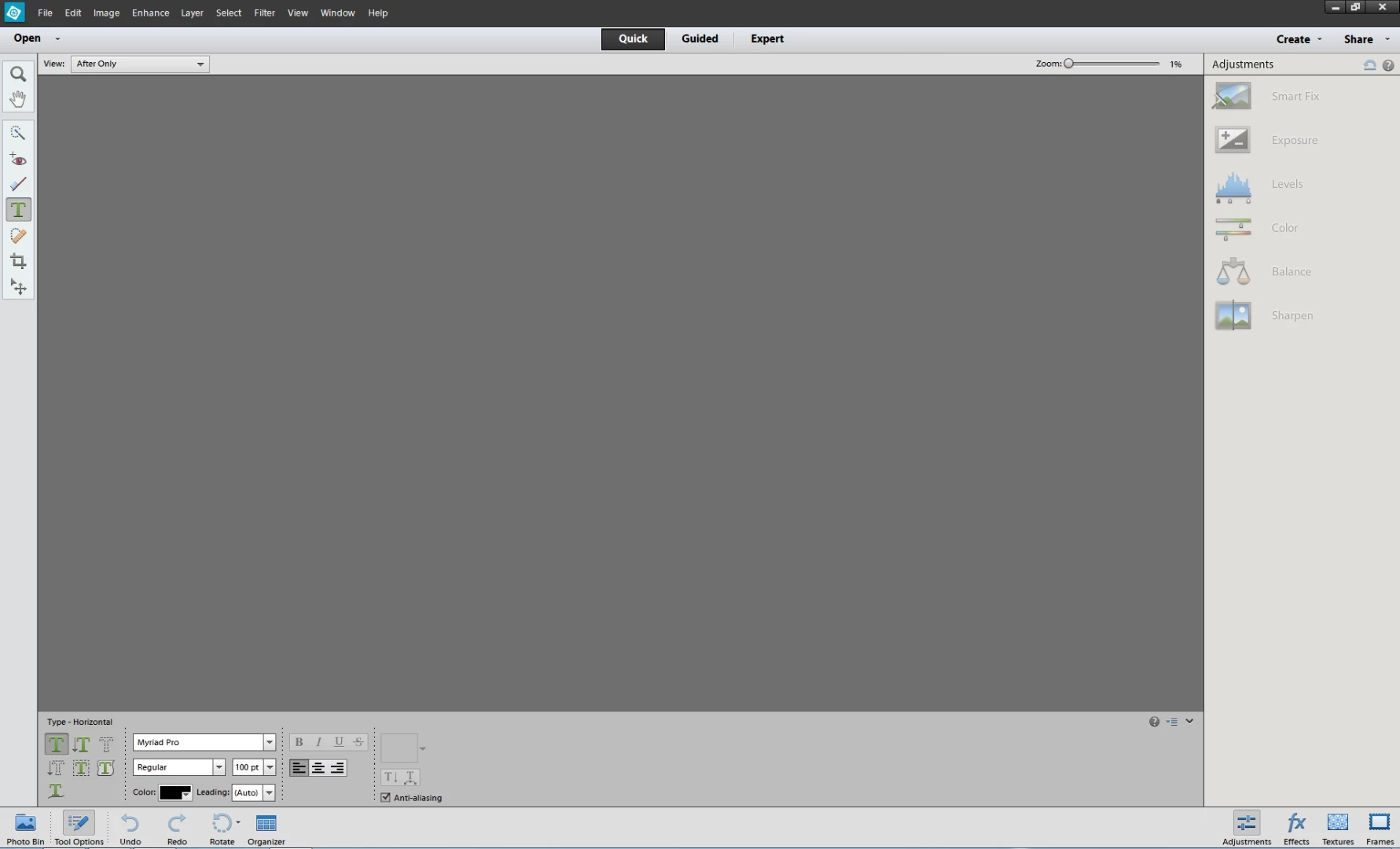
I'm having problems with Photoshop Elements 12. When I try to open file it acts like it is opening it, but it does not open the file and program keeps showing the grey window in side the program.Same behavior is happening if I try to create new blank document. I have tried to update display adapter drivers on my computer and I have also reinstalled Photoshop Elements on my computer. This leads me thinking if the problems is with the settings of the program?

Here is picture of the program after I have tried opening a document in it and the picture is not showing.
?

    This topic has been closed for replies.

    1 reply

    Adobe Employee
    December 15, 2016

    Hi Pauliina,

    I would request you to reset your Preferences as mentioned at link Preference file locations for Photoshop Elements and Premiere Elements and try it again.

    If even then the issue doesn't resolve, check if the photo is visible in Photo bin and in Expert mode view.

    Get back with your results. We would be glad to assist you further.

    Thanks.

    Arshla

    Participant
    December 16, 2016

    Hi,


    Thanks for the reply! Deleting preference file did not help with the problem. Also when I try to open the file and if the expert mode is selected the picture is not showing in Photo Bin. The problem is not with the file itself, because the problem is with all files and it has worked fine before.

    Br,

    Pauliina