ksteiger
Participant
January 21, 2017
解決済み

Photoshop Elements 14 Automation Tools Greyed Out

  • January 21, 2017
  • 返信数 2.
  • 9141 ビュー

Automation tools is greyed out.  It used to work, and suddenly it's greyed out.

I uninstalled Elements, rebooted and reinstalled, then reinstalled the plugins but they're still not available.

Physically, I see the plugins in the plugin folder, and I've added the sub-folder with the plugins as an additional plugin folder in preferences.

I just don't get it.  Thanks for any help you can give me.

Kevin

    このトピックへの返信は締め切られました。
    解決に役立った回答 Jeff Arola

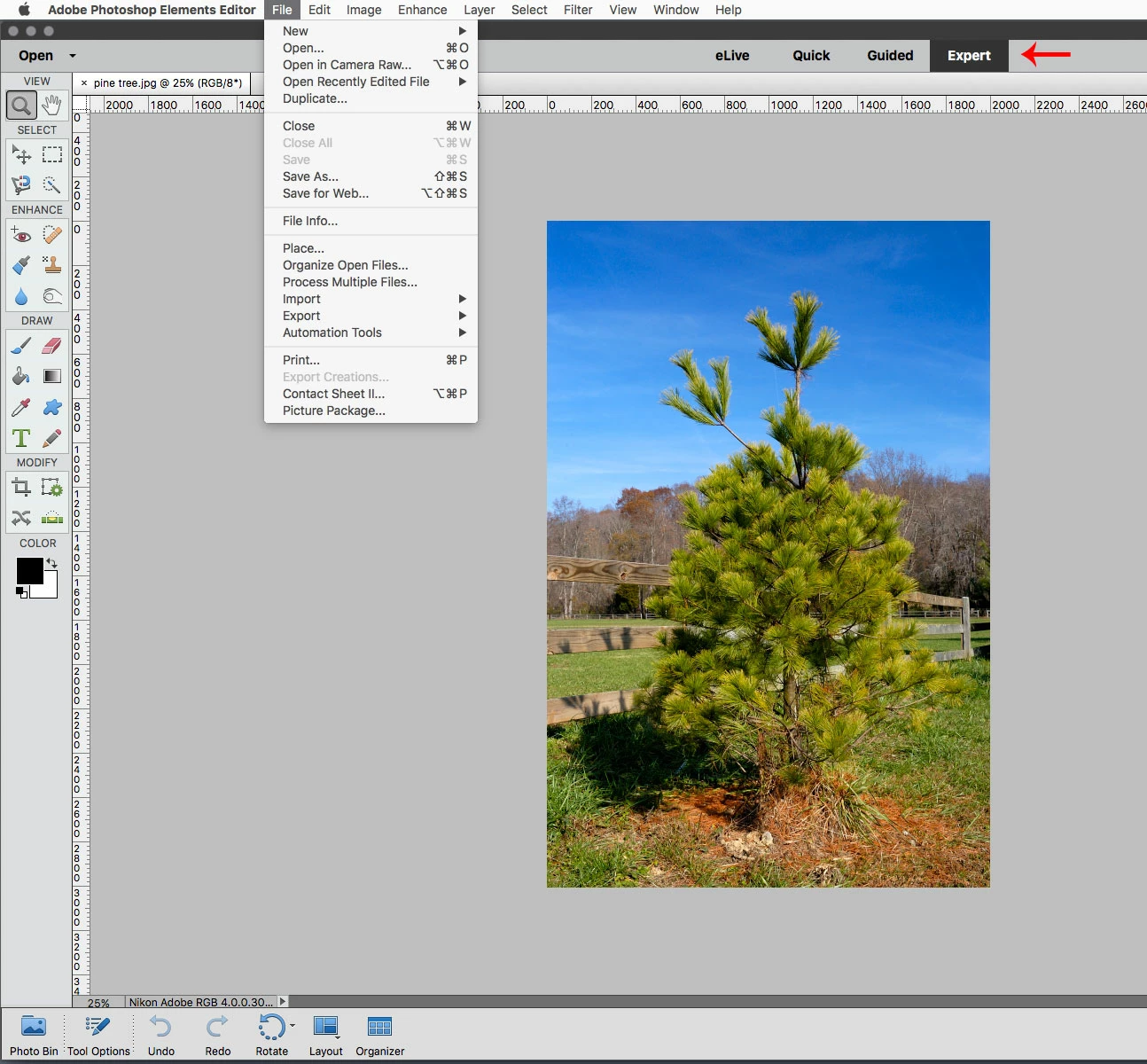
    Are you in Expert mode.

    The Automation Tools menu is greyed out unless one is in Expert mode.

    返信数 2

    August 19, 2020

    Not for me 😞 I can't access it even if I have expert mode activated. why is it not working?? 

    Jeff Arola
    Community Expert
    Community Expert
    August 20, 2020

    As mentioned above, in addition to being in Expert mode one needs a plugin or script that uses the Automation Tools menu. It is normal for the Automation Tools to be greyed out.

    Participant
    April 28, 2021

    I have on1. how do i get elements to access the plugin for elements


    Jeff Arola
    Community Expert
    Community Expert
    January 21, 2017

    What operating system are you using?

    What plugins have you installed?

    Usually most plugins/filters show under the Filter menu and very few actually are activated under the File>Automation Tools.

    Some exceptions are the Nik Collection Selective Tool and OnOne photoshop plugins.

    ksteiger
    ksteiger作成者
    Participant
    January 21, 2017

    Thank you, R_Kelly.

    I'm running Windows 10 64-bit.  I had both the Nik Collection and Canon's Print Studio Pro installed and both were available under Automation Tools.  Suddenly, Automation Tools was greyed out.  As I said in my original post, I uninstalled and reinstalled Elements 14 and then reinstalled the Canon Print Studio Pro plugin, but that didn't help.  I checked and Canon's Print Studio Pro does not appear in the filter menu.  The plugins are in a folder called PSP under the Plugins folder and I added that folder as an additional Plugin folder in Preferences..

    I appreciate your help.

    Kevin

    Jeff Arola
    Community Expert
    Jeff ArolaCommunity Expert解決!
    Community Expert
    January 21, 2017

    Are you in Expert mode.

    The Automation Tools menu is greyed out unless one is in Expert mode.