
Participant
August 12, 2021
Answered

Photoshop Elements 15 Editor has stopped working error

  • August 12, 2021
  • 2 replies
  • 509 views

I keep getting this error on the startup of Photoshop Elements 15 
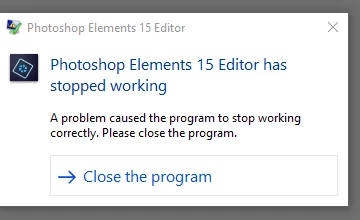
I have uninstalled and reinstalled twice. The event viewer general tab is showing 
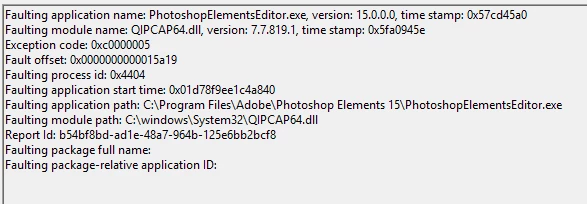
 

details tab:
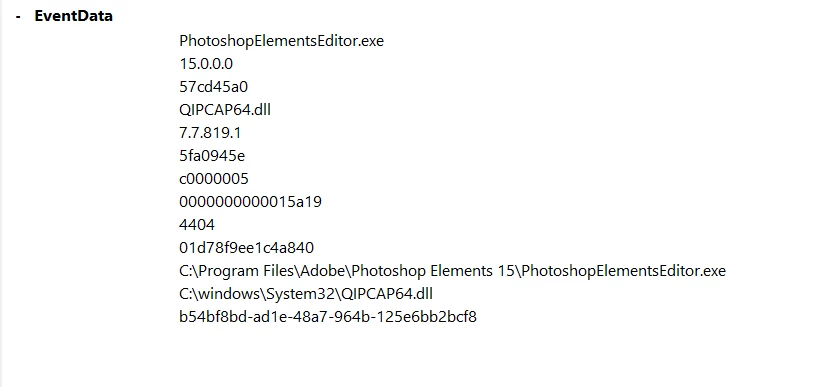
 

I do not have Web Compainon installed.  I tried getting assistance over chat but 
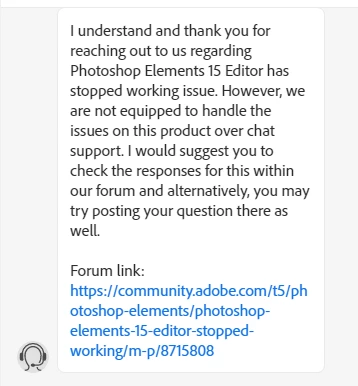


they sent me here.  I didn't see any reference to the dll listed in the event viewer. 

If anyone can offer assistance to fix this error it would be greatly appreciated.


This topic has been closed for replies.
Correct answer Jeff Arola

Do you know if you have the most up to date version of Forcepoint installed?


Have you talked to your company's IT about your issue?


The faulting QIPCAP64.dll listed above in error is part of the Forcepoint software

2 replies

Jeff Arola
Community Expert
Jeff ArolaCommunity ExpertCorrect answer
Community Expert
August 16, 2021

Do you know if you have the most up to date version of Forcepoint installed?


Have you talked to your company's IT about your issue?


The faulting QIPCAP64.dll listed above in error is part of the Forcepoint software

Idaho GalAuthor
Participant
August 17, 2021

Thanks for replying.  Yes, I have the most current version of Forcepoint.  I contacted my company IT regarding this yesterday morning when you suggested that our securtiy software may be the issue.  I appreciate you responding and have found your input valuable.  Thank you again

Jeff Arola
Community Expert
Community Expert
August 12, 2021

Do you have or had any software like Websense Endpoint or Forcepoint from Websense, Inc installed?

(security software ususally used in a corporate enviroment)

Idaho GalAuthor
Participant
August 13, 2021

Yes, Forcepoint is installed on my machine.