
kal19153993
Participant
September 23, 2018
Answered

Photoshop elements 15 no panorama merge

  • September 23, 2018
  • 1 reply
  • 1121 views

Does anybody know where the panorama/photo merge option is hidden? With photoshop elements 15 I don't find that option neither in "edit" (German: Überarbeiten).
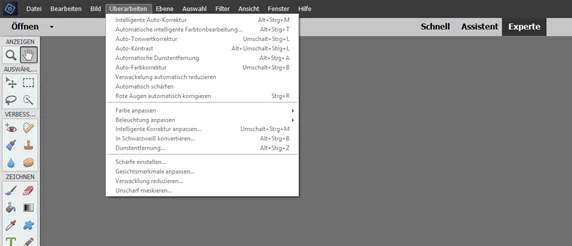
nor in "file" (German: Datei")
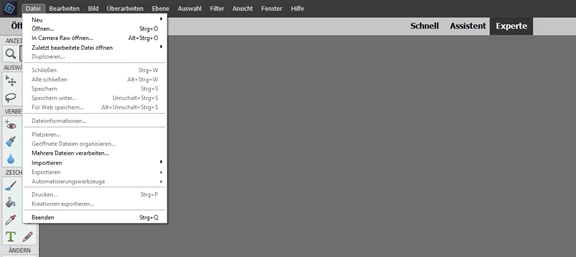
Would be nice if someone could give me a hint how to find the panorama option. Thanks.

This topic has been closed for replies.
Correct answer MichelBParis

The 'Photomerge' options are now in the 'Assistent' editing mode, not the Expert mode.

No change in the Organizer, still in the 'Edit' menu (recommended).

1 reply

MichelBParis
MichelBParisCorrect answer
Legend
September 23, 2018

The 'Photomerge' options are now in the 'Assistent' editing mode, not the Expert mode.

No change in the Organizer, still in the 'Edit' menu (recommended).

Participant
December 15, 2020

I know this is an old post, but I cannot find in my english version the place to merge photos to make a panorama. can you help me please

MichelBParis
Legend
December 15, 2020

The location of this command has change twice depending on your PSE editor version.

What has never changed is to start from the organizer: menu Edit >> Photomerge (recommended)