Participant
February 6, 2021
Question

Photoshop elements 15 radial blur issue

  • February 6, 2021
  • 4 replies
  • 563 views

Hi first time posting here just wondering if anyone has/ had an issue where you select radial blur and zoom blur that it stays as spin blur if so any solutions to this issue?
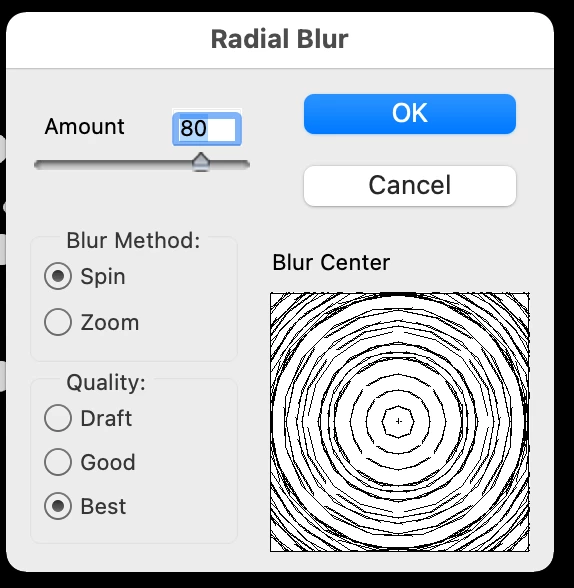
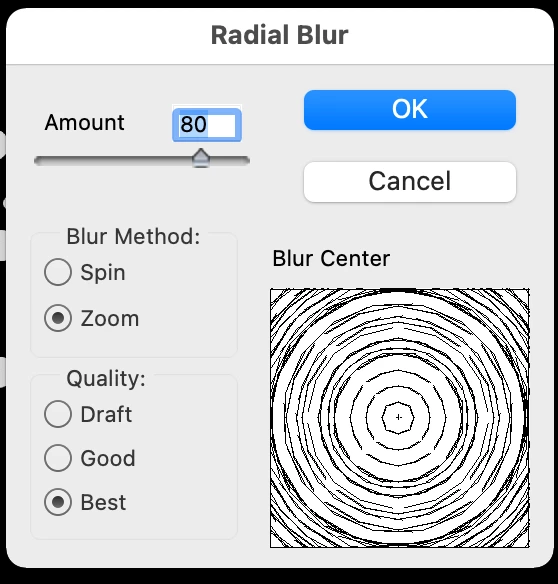
  

This topic has been closed for replies.

4 replies

Participating Frequently
September 8, 2021

I have the same proplem. can someone help, Please?

Jeff Arola
Community Expert
Community Expert
September 8, 2021

What version of photoshop elements and operating system are you using?

Jeff Arola
Community Expert
Community Expert
September 9, 2021

Jeff

Thanks for your prompt help/reply. I tried a few times. but did not work.  may try to reinstall it later. I think it is a bug of PE15. It worked before. I did not update OS recently. it suddently happend a few days ago. 


Thanks,


James


Before attempting a reinstall go to


Macintosh HD/Users/UserName/Library/Preferences


and trash the


Adobe Photoshop Elements 15 Settings folder


and


com.adobe.PhotoshopElements.plist

Greg_S.
Community Expert
Community Expert
February 8, 2021

What OS are you using?


The only other suggestions I can think of is to update your graphics driver and/or reinstall the program.

Participant
February 10, 2021

Using macOS I also have a windows pc but haven't tried it in Windows yet

Greg_S.
Community Expert
Community Expert
February 6, 2021

This kind of problem can usually be solved by resetting the preferences file. Go to Edit>Preferences>General tab and click the Reset Preferences on next launch button.

Participant
February 8, 2021

Unfortuneately that didnt work any other solutions?

Peru Bob
Community Expert
Community Expert
February 6, 2021

Moved from the Photoshop forum to the Photoshop Elements forum.
