
Answered
Photoshop Elements 15 start error
When i try to start my PSE 15 I get a error message
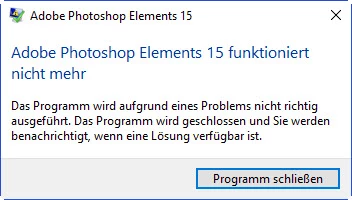
The message just says that because of a problem the programm cant be started.
Any suggestions?
Best wishes from Germany,
Adrian

When i try to start my PSE 15 I get a error message
The message just says that because of a problem the programm cant be started.
Any suggestions?
Best wishes from Germany,
Adrian
dashost is probably required for wireless devices. If it is in System32 it is unlikely to be a problem:
One suggestion is to use the tool adwcleaner
See the reply dated 3 October at the following Microsoft link:
I couldnt find a process called dashost.exe. After searching i found out that i needed to stop the framwork process.
After doing that a new error message came up when tryinf to delete.... reimage.exe. Thann came a akvtray message. This file is from G Data and i had to uninstall the programm. After that..... i finally managed to delete the lavasoft dll. PSE started off perfectly.
Thank you very much for your help.
Regards from Germany,
Adrian
Already have an account? Login
Enter your E-mail address. We'll send you an e-mail with instructions to reset your password.
 AdChoices