
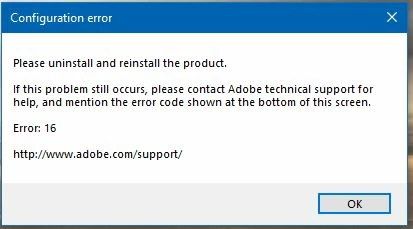
Photoshop Elements 2019 "Configuration Error" Error: 16
Okay, here are the basics:
1) Running windows 10, latest updates
2) Plenty of disc and RAM memory available
3) Attempted Adobe Photoshop Elements 2019 install from download link but had so many issues, returned it and bought off-the-shelf copy
4) Every install results in an Error: 16 message (uninstalled/reinstalled 20 times if I include the download copy attempts as well; 10-12 times just from DVD)
5) Adobe Customer Care logged in and we eventually managed to get Adobe running (changed permissions on Program Files, Program Files (86) and ProgramData files related to the Adobe product; eventually a creation of a SLStore folder in Program Files "fixed" the earlier problem)
6) An update for RAW files was downloaded and installed (should have known better than this)
7) Now have Error: 16 message dialog box again.
😎 Repeat of steps Adobe tech took has not gotten rid of the error.
Pop-up is attached.
Suggestions (other than just get rid of the product....which is coming closer to reality)?


 AdChoices