
Photoshop Elements 2020 issues on iMac with Catalina 10.15.4
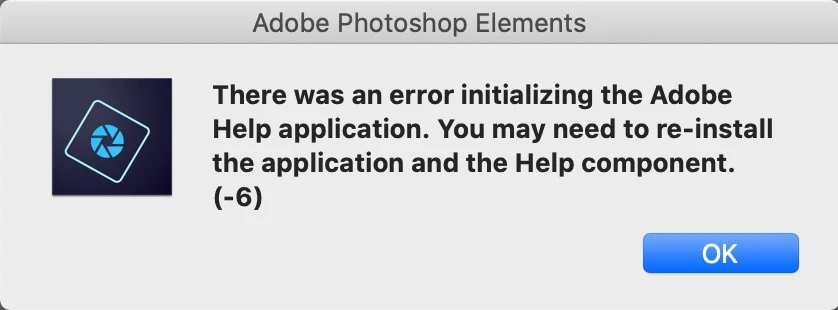
I have been using Photoshop Elements 2020 (PE2020) for a couple of months and have enjoyed it. Not as much as my CS5 which tanked with the Catalina upgrade, but that's life. Now I have been trying to get into the HELP files under PE2020. None of the items under HELP in PE2020 work, and the "Upgrade" button is always grayed out. I get the same error message for all the items listed under HELP:
The ABOUT display under the PE2020 Editor menu bar lists what I assume is a version number "18.0 (20200120.m.139570)x64." Looking at previous threads concerning issues with "Update" I went to ‘/Library/Application Support/Adobe/Adobe Desktop Common/HDBox’ and tried to use the help installer application. Does not work. There were a few other installer files under HDBox and they to gave me error messages and did not work. I reinstalled PE2020, which made no difference. I tried to use the PE2020 Uninstall program and the gave me an error message :
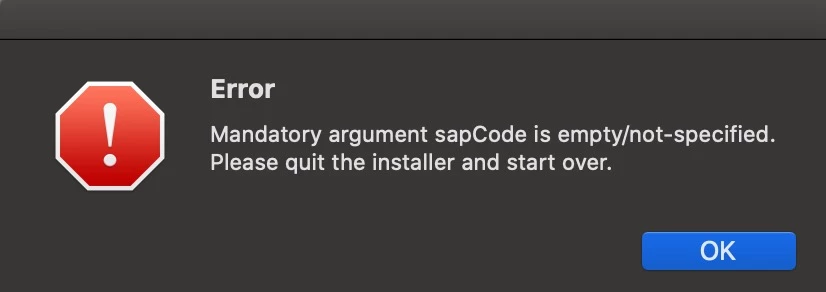
Any idea on what is wrong with my PE2020 and how to fix it, would be greatly appreciated. My iMac is kept up to date also.
 AdChoices