Copy link to clipboard
Copied
I would love to work with WebP pictures in my Elements 2025, but it say: could not complete your request because it is not the rigth kind of document.
I have tried WebpShop_0_4_3, but nothing happens.
What to do?

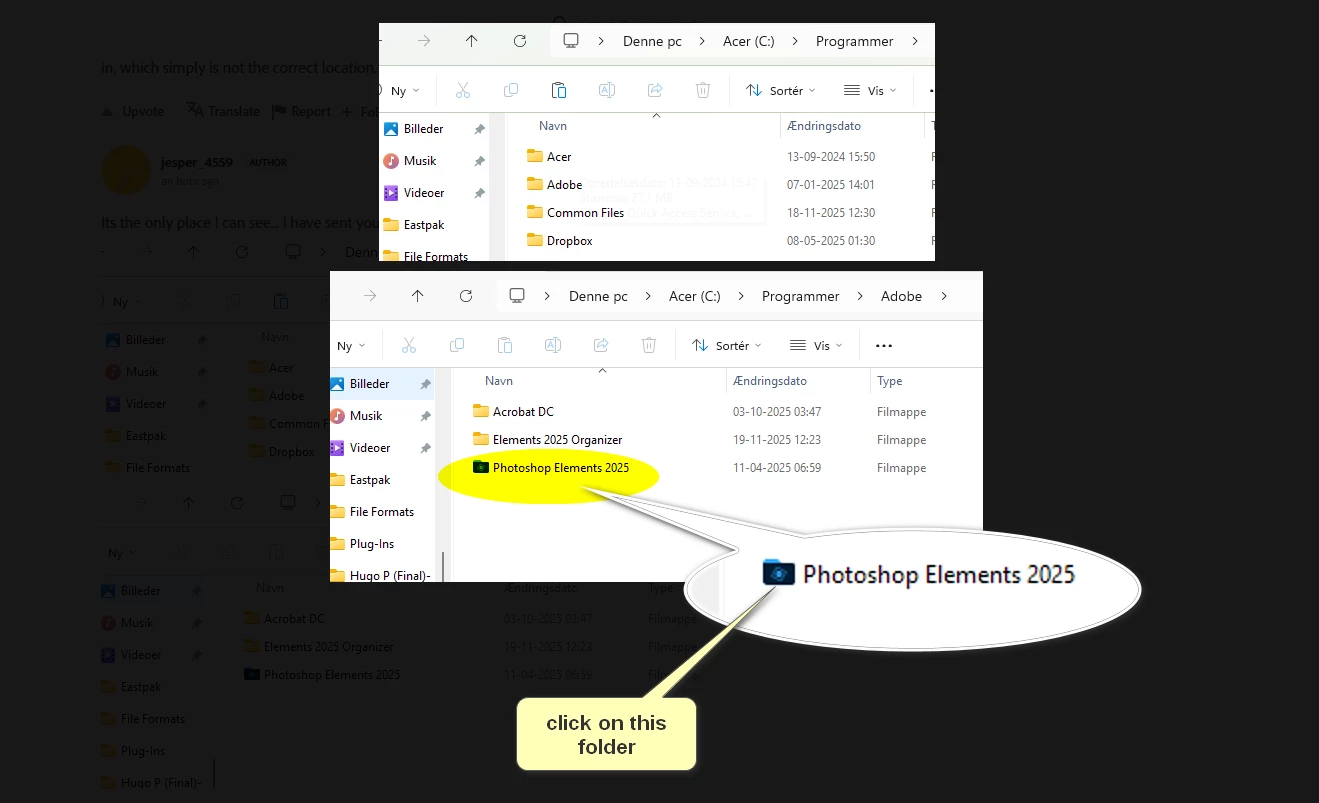
Click on the blue folder looking thing next to Photoshop elements
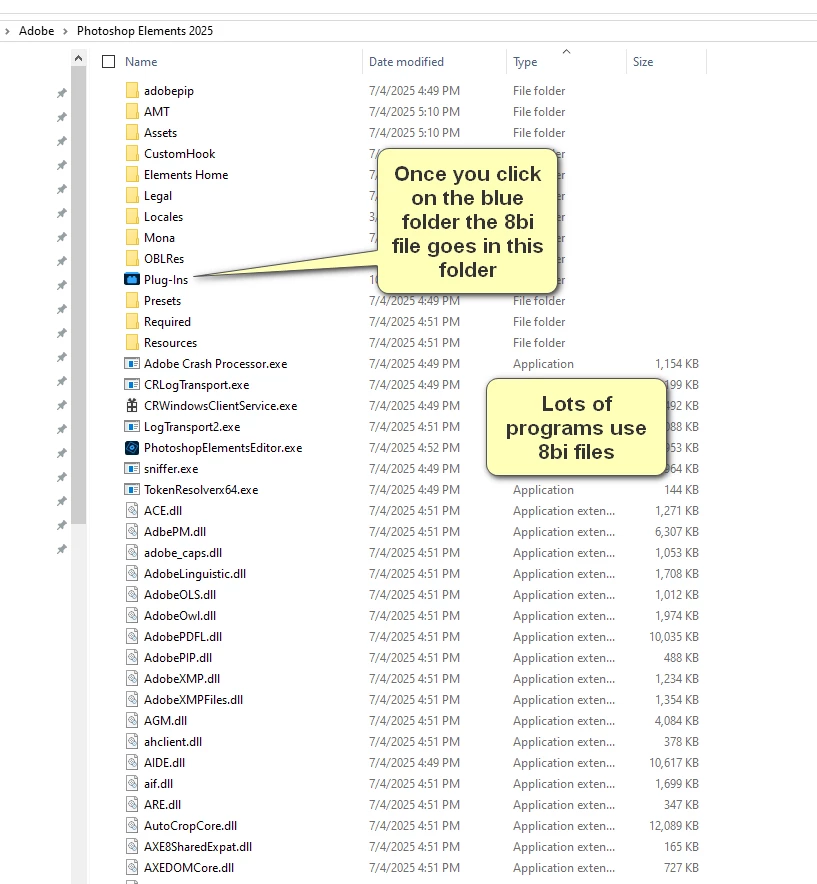
Once you click on the blue folder shown above do the following:
Copy link to clipboard
Copied
Chances are really good that you did not install things correctly, which for most users means you didn't put the 8bi file in the correct spot.
Just below: the location where you put the 8bi file discussed in step 3.
C:\Program Files\Adobe\Photoshop Elements 2025\Plug-Ins
Copy link to clipboard
Copied
I did download the file.
I did put it in C:\Program Files\Adobe\Elements 2025 Organizer/Plug-Ins
I didnot help
Copy link to clipboard
Copied
WebP support was introduced in PSE 2026. See my YouTube Video for all new features.
Copy link to clipboard
Copied
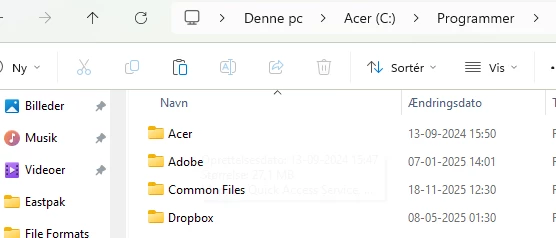
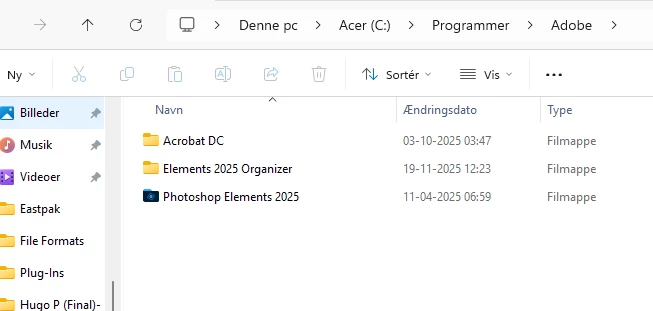
That's not the correct location listed- the plugin has nothing to do with organzier- which is what you put it in, which simply is not the correct location.
Copy link to clipboard
Copied
Its the only place I can see... I have sent you 2 prints
Copy link to clipboard
Copied
Click on the blue folder looking thing next to Photoshop elements
Once you click on the blue folder shown above do the following:
Copy link to clipboard
Copied
8bi file: This is a specific file extension for a Photoshop plug-in. It's a proprietary format used by Adobe to extend the functionality of Photoshop. It's not a 8 bit file. It's pretty much a Adobe/photoshop thing.
Copy link to clipboard
Copied
Glenn 8675309. You aremy hero 🙂 It worked. Thanks alot man 🙂 Have a great day 🙂
Copy link to clipboard
Copied
Now share that knowledge with others when you see them having the same problem!
Copy link to clipboard
Copied
Get ready! An upgraded Adobe Community experience is coming in January.
Learn more