
en2cas
Participant
February 21, 2017
Answered

Photoshop Elements Eraser Shape

  • February 21, 2017
  • 1 reply
  • 484 views

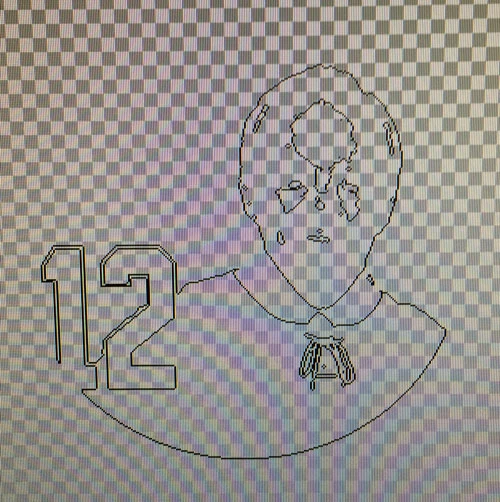
I was using the quick selection tool or magic eraser then reversed my selection a few times to get my selection exactly what I wanted, and now my eraser no longer has a normal shape. It kept the shape of the image I was working with. How do I get it back to normal? I attached a picture of what it looks like now. Thanks.
This topic has been closed for replies.
Correct answer MichelBParis

Did you try to reset the tool?

In the tool options bar on the bottom, ont the upper right there is a small icon (horizontal bars) which opens a menu in which you can reset the tool.

1 reply

MichelBParis
MichelBParisCorrect answer
Legend
February 21, 2017

Did you try to reset the tool?

In the tool options bar on the bottom, ont the upper right there is a small icon (horizontal bars) which opens a menu in which you can reset the tool.

en2cas
en2casAuthor
Participant
February 22, 2017

That worked. Thank you so much!