 Adobe Community

- Home
- Photoshop Elements
- Discussions
- Re: Photoshop elements Install fails
- Re: Photoshop elements Install fails
Photoshop elements Install fails

Copy link to clipboard
Copied
I'm trying to install PE 2021 on pc running Win10 (fully updated), I've owned a previous version but it's not installed on this machine.
After selecting the 64bit version & downloading the installer, it runs up to about 2% and then crashes "Install failed Restart required" I have restarted umpteen times and still it does the same thing, I've delted all old copies of the installer and started afresh TWICE and still it does the same thing...
I've spen the last 20 minutes trying to get a phone number for Adobe support but I think it would be easier to contact Trump at the White House as it seems to be a closely guarded secret ! Is there anyone out there from Adobe that can call me and solve this issue ? Microsoft were absolutely stunning with a different PC earlier in the week, Adobe have failed at the outset...


 14
Replies
14
14
Replies
14



Copy link to clipboard
Copied
What are the complete computer specs, including hard drives (how many, what kind, what is on each, and how full)?
Copy link to clipboard
Copied
Self built PC, liquid cooled, i7 core Extreme processor, 64GB RAM, three SSD hard drives, O/S runs on a 1TB SSD 20% full (only installed two weeks ago), other two drives are SSD, maybe 20% full,
As you can see it's very capable of running just about anything on the planet (other than PS Elements ! :-))
Copy link to clipboard
Copied
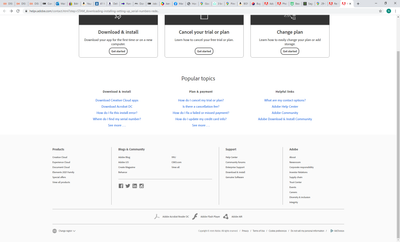
To contact Adobe Customer Service:
https://helpx.adobe.com/contact.html?step=STAM_downloading-installing-setting-up_serial-numbers-rede....

Copy link to clipboard
Copied
That option is not showing when I go to the link you sent....
Copy link to clipboard
Copied

Copy link to clipboard
Copied
Sounds to me as if you're having issues with the connection between your location and Adobe's servers, which could be caused by just about everything. Considering that I recently downloaded and installed PSE myself I'm pretty confident that this problem does not lie with Adobe or their servers.
Problem being that there are probably a lot of 'hops' aka routers and the likes between you and Adobe, and if there's anything wrong with those then that can have its effects on your download. So I'd start there, check the location, maybe try downloading from other sites to see how that behaves and maybe... try again after a few hours. If some router has been acting up it's likely to assume that this will eventually get fixed.
Copy link to clipboard
Copied
Same issue today, gets to 2% and then "installation failed".. is anyone from Adobe going to take ownership of this ?
Copy link to clipboard
Copied
I am having a similar issue. Looks like all old versions deleted, installation complete--I can see it in my programs file and the icon for the program is visible on my desktop. I click on it, and nothing happens.
Copy link to clipboard
Copied
...and I've restarted a few times, as well.
Copy link to clipboard
Copied
I think the issue is with the Adobe Installer as I need to close this via Task Manager every time as it won't quit itself... About time Adobe woke up and addressed the issue... if no response within the next 48hrs I'll be asking for my money back on software I simply can't access
Copy link to clipboard
Copied
I discovered that my problem was that I didn't have Windows 10, and the Elements 2021 won't work on Windows 8.1. I hadn't read the fine print. Your issue is probably different. I do recommend to going to the "chat" support via Adobe. It was helpful. Good luck.
Copy link to clipboard
Copied
....and p.s., I was able to get my money back from Adobe since I could not use the purchase. I was unable to install Windows 10 on my laptop (for whatever reason, maybe it's too old), so I'm just continuing to use my PSE 12.
Copy link to clipboard
Copied
COMPLETE and ABJECT FAILURE from Adobe... absolutley no point in buying their programmes as they won't offer any support, I'll be deleting all their software from both my personal and work machines and changing our office policy to use third party readers for PDFs... you had your chance Adobe and you blew it big time ! About time your software was relegated to "obsolete" status...


Copy link to clipboard
Copied
Dear User,
You may try installing with an installer file.
Steps to install using an installer file :
1. Goto https://www.adobe.com/products/photoshop-elements/download-trial/try.html#
2. Click on Download Adobe Photoshop Elements 2021.
3. Select "Windows 64-bit | English" (Here English would be the language in which you intend to use the application)
4. Click on "Download Now"
5. "PhotoshopElements_2021_LS30_win64.exe" file would be downloaded onto your system.
6. Double-click the PhotoshopElements_2021_LS30_win64.exe file that you just downloaded.
7. Follow the on-screen instructions.
Note: Please remain connected to the Internet until the application installs completely on your system.
Hope this helps resolve your query.
Regards,
Divy Jain


 AdChoices