
Participant
January 9, 2021
Answered

Photoshop elements problems by using any tool

  • January 9, 2021
  • 5 replies
  • 1047 views

Hello everybody!

I use Photoshop elements 19 (mac) and recently there has been a problem while editing. Maybe someone could help me? As soon as I use any tool (whether transforming or using the eraser) and click on the mouse, the image to be edited disappears (you can only see the gray background of the program) and only appears again when I release the mouse button. This makes editing very difficult.
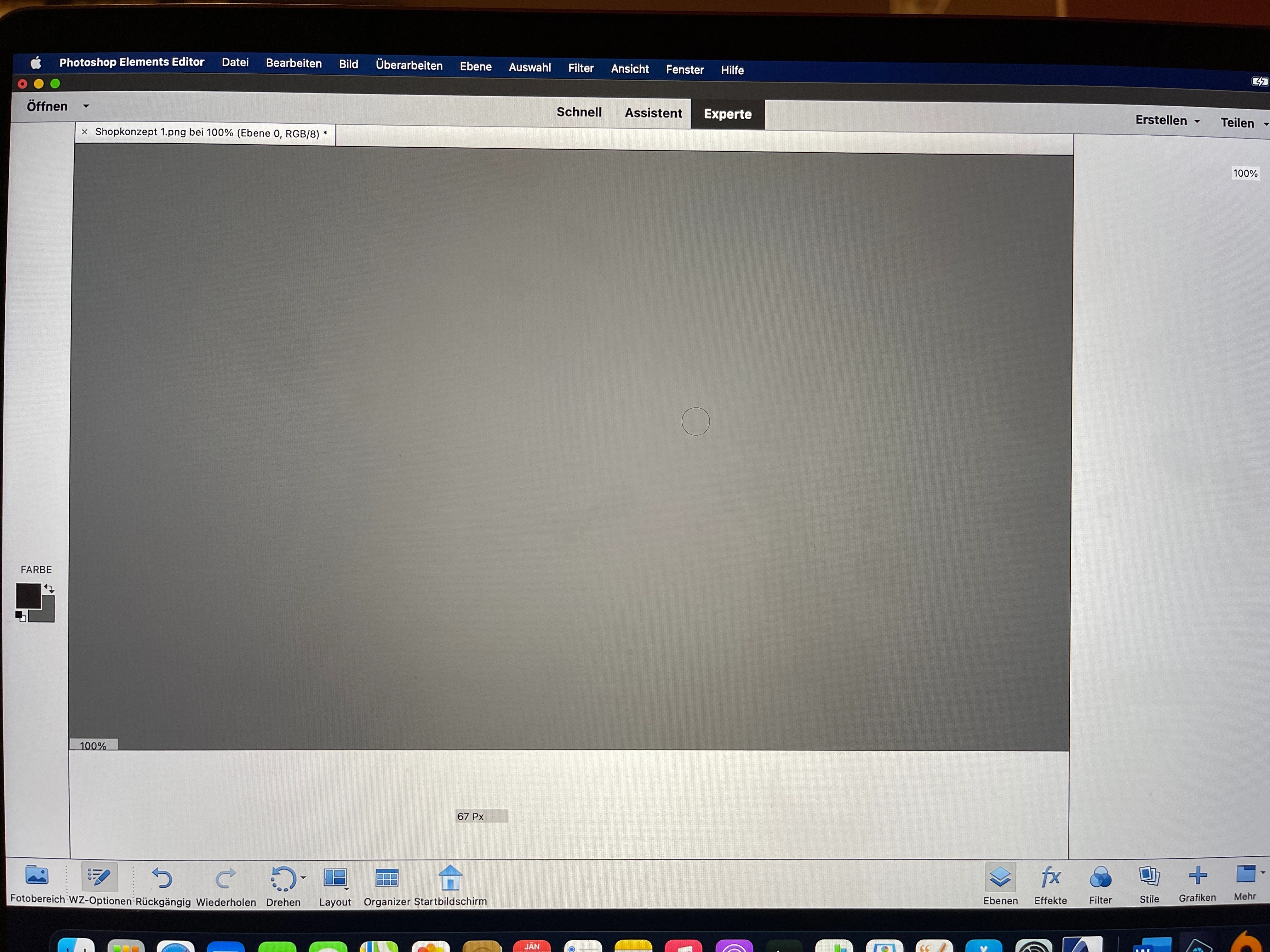
 

On this picture you can see the gray screen while the mouse button pressed. Does anyone have any idea how to solve the problem so that the image to be worked on is always visible? Thanks to all:)


This topic has been closed for replies.
Correct answer Greg_S.

@Magdalena5C32, Elements 2019 (version 17) will not work with Big Sur.  You need Elements 2020 or 2021.

5 replies

Greg_S.
Community Expert
Greg_S.Community ExpertCorrect answer
Community Expert
January 13, 2021

@Magdalena5C32, Elements 2019 (version 17) will not work with Big Sur.  You need Elements 2020 or 2021.

Participant
January 13, 2021

Thanks for the information! 

Adobe Employee
January 11, 2021

Hello,


Could you please mention the OS and hardware details? Also, have you started encountering this issue after some updates were installed on your system?
Try resetting the preferences as mentioned below:
Mac: Photoshop Elements > Preferences > General, click the Reset Preferences on next launch button, and then click OK. When you restart Adobe Photoshop Elements, all preferences are reset to default settings.

Thanks.

Participant
January 11, 2021

Resetting the preferences worked, thx so much!

Greg_S.
Community Expert
Community Expert
January 10, 2021

I know nothing about Macs and have never seen this problem reported before.


All I can suggest is to try resetting the preferences file. Go to Edit>Preferences>General tab and click the Reset Preferences on next launch button.


I assume you have not upgraded your OS to Catalina or Big Sur?  If you have, Elements will not work with them.  I misread that you were using Elements 2019, instead of Elements 19 (which is Elements 2021).

Participant
January 10, 2021

I have the exact same problem described above by Magdelena5C32, and in addition I want to add that when I click on anything else (Outlook, a browser, etc), the entire image turns checkered gray. When I return to Photoshop mode the image appears again but still has the phenomenon of the entire screen going solid gray when I click on it, with the image reappearing when I release the cursor. Impossible to do any editing. I used Photoshop frequently during December and never had this problem until yesterday. Coincidentally, I did de-install Adobe Flash Player yesterday as necessary for everyone. Do you think there is correlation? 

jane-e
Community Expert
Community Expert
January 9, 2021

Hi

Since your question is about Photoshop Elements, I have moved this from the Photoshop forum where you posted to PS Elements.

~ Jane

Participant
January 10, 2021

I have the exact same problem that Magdalena5C32 reported yesterday above. I used Photoshop frequently during December with no problem, and first noticed this phenomenon yesterday. Can you please direct me to where the question was re-routed into the PS Elements forum? This is my first time using the Forum. Thanks!

jane-e
Community Expert
Community Expert
January 10, 2021

Hi @HappyKitKat 


Click the Bell in the upper right to see links any responses to your thread or click your icon to see links to your own activity.


This thread is here:

https://community.adobe.com/t5/photoshop-elements/photoshop-elements-problems-by-using-any-tool/m-p/11739354?page=1

Jane