

phansen007
Participant
December 11, 2020
Answered

Posting picture to Facebook

  • December 11, 2020
  • 1 reply
  • 785 views

I make a picture using PSE and then want to post it on Facebook.  It comes out huge sometimes and other times it is a good size.  I have tried to change the pixels, the doc size and nothing seems to change when posted.  Does anyone know why this is or what I should be doing on size/pixels for it not to post HUGE?
This topic has been closed for replies.
Correct answer phansen007

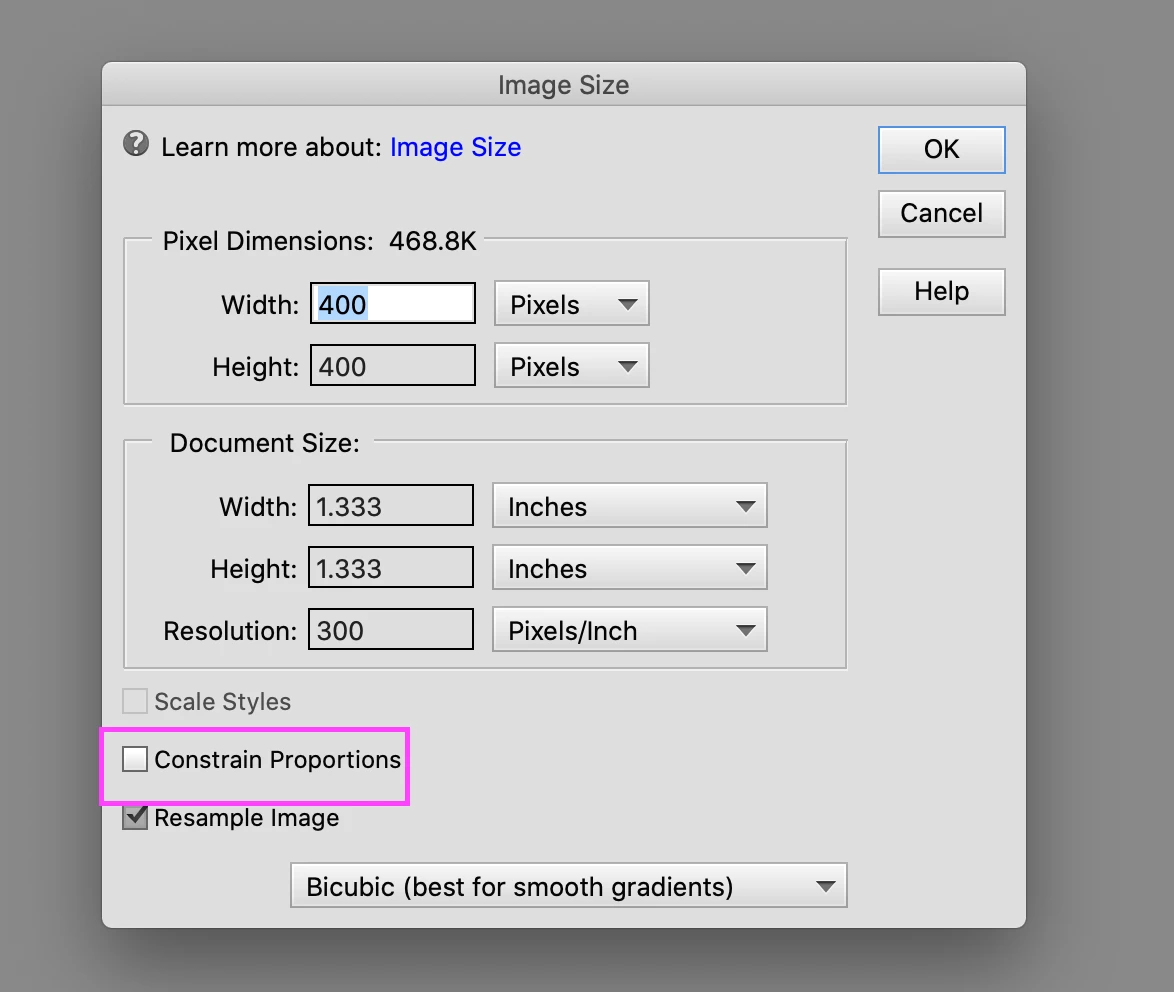
While resizing, make sure you uncheck "Constrain Proportions" option at the bottom.

Refer https://helpx.adobe.com/photoshop-elements/using/resizing.html#about_image_size_and_resolution for more details on Image sizing.


Regards,

Nidhi


thank you

1 reply

hatstead
Inspiring
December 11, 2020

This is from Facebook:

The optimal size for post (shared) images is 1,200 x 630 pixels. These guidelines will help you select and edit your shared images for optimum quality: Recommended upload size is 1,200 x 630 pixels. Will appear with a maximum width of 470 pixels in Facebook feed.


I have seen another recommendation for 400px square.

.

phansen007
Participant
December 11, 2020

How you make a square picture? When I put in pixel size width, it adjusts the height to something different that I cannot control. 

Participating Frequently
December 15, 2020

While resizing, make sure you uncheck "Constrain Proportions" option at the bottom.

Refer https://helpx.adobe.com/photoshop-elements/using/resizing.html#about_image_size_and_resolution for more details on Image sizing.


Regards,

Nidhi