
Question
Problem Modifying Bezier Handles for Text on a Path
When I try to modify the Bezier curves with Text on a path. I can only grab the right side Bezier handles.
The green represents the right side handles in the image. The red circled handles I cannot grab at all.
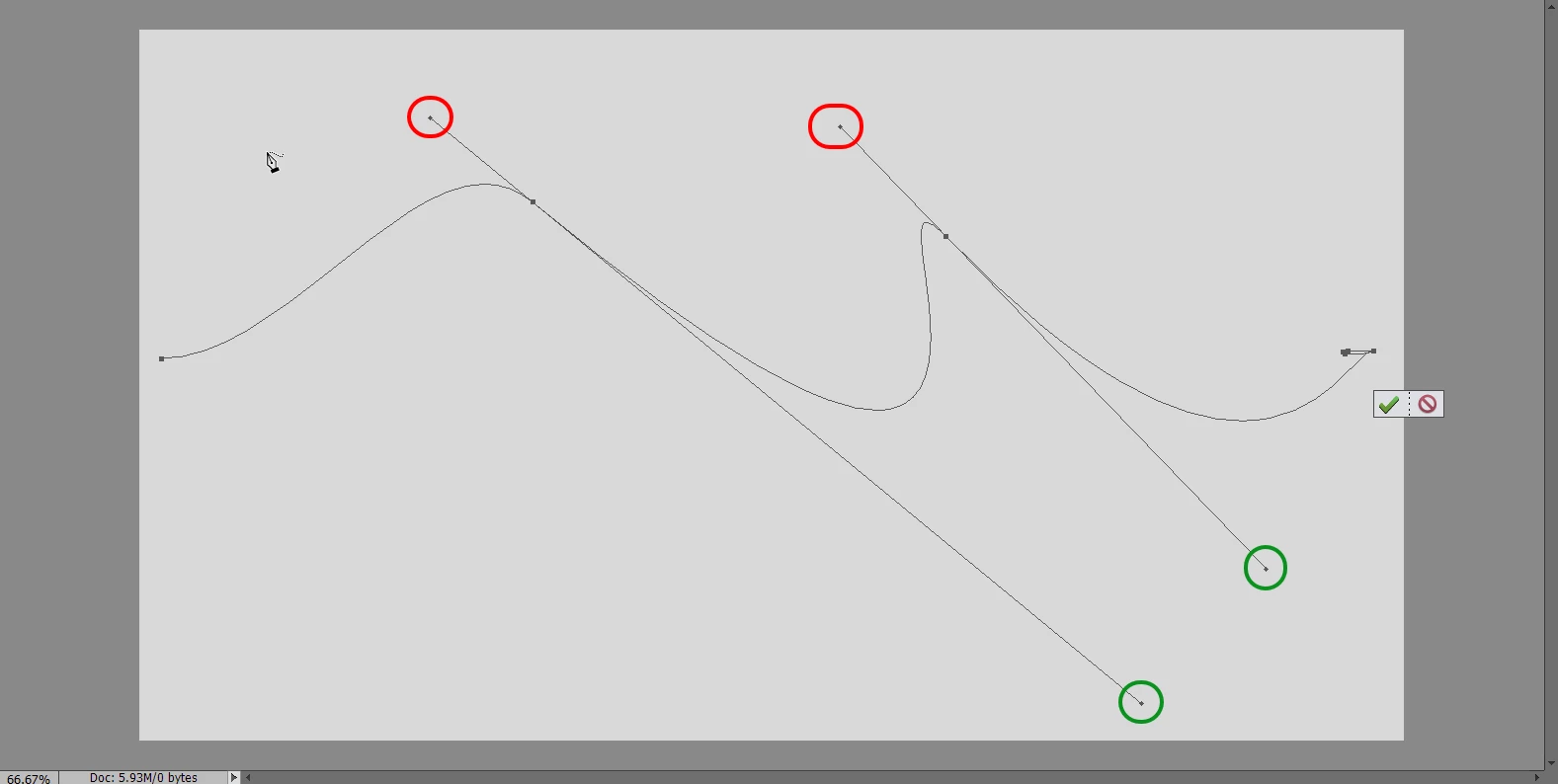
No matter what I try, I can't grab them. Can’t shorten them, nothing. I've tried to find a keyboard shortcut that allows me to select them, but I haven't found one yet.
They just stay the same length. I can move main central control point without a problem.
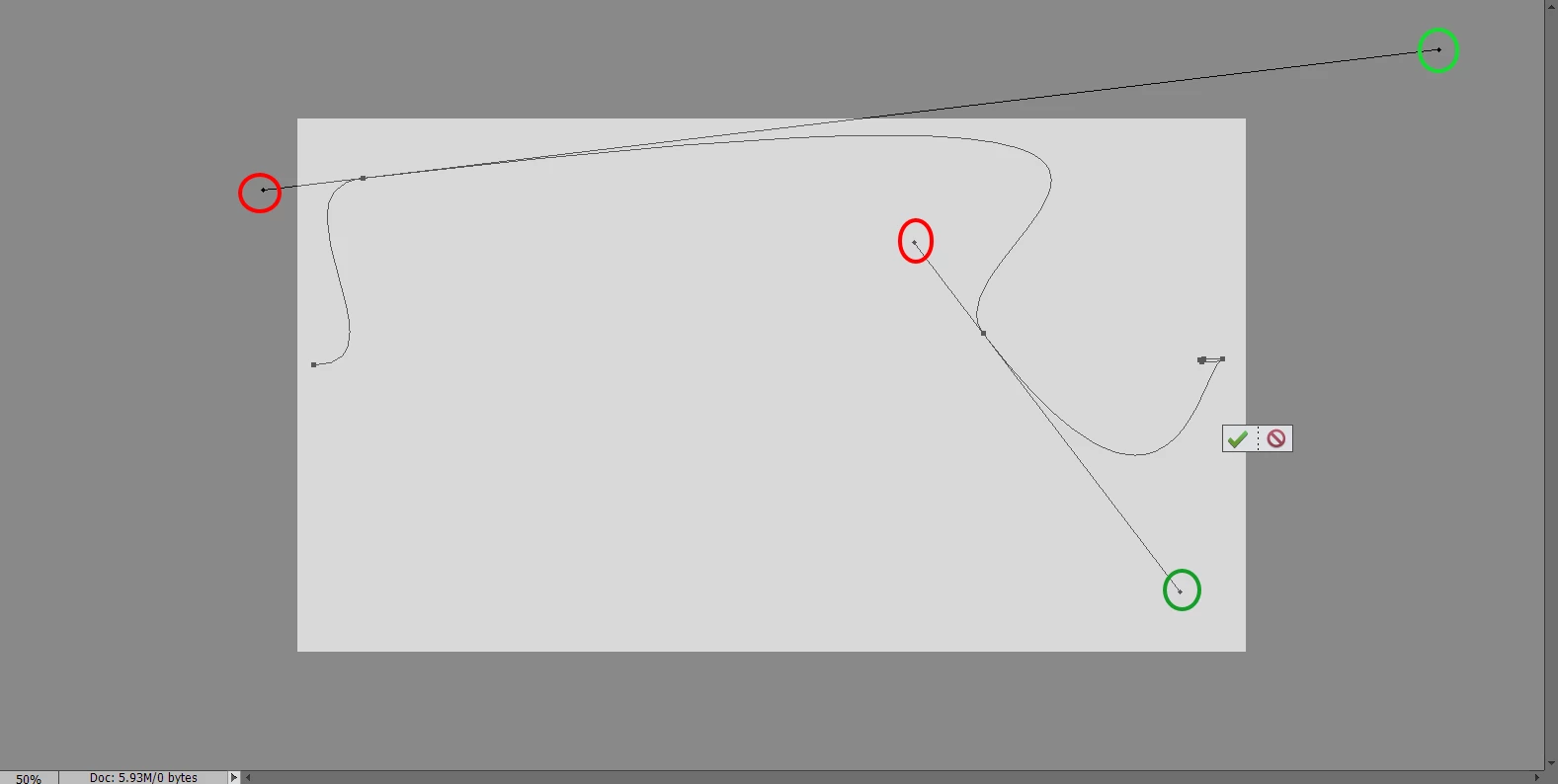
There must be something I'm missing, What?
Thanks for any help.
 AdChoices