Chrisn N
Inspiring
October 3, 2024
Answered

PSE 2024 - Adobe Stock Not Working

  • October 3, 2024
  • 4 replies
  • 962 views

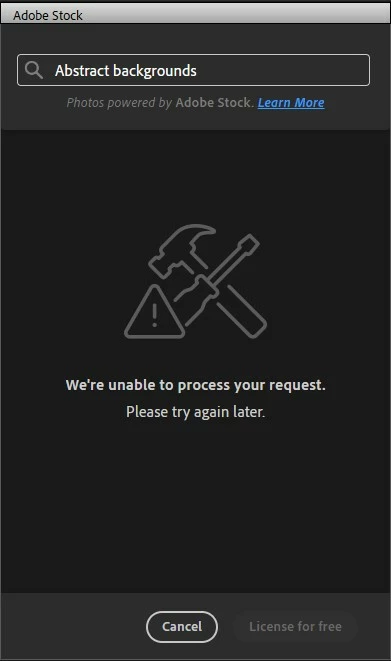
Yesterday and today I tried to use the Adobe stock intergration within PSE 2024 for the first time. I am logged in and my copy of PSE 2024 is fully activated. I get the error message that says, "We're unable to process your request, please try later" 


Am I doing something wrong? Do I need to enable a setting somewhere? Is the website just too busy or have Adobe disabled this feature?


Kind regards

Chris
 

This topic has been closed for replies.
Correct answer Chrisn N

Thank you Greg for sending the link for the support page. I started a chat session with remote assistance. The support agent tried several things. But in the end the solution was quite simple. I just had to log out of PSE 2024 and log back in again. Now its all sorted and Adobe stock works just fine.


Kind regards

Chris

4 replies

Greg_S.
Community Expert
Community Expert
October 4, 2024

@Chrisn N, thanks for letting us know about the solution.

Greg_S.
Community Expert
Community Expert
October 4, 2024

Chris, there have been several reports over the past few days.  So, I will report it to Adobe.  You can contact Elements support and start a chat session by going to the Contact Adobe Support page.  The chat page should open automatically .  If not, click on the chat button in the lower right corner of the page. Make sure you are signed into your Adobe account and try typing Agent when the chat window opens.  That will avoid  the robo chat.


But also try Glenn's suggestion and let us know if it works.

Chrisn N
Chrisn NAuthorCorrect answer
Inspiring
October 4, 2024

Thank you Greg for sending the link for the support page. I started a chat session with remote assistance. The support agent tried several things. But in the end the solution was quite simple. I just had to log out of PSE 2024 and log back in again. Now its all sorted and Adobe stock works just fine.


Kind regards

Chris

Glenn 8675309
Legend
October 4, 2024

Hold down your left shift / cmd key when you click on the icon that starts the editor.  that turns off you plugins- the ones showing in your screeshot for  example.   Sometimes with users things like plugin can affect how the program works. 

Chrisn N
Chrisn NAuthor
Inspiring
October 4, 2024

Thank you Glenn for the suggestion. I tried it, but the problem still persists.


Kind regards

Chris

Greg_S.
Community Expert
Community Expert
October 4, 2024

Chris, this is the kind of problem that is server-based and is usually temporary.  I just tried it and it is working. Please let us know if you are still having problems and I will report it to Adobe.

Chrisn N
Chrisn NAuthor
Inspiring
October 4, 2024

Thank you Greg for your reply. This is the third day that it is not working.  I think if the server was down for 3 days many others would complain as well. I'm not sure if there is a setting I need to change somewhere in PSE 2024 to make it work.


How do I contact Adobe support? They may need to ask me some details. 


Kind regards

Chris