Inspiring
February 23, 2021
Answered

PSE strips audio from video

  • February 23, 2021
  • 2 replies
  • 1584 views

I have a video from 1999 in wmv format, which plays fine on computer but once inside PSE there is no audio. Converted it to mp4, sound plays when launched from file explorer, but sound gone within PSE.


is there a fix? 

This topic has been closed for replies.
Correct answer Phil Pickering

Hi Edison,


I think I’ve solved your video problem.


When I imported the file into Photoshop Elements Organizer the video was fine, but no audio played at all. However, when I opened the video from the Organizer in Premiere Elements the audio played but only from my laptop’s right-hand speaker.


This indicated that whilst the video was using supported video and audio codecs and file formats, somewhere along the line the video has been marked as having 2 channels of stereo sound, but actually only contains a single mono audio channel. For some reason, the Elements Organizer took offence at that, and either tried to play only the left-hand channel (which was empty) or just didn’t bother playing it all.


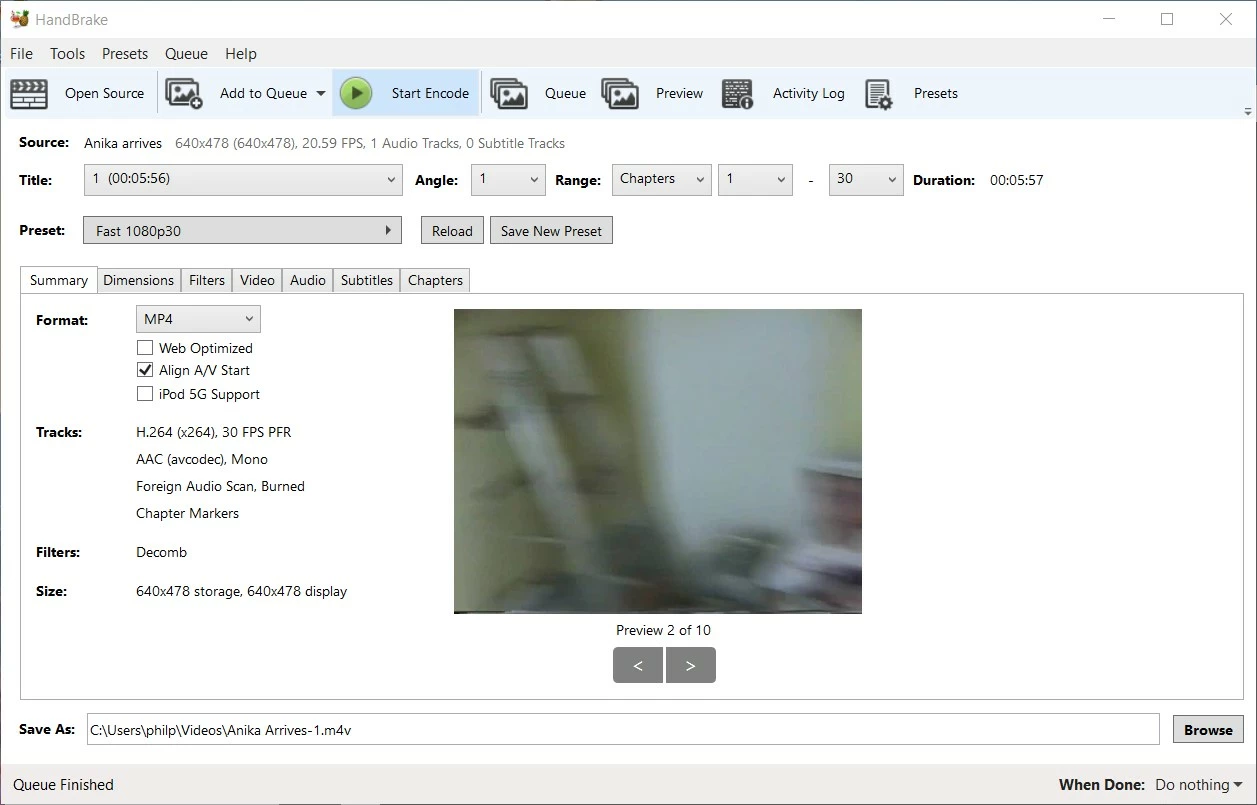
Found the easiest way to fix it was using Handbrake (which I think you already have and are familiar with).


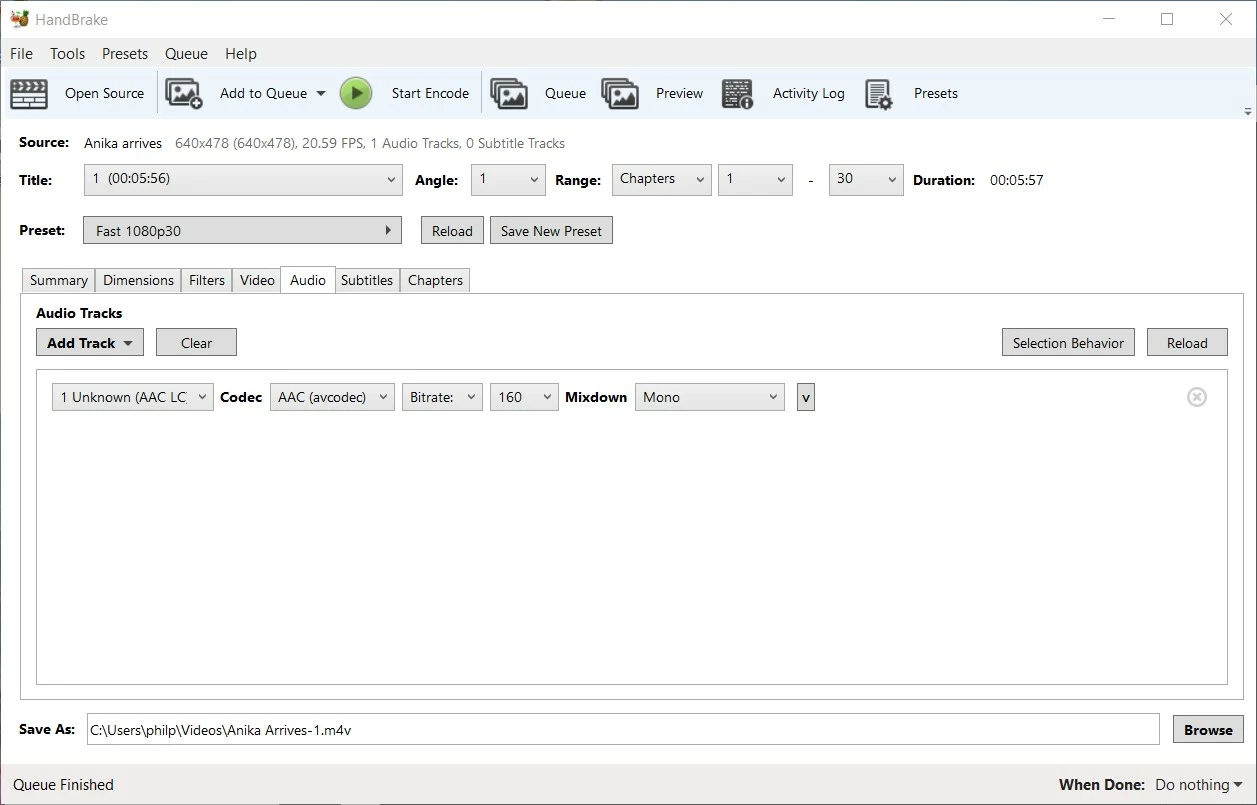
Just used the default settings with one change – go to the Audio tab and change the Mixdown from Stereo to Mono:


2 replies

Phil Pickering
Legend
February 24, 2021

Hi Edison,


- Which version of Photoshop Elements are you using?

- Does the audio play when you open the .wmv version of the video in Premiere Elements?

- Do you have any other .wmv videos from the same original source that play OK in Photoshop Elements? 

Inspiring
February 24, 2021

Hi.

Using PSE 2021.

No, the audio does not play in Premiere.

Yes, I think I have more wmv vids without the same problem, but just in case, I converted it to an mp4, twice, once with Premiere and once with Windows 10 video editor. In both cases, the mp4 played the audio on Windows 10 (so it *is* there) but not in PSE.


Phil Pickering
Legend
February 25, 2021

Sorry, I'm stumped now 😞

The audio codec is WMA9 and PSE definitely supports that codec.


Edison - sent you a PM.

Inspiring
February 24, 2021

An update on this: I found the trial edition of Premiere and used it to create an mp4. Audio still doesn't work but definitely works in Windows 10 using the Premiere-created file.


(Contacted Adobe for help and they initially said PSE doesn't support video, only photos. So why do hundreds of other videos work fine? I asked. And why is there a Find Video item on the menu? Sheesh)

Phil Pickering
Phil PickeringCorrect answer
Legend
February 25, 2021

Hi Edison,


I think I’ve solved your video problem.


When I imported the file into Photoshop Elements Organizer the video was fine, but no audio played at all. However, when I opened the video from the Organizer in Premiere Elements the audio played but only from my laptop’s right-hand speaker.


This indicated that whilst the video was using supported video and audio codecs and file formats, somewhere along the line the video has been marked as having 2 channels of stereo sound, but actually only contains a single mono audio channel. For some reason, the Elements Organizer took offence at that, and either tried to play only the left-hand channel (which was empty) or just didn’t bother playing it all.


Found the easiest way to fix it was using Handbrake (which I think you already have and are familiar with).


Just used the default settings with one change – go to the Audio tab and change the Mixdown from Stereo to Mono:



Inspiring
February 26, 2021

Fantastic Phil. You indeed solved the problem! Many thanks.