
Answered
"Could not initialize photoshop because scratch disks are full."
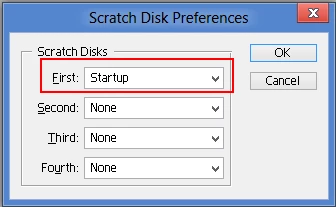
"Could not initialize photoshop because scratch disks are full." This is the error message that pops up when I try to open my Adobe Photoshop Elements 2.0. I just installed this program on my new HP Pavilion Model h8-1214, which has 1.8 TB of space with 10.0 GB of RAM. I have read forums on this problem, but they tell how to fix the problem through Photoshop. How do I fix the scratch disk settings without being able to open Photoshop? Please help me with this problem for the Adobe Support team will not even answer my question..
Thanks.
 AdChoices